Split test explorer
In the Analytics section of the Customer Engagement Console (CEC), in the Split tests section, the Split tests explorer report is a paginated table of split tests and their results as recorded over the selected time period. You can drill down to the detailed report for a split test.
The following is a screenshot of the split tests explorer.
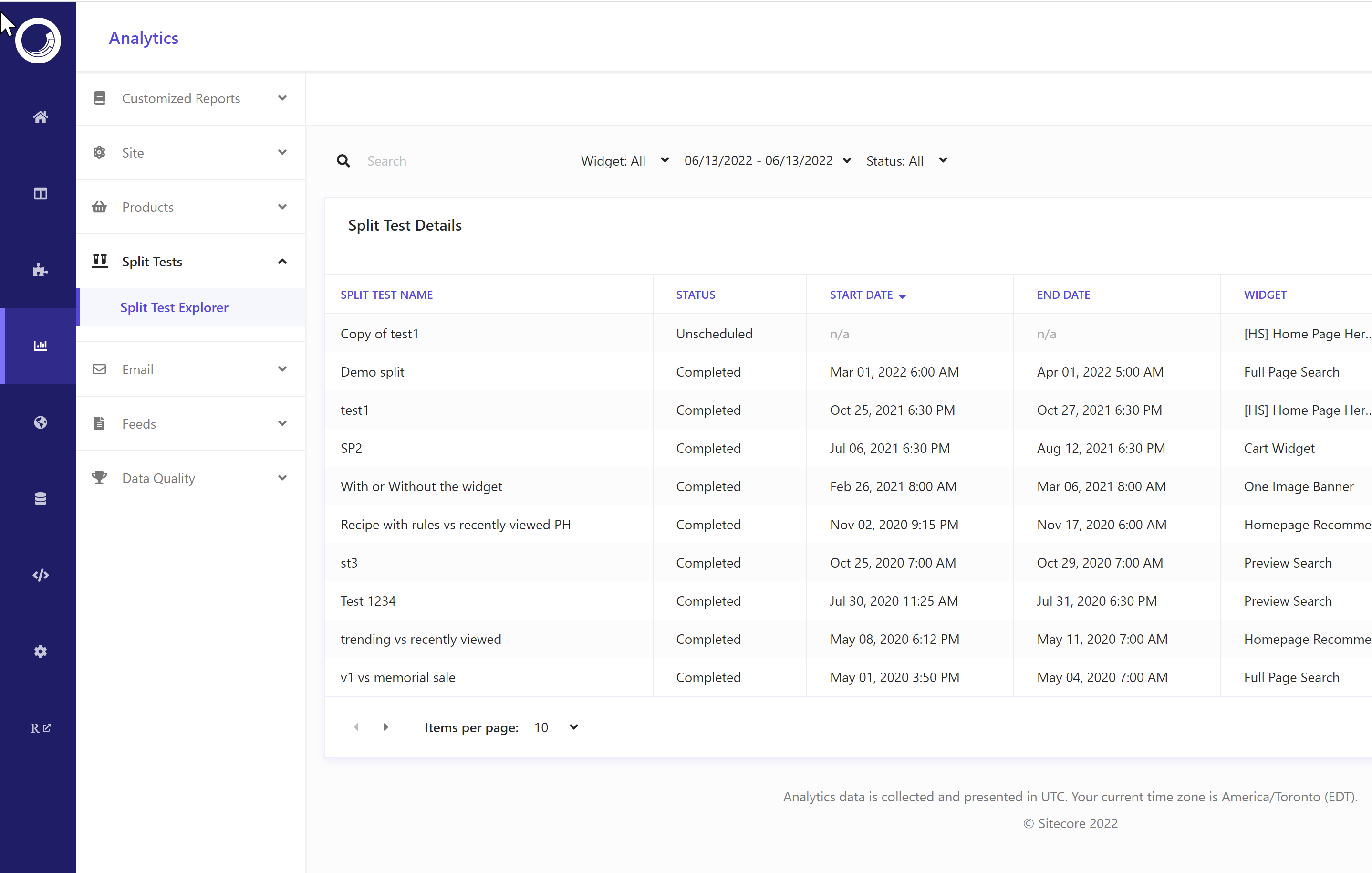
The columns in the Split test explorer table are Split test name, Start date, End date, Widget, and Traffic split
To configure the columns, click Columns.
To sort the data set, click a column header.
To view all values and navigate through the paginated table, use the pagination controls below the table.
To drill down to a detailed report on an item, click the item.
To export data, click  and then click Export Data.
Data filters
You can narrow down the data you see in reports using the filters at the top of the report dashboard or section. Changing these values regenerates the reports.
The following drop-down filters are available for this report:
- Widget - lets users add widgets by name to narrow data.
- Date range - includes Yesterday, Last 7 days, Last 14 days, Last 30 days, and Customized range.
- Status - includes Active, Completed, Draft, Scheduled, and Unscheduled.