Widget variations
The Widget variations report is an explorer report displaying a paginated tabular list of widget variations and their metrics as recorded over the selected time period.
All explorer reports have a similar structure and functionality. The following is a screenshot of a typical paginated explorer report.
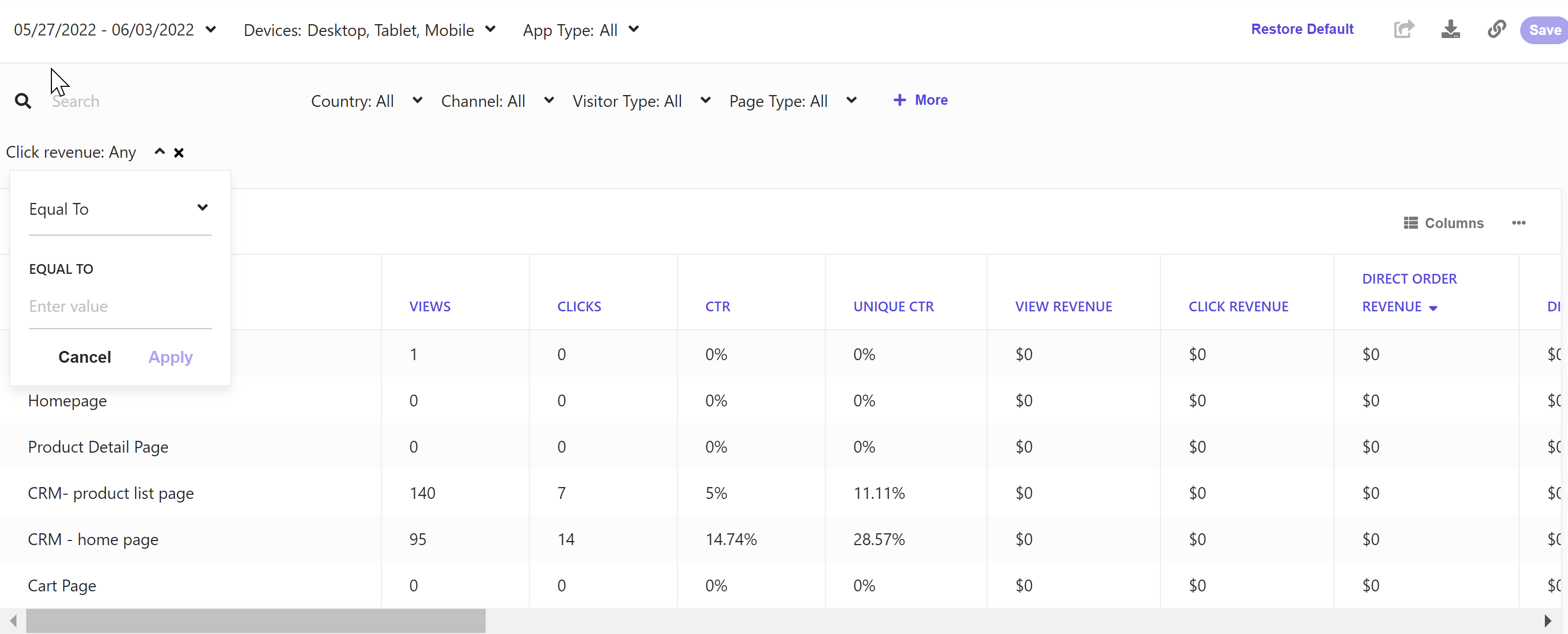
To configure the columns, click Columns.
To sort the data set, click a column header.
To view all values and navigate through the paginated table, use the pagination controls below the table.
To export data, click  and then click Export Data.
Data filters
You can narrow down the data you see in reports using the filters at the top of the report dashboard or section. Changing these values regenerates the reports.
Use the following filters to generate data for this report:
Date range - includes Yesterday, Last 7 days, Last 14 days, Last 30 days, Last 90 days, and Customized range.
Devices - includes Desktop, Tablet, Mobile, and Bot.
App type - includes Web, Native, and Webview.
Country - includes a list of countries.
Visitor type - includes new and returning visitors.
Channel - includes different methods by which a visitor has accessed your website or mobile app.
Locale - includes a list of locales.
Depending on your domain setup, you might see some or all of these filters.
Metrics and KPIs
In the reports, attributed metrics and KPIs represent records that reflect the type of visitor interaction to which they are attributed.
For example, a click-assisted metric records sessions or visits where the visitor purchased one or more products different from those that they clicked.
Visitor interaction types include:
- Direct - refers to a visitor clicking one or more products and purchasing one or more products that they clicked.
- Click-assisted - refers to a visitor purchasing one or more products different from those they clicked.
- View-assisted - refers to a visitor viewing one or more products.
- Unassisted - refers to a visitor not viewing and not clicking a product but converting.
The following describes the metrics and KPIs in this report:
Revenue attribution
For revenue, attributions are displayed in the following metrics:
Discover direct order revenue - the revenue from the session when a visitor clicked one or more Discover widgets and purchased one or more products they clicked. The entire order (basket) revenue is included in this metric.
Also referred to as Discover direct basket revenue.
Discover click-assisted revenue - the revenue from sessions or visits where the visitor purchased one or more products different from those clicked.
Discover view-assisted revenue - the revenue from sessions or visits when a visitor viewed one or more Discover widgets.
Discover click-assisted orders are not included in Discover view-assisted revenue.
Unassisted Revenue - the revenue from sessions or visits where the visitor did not view and click a product but converted.
Order attribution
For orders, attributions are displayed in the following metrics:
Discover direct order - the number of orders from sessions or visits when a visitor clicked one or more Discover widgets and purchased the same product that they clicked on or within a Discover widget.
Discover click-assisted order - the number of orders from sessions or visits where the visitor purchased one or more products different from those clicked.
Discover view-assisted order - the number of orders from sessions or visits when a visitor purchased one or more products different from those viewed.
Discover click-assisted orders are not included in Discover view-assisted orders.
Unassisted orders - the number of orders where the visitor did not view and therefore did not click a widget, but did convert.
Converted visit attribution
For converted visits, attributions are displayed in the following metrics:
Discover direct CVR - the number of Discover direct converted visits divided by the number of Discover direct visits.
Discover click-assisted CVR - the ratio of click-assisted converted visits and total visits.
Discover view-assisted CVR - the ratio of the number of Discover view-assisted converted visits and the total number of visits.
Unassisted converted visits - the number of orders where the visitor did not view and click a product but converted.
Overall CVR - the number of converted visits divided by the total number of sessions or visits.