Introduction to web experiences in Sitecore Personalize
Designed specifically for marketers, a web experience facilitates personalization on web pages, without relying solely on developers. A web experience is an offer, content, feedback widget, or any other customer experience that can run on the web or be deployed into a web-based application.
For example, you can show an operational message to alert guests that your website will be down for maintenance. When you configure the content, you can include a personalized greeting and use dynamic data to provide the exact time the website will be inaccessible, per the guest's timezone.
We recommend you create a web experience if your organization is confident that the customer experience will result in the best outcome. For example, if you ran a web experiment on feedback modals and want to put the winning variant in production. If you want to statistically test your variant against a control or other variants, we recommend you create a web experiment.
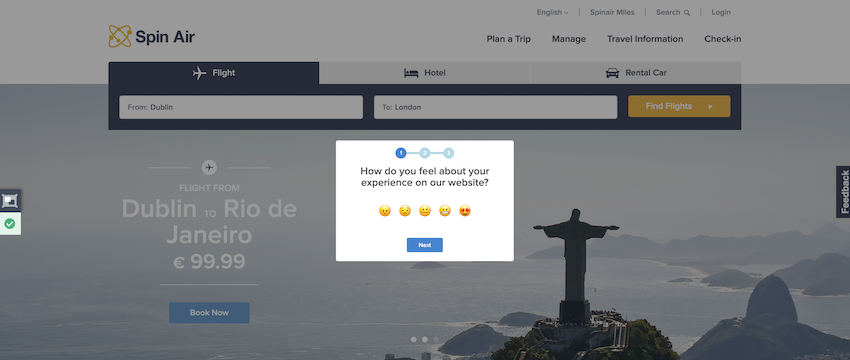
The following image shows a web experience that displays a feedback modal: