Troubleshoot chats
When using the chat feature, issues sometimes arise, for example, the generated result might not be what you expect. In this case, verify the prompt, selected agent, context, tools, and attached files.
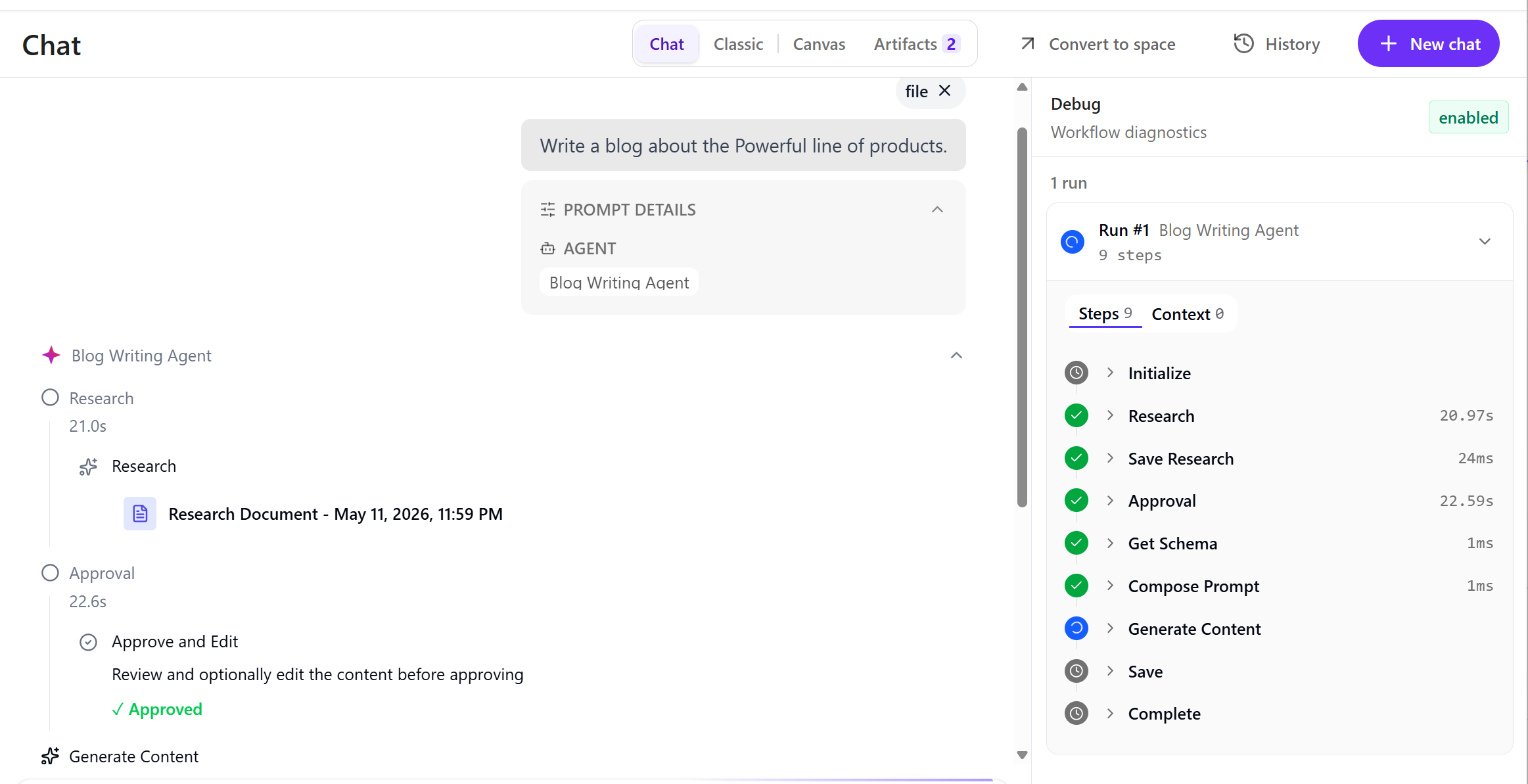
You can use the debug pane to resolve issues that you encounter.
To troubleshoot chats:
-
Open the
 Chat page.
 -
At the end of the product URL add
debug=true. This opens a Debug pane. -
In the Chat interface, enter your prompt, select an agent if required, provide additional information and context, and then click Submit
 . Details about the steps and context are displayed in the Debug pane.