1. Primitive UI components

CollectionIndex

Primitive UI components in Search UI Components package, are headless, building blocks used to create the headless widget templates for React applications. You can use them to scaffold your custom widgets.

This topic describes the API reference and variations of the CollectionIndex primitive component.

Using the component

This section describes using the CollectionIndex primitive component.

Static

In your React application, paste the following code block then modify the primitives to match your needs.

Screenshot of a static ListItem primitive component.
() => (
  <List>
    <ListItem id="1">Item 1</ListItem>
    <ListItem id="2">Item 2</ListItem>
    <ListItem id="3">Item 3</ListItem>
    <ListItem id="4">Item 4</ListItem>
  </List>
)

Dynamic

In your React application, paste the following code block then modify the primitives to match your needs.
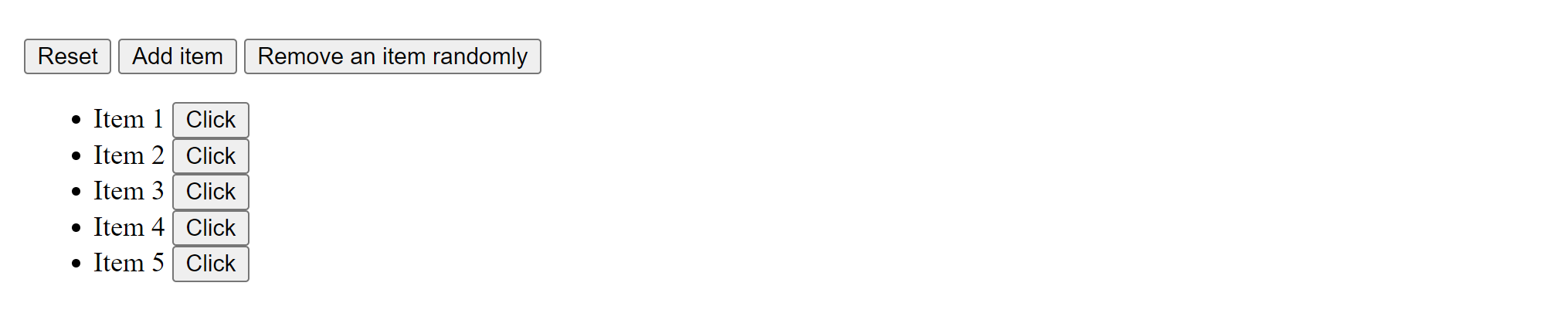
Screenshot of a dynamic ListItem primitive component.
({ onClick }) => {
  const [list, setList] = React.useState(dynamicList);
  const [removedIndex, setIndex] = React.useState(-1);
  return (
    <>
      <button
        onClick={() => {
          setList(dynamicList);
        }}
      >
        Reset
      </button>{' '}
      <button
        onClick={() => {
          setList([...list, ++i]);
        }}
      >
        Add item
      </button>{' '}
      <button
        onClick={() => {
          // remove an item from the list randomly
          const randomIndex = Math.floor(Math.random() * list.length);
          setIndex(randomIndex);
          setList(list.filter((_, i) => i !== randomIndex));
        }}
      >
        Remove an item randomly
      </button>{' '}
      {removedIndex !== -1 ? `Removed index ${removedIndex}` : ''}
      <List>
        {list.map((item) => (
          <ListItem key={item} id={item} onClick={onClick}>
            Item {item}
          </ListItem>
        ))}
      </List>
    </>
  );
}
If you have suggestions for improving this article, let us know!