FXM JavaScript API
Sitecore Federate Experience Manager (FXM) offers a JavaScript API that enables you to manage some of the Sitecore analytics functionality on webpages on external websites. To use this API, you must set up the FXM JavaScript beacon on the external website.
trackEvent
Use the trackEvent function to trigger a Sitecore page event from a webpage on the external website:
-
To trigger the Page visited page event:
SCBeacon.trackEvent(“Page visited”) -
To trigger the page event with additional parameters, such as
dataanddataKey:SCBeacon.trackEvent(“Page visited”, { data: “custom data”, dataKey: “custom data key” }) -
To trigger the page event with custom parameters, make sure the parameter starts with the prefix,
x. The custom parameter is added to the Text property. For example:SCBeacon.trackEvent(“Page visited”, { data: “MyData”, dataKey: “MyDataKey”, xKey1: “Value1”, xKey2: “Value2” })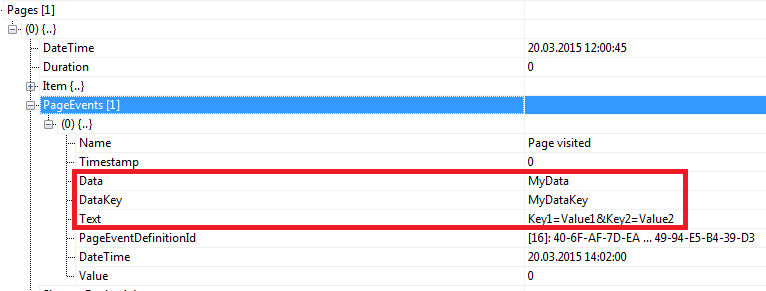
trackGoal
Use the trackGoal function to trigger a Sitecore goal from a webpage on an external website:
-
To trigger the Register goal:
SCBeacon.trackGoal(“Register”) -
To trigger a goal with additional parameters, such as
dataanddataKey:SCBeacon.trackGoal(“Register”, { data: “custom data”, dataKey: “custom data key” }) -
To trigger the
SCBeacon.trackGoalgoal with custom data parameters, make sure the parameter starts with the prefix,x. The custom parameter is added to the Text property. For example:SCBeacon.trackGoal(“Register”, { data: “MyData”, dataKey: “MyDataKey”, xKey1: “Value1”, xKey2: “Value2” })
trackOutcome
To use the trackOutcome function, you must use the item ID or name of a predefined outcome definition item, for example, Product Purchase:
SCBeacon.trackOutcome(“{9016E456-95CB-42E9-AD58-997D6D77AE83}”)SCBeacon.trackOutcome(“Product Purchase”)
Use the trackOutcome function to trigger a Sitecore outcome from a webpage on an external website:
-
To associate the outcome with a monetary value, add the parameter
monetaryValueto thetrackOutcomefunction:SCBeacon.trackOutcome(“{9016E456-95CB-42E9-AD58-997D6D77AE83}”, { monetaryValue: “25,5” }) -
To trigger an outcome with custom data parameters, add the parameters to the
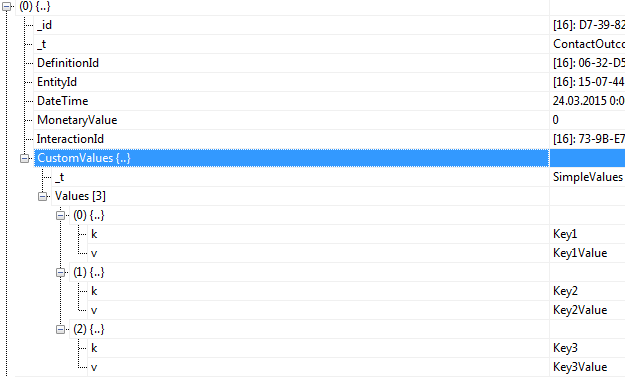
trackOutcomefunction. Make sure the parameters start with the prefix,x. For example:SCBeacon.trackOutcome(“{9016E456-95CB-42E9-AD58-997D6D77AE83}”, { xKey1: 'Key1Value', xKey2:'Key2Value', xKey3:'Key3Value' });