Populate the placeholders field for layouts
When fetching layout/route data using the REST Layout Service, you might encounter situations where the placeholders field for a layout is empty or does not include some placeholders you were expecting to see in the data.
If there is missing placeholder information in the JSON data structure under sitecore.route.placeholders, for every one of your layouts, you must configure the Layout Service Placeholders field.
The Layout Service Placeholders field determines which placeholder information to include in the Layout Service response data.
When you follow this procedure, the Layout Service returns JSON data for renderings in each placeholder. If you want to serialize renderings to HTML, configure the Sitecore Layout Service to output HTML for MVC renderings.
To populate the placeholders field for your layouts:
-
In the content tree, under sitecore/layouts/Layouts, for your selected Layout, add every root placeholder to the Layout Service Placeholders field.
NoteIf a Placeholder Settings item does not exist, create it.
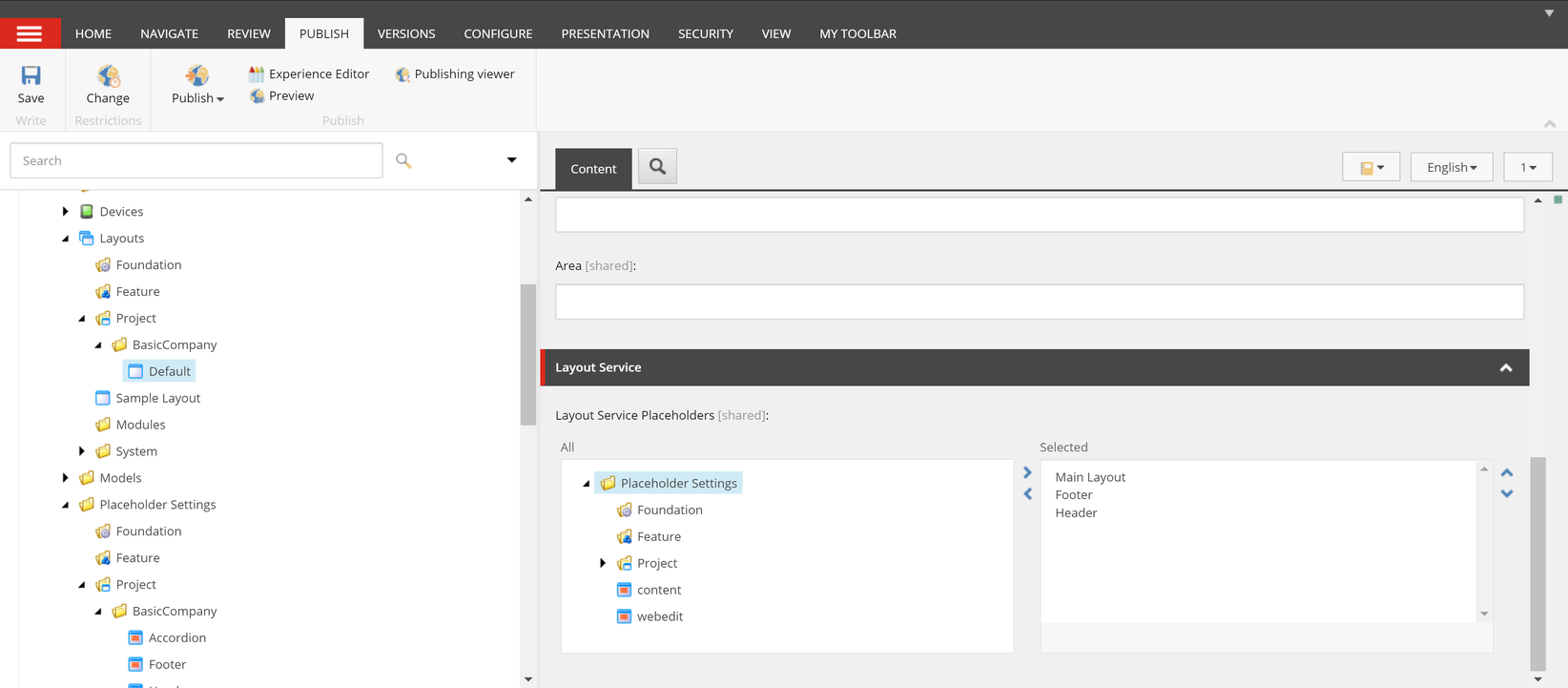
-
Refresh the Layout Service endpoint you accessed previously. The placeholder information located in the data at Sitecore/route /placeholders is now populated. The data includes all placeholders and components required to render your page.