
Enable Sitecore Connect trial
Sitecore Connect is a low-code and no-code integration platform that enables seamless connections between Sitecore products and third-party applications.
You can start with Sitecore Connect for free, and upgrade anytime to unlock more features.
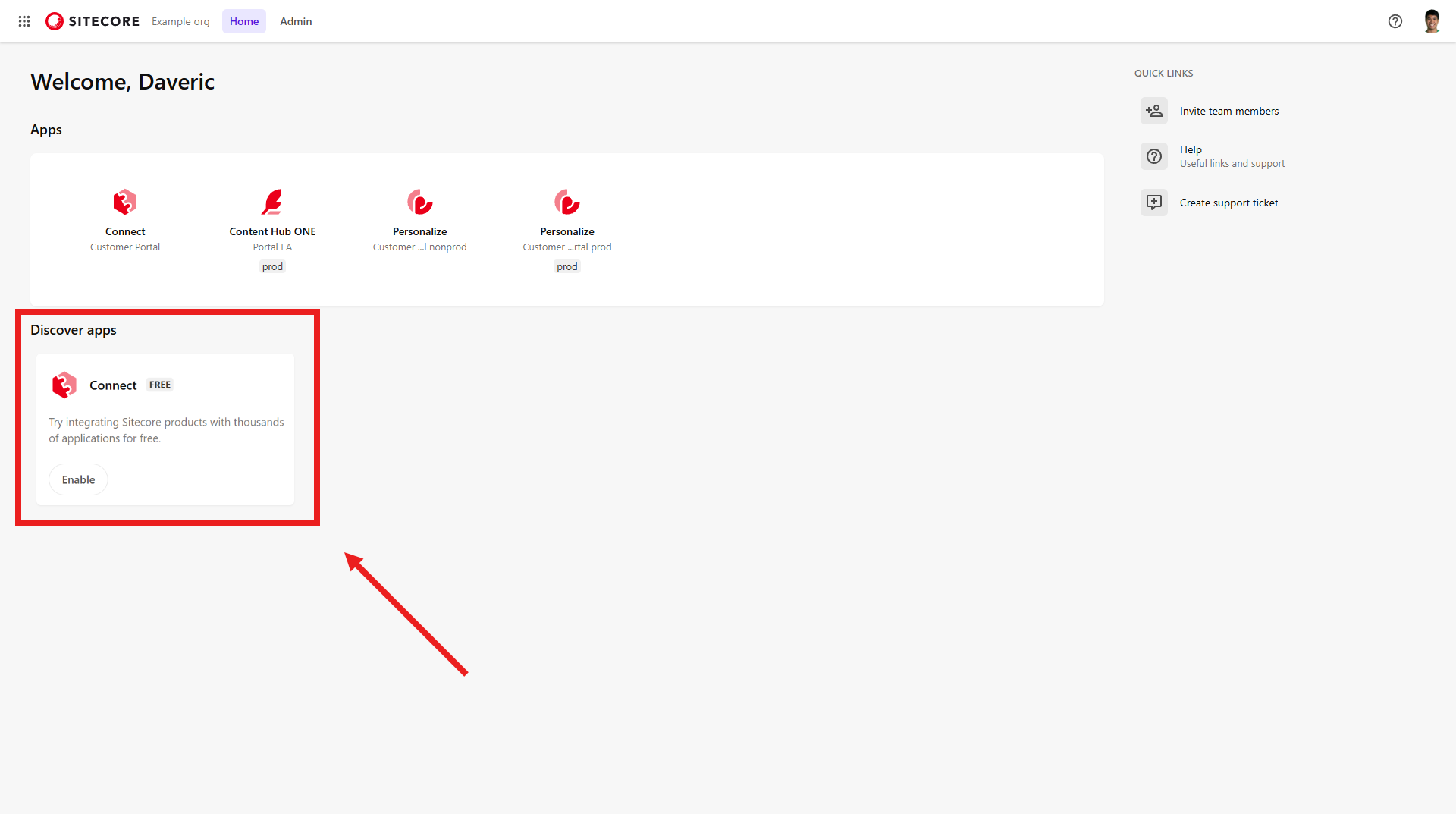
To enable Connect, you must be an Organization Admin or Organization Owner.
To enable Sitecore Connect trial for your organization:
-
Log in to the Sitecore Cloud Portal organization where you want to enable Connect.
-
In the Discover apps section of the homepage, locate Connect and click Enable.
If Connect is not shown in the Discover apps section, it means that it is already enabled.
-
In the bottom-right of the Connect pane, click Continue.
-
Read the Sitecore Connect terms and conditions. If you accept them, click Accept and enable.
-
Wait for an email notifying you that Connect has been enabled. The enablement process typically takes less than 24 hours.
When Connect is enabled, you can manage users’ access to Connect.