Banner templates with text and buttons overlay
You can choose different Sitecore Discover banner templates that have text and buttons over an image. Choose a template based on the number of images you want.
One image hero banner
This template has one clickable image with an optional title, subtitle, and button.
The following image shows an example of the one image hero banner with text and button overlay template:

Two image banner
This template has two clickable images in two columns with an optional title, subtitle, and button.
The following image shows an example of the two image banner with text and button overlay template:

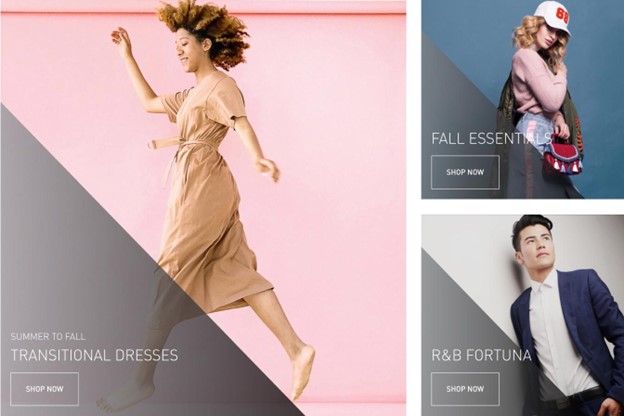
Three image banner 1-2 split
This template has three clickable images in two columns with an optional title, subtitle, and button. The first column has one image and the second column has the other two images in two rows.
The following image shows an example of the three image banner 1-2 split with text and button overlay template:
Four image banner 1-1-2 split
This template has four clickable images in three columns with an optional title, subtitle, and button. The first image is in the first column. The second image occupies the top row of the second and third columns. The third image is in the bottom row of the second column and the fourth image is in the bottom row of the third column.
The following image shows an example of the four image banner 1-1-2 split with text and button overlay template:

Five image banner 1-2-2 split
This template has five clickable images in three columns with an optional title, subtitle, and button. The first image is in the first column. The second and fourth images occupy the second column and the third and fifth images occupy the third column.
The following image shows an example of the five image banner 1-2-2 split with text and button overlay template:

Use these templates
To use these templates, configure the following settings in the Widgets section:
- Basic settings
- Overlay text settings
- Overlay position settings
- Image settings
- Fonts settings
- Box model settings