Configure an external editing host
An editing host is an application instance provisioned to support the editing experiences in SitecoreAI. It's an instance of your head application that doesn’t serve public traffic, but is instead used to enable WYSIWYG editing in the Page builder. You can learn more about editing and rendering hosts.
Currently, only Node-based editing hosts can be hosted natively in SitecoreAI. An editing host is automatically provisioned for you when you create and deploy a project using the XM Cloud starter repo. However, if you build sites using other languages, you will need to manually configure an editing host, and host it outside of SitecoreAI. This topic walks you through this process.
Some code examples, images, and UI labels may still use XM Cloud while engineering assets are being updated.
Make sure you have deployed a project and environment in SitecoreAI.
To configure an external editing host:
-
In the Deploy app, open your project and environment.
-
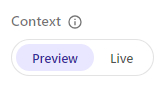
On the Developer settings tab, make sure the Context switch is set to Preview, and copy the following environment variables and values into your project:
SITECORE_EDGE_CONTEXT_IDNEXT_PUBLIC_DEFAULT_SITE_NAMENEXT_PUBLIC_SITECORE_EDGE_CONTEXT_IDSITECORE_EDITING_SECRET
-
Outside of SitecoreAI, deploy to your hosting provider an instance of the application you want to use as the external editing host. This is handled differently for each hosting provider. We recommend you use the same provider to host production and nonproduction instances (editing hosts and rendering hosts).
-
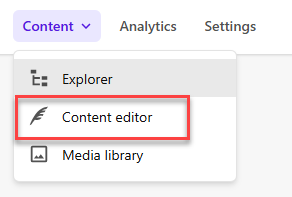
Open the Content Editor for the relevant environment. You can do this by opening SitecoreAI and, in the Content drop-down list, clicking Content editor.
-
For the site you want to configure, open
/sitecore/content/<SITE_COLLECTION>/<SITE>/Settings/Site Grouping/<SITE>and make a note of the value in the Predefined application editing host field.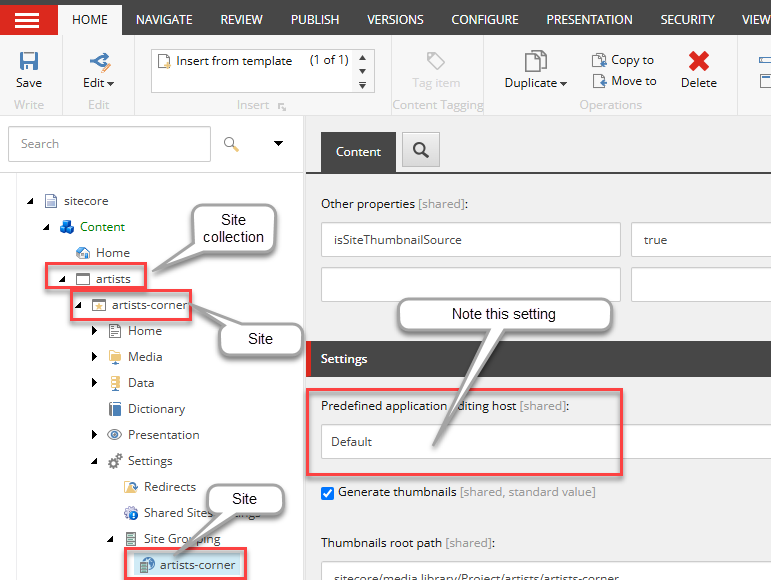
-
Navigate to
/sitecore/system/Settings/Services/Rendering Hosts, and click the item with the same name as the value defined for the predefined application editing host (in this example, it's Default). -
Set these values:
- Server side rendering engine endpoint URL - this value depends on whether or not your SDK supports metadata editing. Currently, all versions of Content SDK, JSS versions 22.1 or later, and ASP.NET Core SDK versions 0.0.14 or later support this.
- If the SDK supports metadata, enter
https://<DOMAIN_OF_EDITING HOST>/api/editing/render. - If the SDK doesn't support metadata, enter
https://<DOMAIN_OF_EDITING_HOST>/jss-render.
- If the SDK supports metadata, enter
- Server side rendering engine application URL -
https://<DOMAIN_OF_EDITING_HOST>/ - Server side rendering engine configuration URL -
https://<DOMAIN_OF_EDITING_HOST>/api/editing/config
- Server side rendering engine endpoint URL - this value depends on whether or not your SDK supports metadata editing. Currently, all versions of Content SDK, JSS versions 22.1 or later, and ASP.NET Core SDK versions 0.0.14 or later support this.
-
To save your changes, click Save in the top-left corner.
-
In the relevant site, navigate to the Page builder. It is now configured to run against your external host, and you should be able to edit your site pages there.