Decision table outputs
In component personalization, the decision table evaluates the configured inputs and personalization rules, then returns the corresponding component variant as the output for matched visitors.
Each output consists of:
-
Component - the component to render for the matched visitor, such as a banner, call to action, or other UI element.
-
Content item - the content used to populate the selected component.
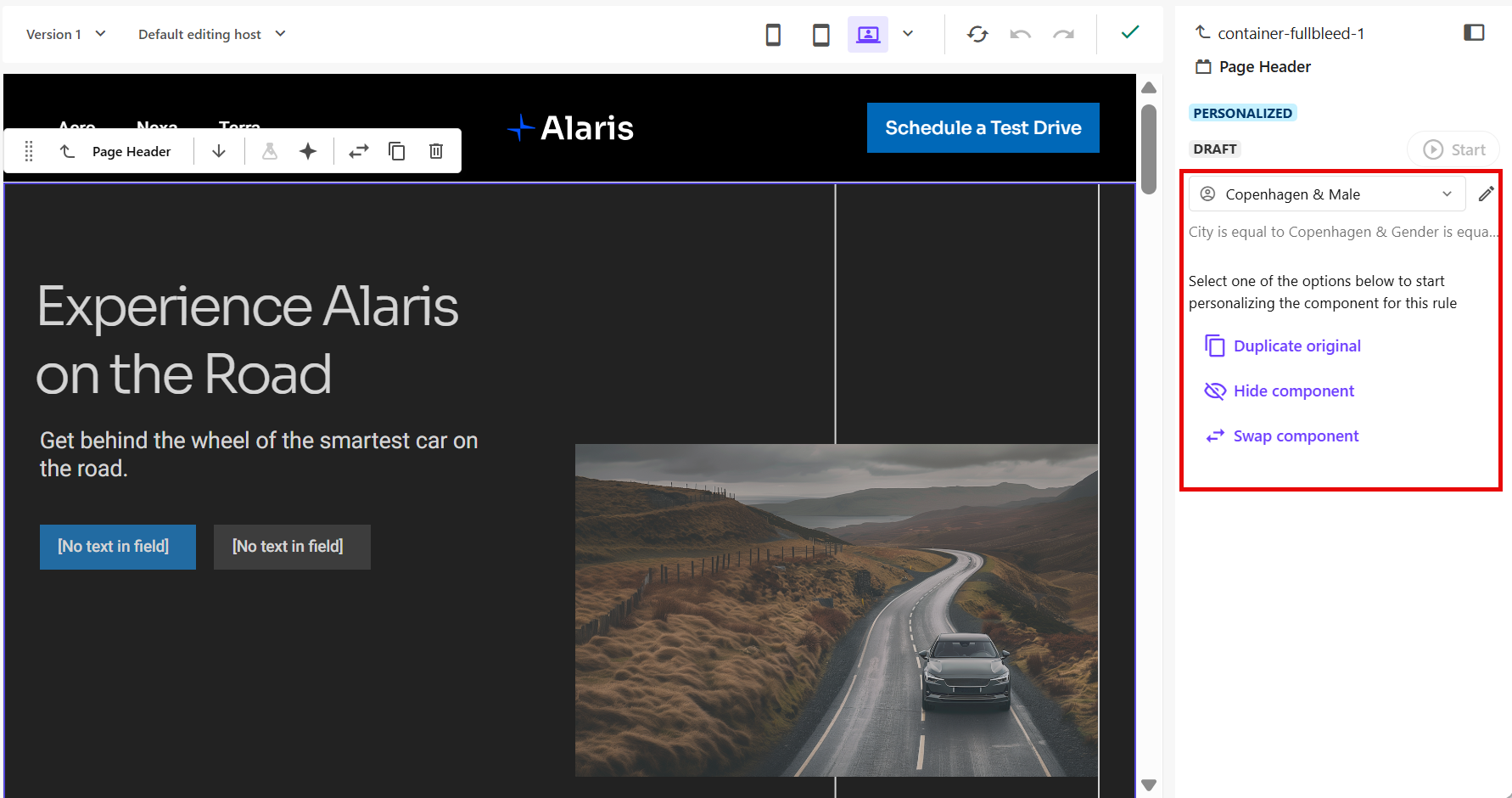
After you create and save your personalization rules, you can customize the component variant associated with each rule in the right pane of Page builder.
You can configure each variant using the following options:
-
Duplicate original - creates a copy of the original component as the starting point for the variant. This duplicates the component and its existing rendering parameters, and automatically creates and assigns a copy of the content item.
-
Hide component - does not display the component for this variant. When the personalization is live, visitors matched to this variant will not see the component on the page.
-
Swap component - replaces the original component with another compatible component. If the selected component requires content, you may be prompted to select a content item.
You can then update the content and design as needed.