Building an iOS application using the Universal Tracker SDK in Visual Studio for Mac (Xamarin Studio)
This section describes how to install the Universal Tracker SDK and create an iOS application in Visual Studio for Mac.
To build an iOS application using the Universal Tracker SDK in Visual Studio for Mac:
-
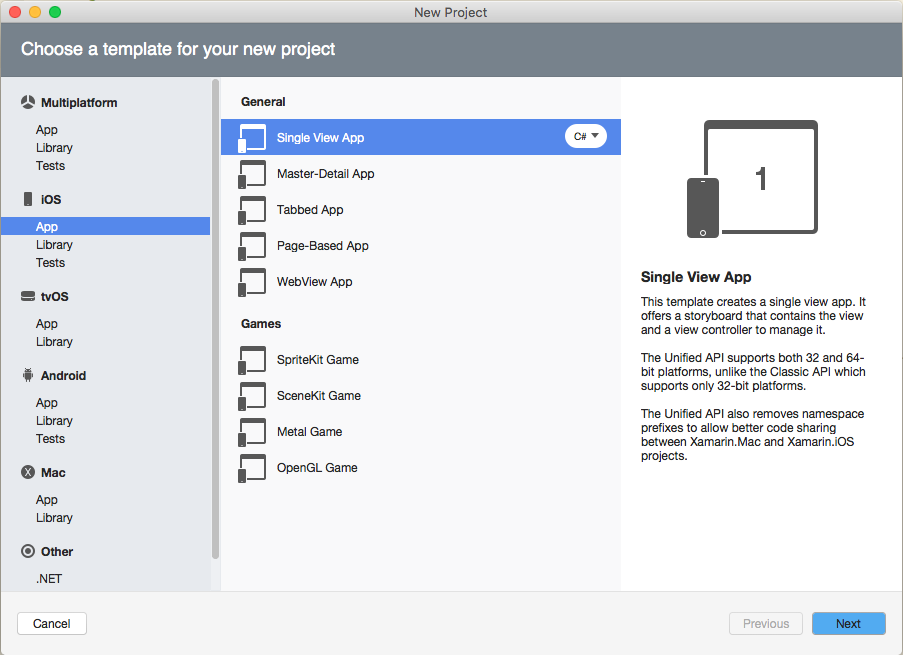
Create a project in Visual Studio for Mac. In the project creation wizard, select iOS > App > Single View App
-
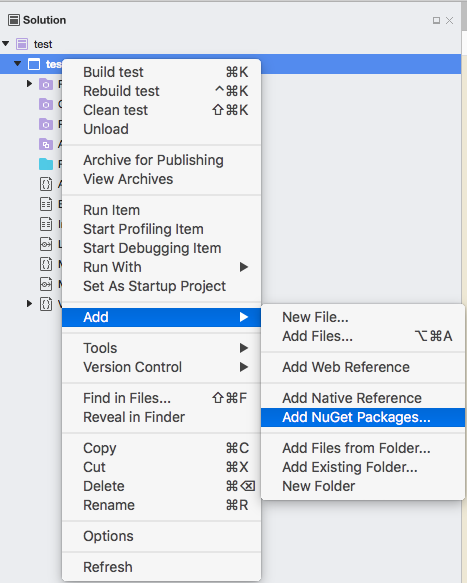
In the Solution Pad, right-click the project node.
-
In the context menu, select Add, and then click Add NuGet Packages…
-
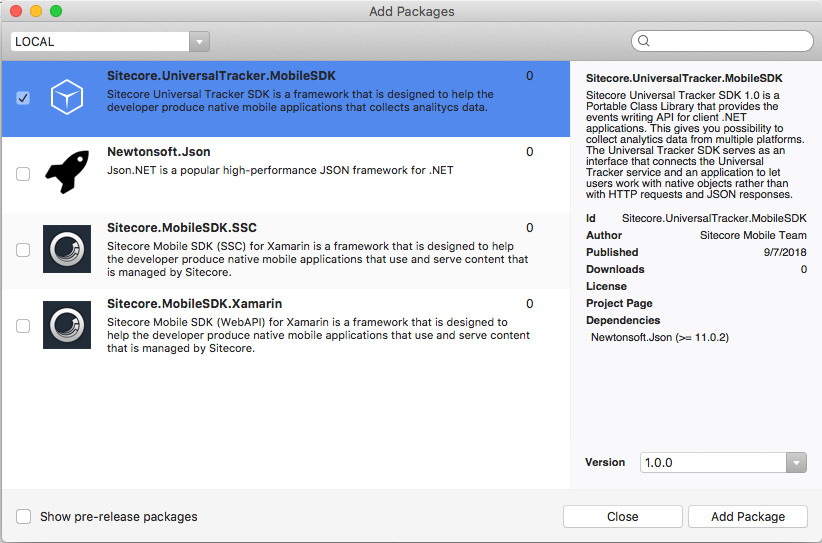
In the Add Packages dialog box, enter the Sitecore.UniversalTracker.MobileSDK ID in the search field. The ID is case insensitive.
-
Select Sitecore.UniversalTracker.MobileSDK in the search result and click Add Package.
Once the NuGet package has been added, you can see the updated project references.
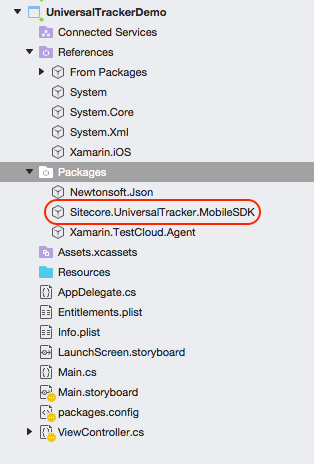
Now you can use the Universal Tracker SDK.
-
In the editor, add the following code to the
ViewDidAppear()function of your application:RequestResponsepublic override async void ViewDidAppear(bool animated) { string instanceUrl = "http://my.site.com"; string channelId = "27b4e611-a73d-4a95-b20a-811d295bdf65"; string definitionId = "01f8ffbf-d662-4a87-beee-413307055c48"; var defaultInteraction = UTEntitiesBuilder.Interaction() .ChannelId(channelId) .Initiator(InteractionInitiator.Contact) .Contact("jsdemo", "demo") .Build(); using (session = SitecoreUTSessionBuilder.SessionWithHost(instanceUrl) .DefaultInteraction(defaultInteraction) .BuildSession() ) { var eventRequest = UTRequestBuilder.EventWithDefinitionId(definitionId) .Build(); var eventResponse = await session.TrackEventAsync(eventRequest); Console.WriteLine("Track EVENT RESULT: " + eventResponse.StatusCode); var okAlertController = UIAlertController.Create("Event response code", eventResponse.StatusCode, UIAlertControllerStyle.Alert); okAlertController.AddAction(UIAlertAction.Create("OK", UIAlertActionStyle.Default, alert => Console.WriteLine("Ok"))) PresentViewController(okAlertController, true, null); } } -
Add the following namespaces to your project to make the code compile properly:
RequestResponseusing System; using System.Drawing; using System.Threading.Tasks; using MonoTouch.Foundation; using MonoTouch.UIKit; using Sitecore.UniversalTrackerClient.Entities; using Sitecore.UniversalTrackerClient.Request.RequestBuilder; using Sitecore.UniversalTrackerClient.Session.SessionBuilder;
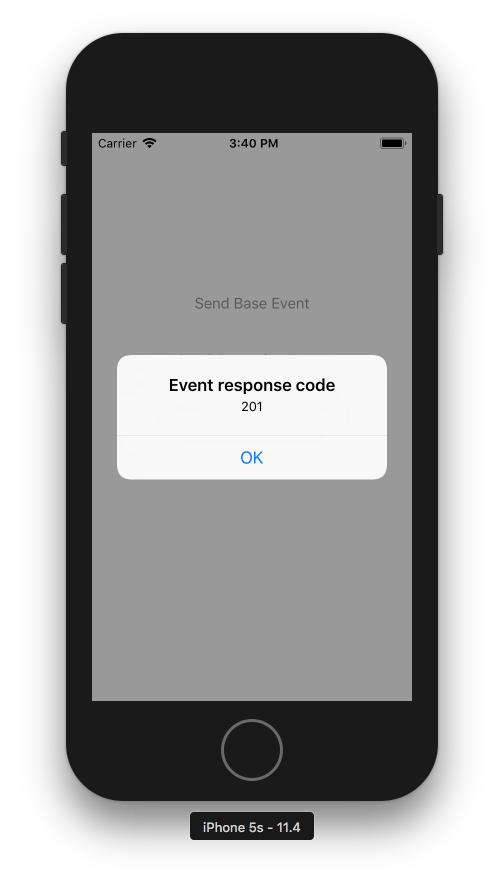
When launched, the application should display an alert with the StatusCode value.