Edit a taxonomy
You can change the taxonomy name and the list of values it contains.
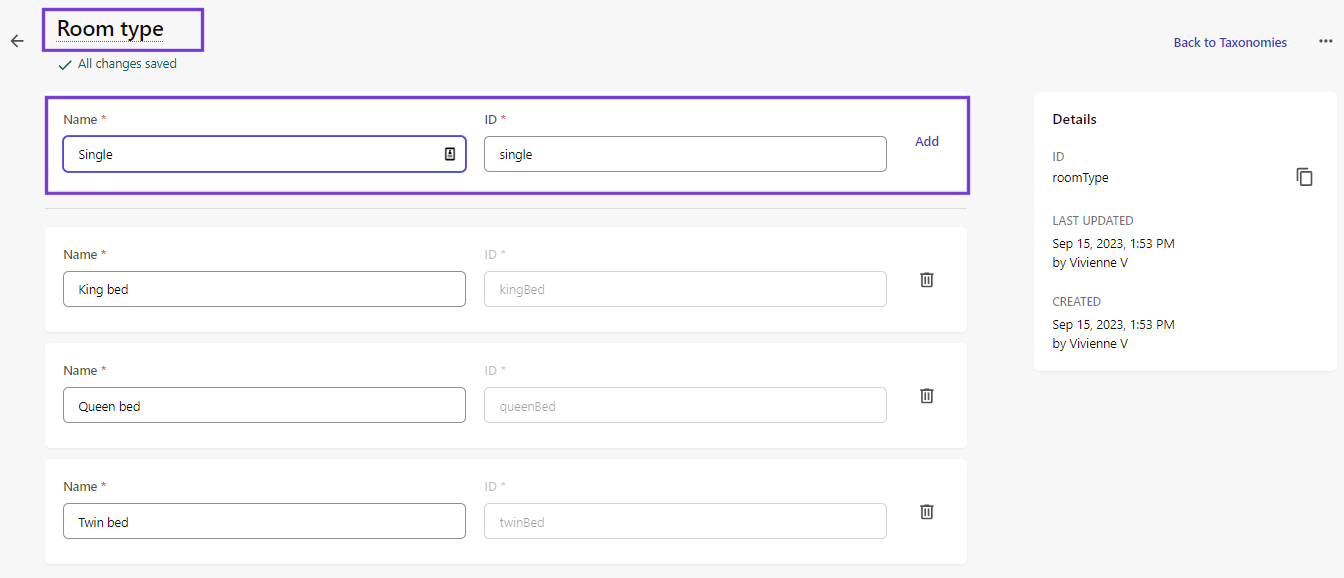
To edit a taxonomy:
- On the menu bar, click Content model > Taxonomies.
- On the Taxonomies page, do one of the following:
- Click the taxonomy name.
- Next to the taxonomy you want to edit, click More actions
 > Edit.
- To change the taxonomy name, on the taxonomy details page, in the upper-left corner of the application window, click the name field (in this example, Room type) and enter a new value.
- To add a value to the taxonomy list, in the Name field, enter a value name and, optionally, modify the ID for it and, then click Add or press Enter.
- To edit a value, click the value field name and make changes as needed.
- To delete a value, next to the value name, click Delete
 .
. - When you are finished making changes, click Save.
If you have suggestions for improving this article, let us know!