Top products
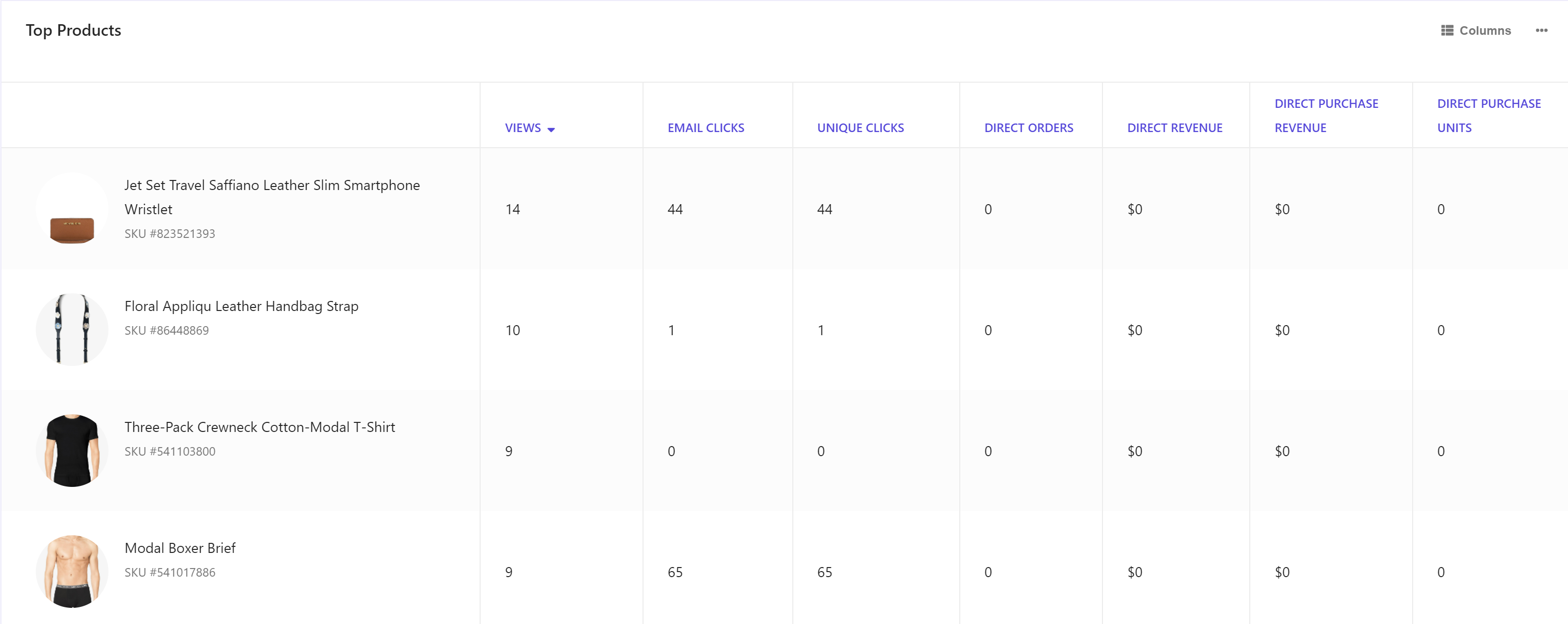
The Top products report lists the top performing products in email campaigns over the selected time period. All reports display a product thumbnail, name, and metric values.
To export data, click  and then click Export Data.
To quickly view details of a product, hover your mouse over the thumbnail and then click the Quick look link
To drill down to a detailed report on a product, click a thumbnail.
Data filters
You can narrow down the data you see in reports using the filters at the top of the report dashboard or section. Changing these values regenerates the reports.
The following drop-down filters and options are available for this report:
- Date range - includes Yesterday, Last 7 days, Last 14 days, Last 30 days, and Customized range.
- Devices - includes Desktop, Tablet, Mobile, and Bot.
Metrics and KPIs
In the reports, attributed metrics and KPIs represent records that reflect the type of visitor interaction to which they are attributed.
For example, a click-assisted metric records sessions or visits where the visitor purchased one or more products different from those that they clicked.
Visitor interaction types include:
- Direct - refers to a visitor clicking one or more products and purchasing one or more products that they clicked.
- Click-assisted - refers to a visitor purchasing one or more products different from those they clicked.
- View-assisted - refers to a visitor viewing one or more products.
- Unassisted - refers to a visitor not viewing and not clicking a product but converting.
The following describes the metrics and KPIs in this report:
Views - the total number of views from visitor sessions or visits.
Email recommendation clicks - the number of times visitors clicked one or more items in an email recommendation widget. This metric is also known as Email clicks.
Unique email recommendation clicks - the total number of unique clicks on email recommendation items in session or visits.
Direct orders - the number of orders from sessions where a visitor clicked one or more products and purchased one or more products they clicked.
Direct order revenue - the revenue from sessions where a visitor clicked one or more products and purchased one or more products they clicked. The entire order (basket) revenue is included in this metric. This metric is sometimes called Direct revenue.
Direct purchase revenue (DPR) - the total revenue from units purchased from sessions where a visitor clicked one or more products and purchased one or more products they clicked.
Direct purchase units - the number of units purchased from sessions where a visitor clicked one or more products and purchased one or more products they clicked. This metric is sometimes called Direct purchase.