Extension points
Extension points are various areas of the SitecoreAI user interface where a Marketplace application can appear.
For custom Marketplace apps, the developer chooses the extension points during app configuration. After an organization admin or owner installs the app in an organization and grants an organization user app access, the SitecoreAI product user can find the app in the chosen extension points.
For public Marketplace apps, the developer chooses the extension points during app configuration. After an organization admin or owner installs the app using the public Marketplace and grants an organization user app access, the SitecoreAI product user can find the app in the chosen extension points.
Extension points also let you organize your app into routes. Use this to control which part of your app appears in which extension point.
The following sections describe the details of all the extension points where developers can display the different parts of a Marketplace app.
Standalone
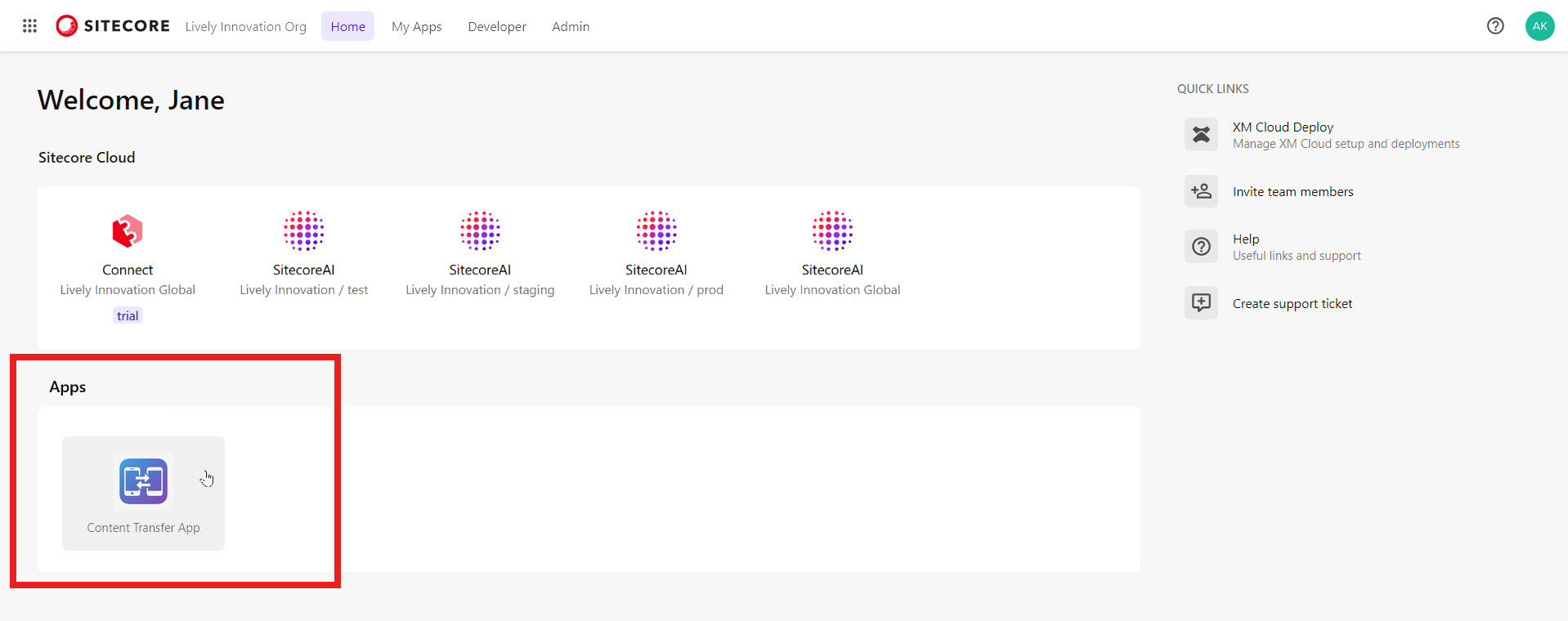
You can display your app in the Cloud Portal using the standalone extension point. After installing such an app in an organization, team members can find and open it on the Cloud Portal Home page, in the Apps section:
When opened, the app appears in a new tab under a navigation header:
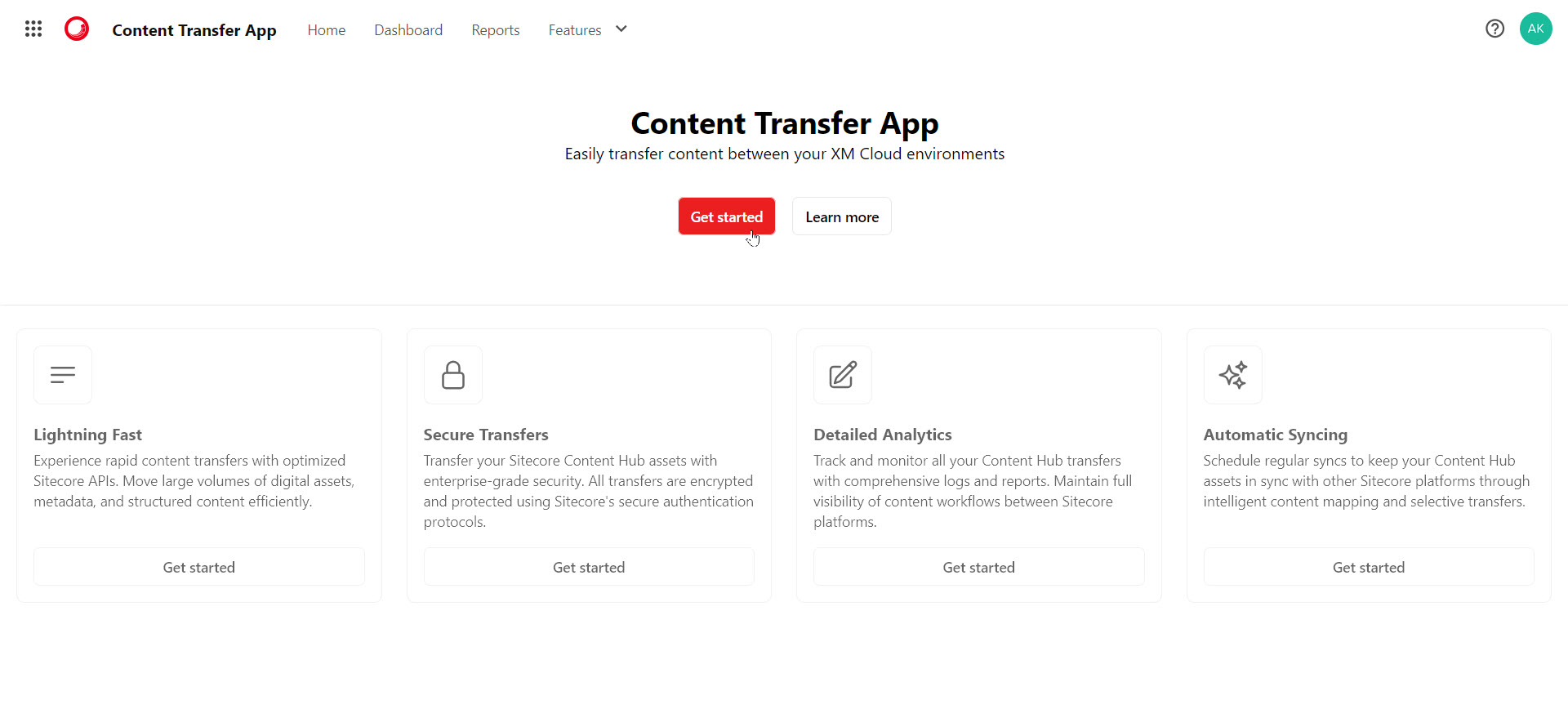
You can configure the navigation header, such as its help links, by using navbarItems in the Marketplace SDK.
SitecoreAI
If you want your app to appear within SitecoreAI, you can choose from various extension points to display your app. If you select at least one SitecoreAI extension point or give your app access to SitecoreAI APIs, or both, the organization admin or owner who installs the custom app or the public app will have to select at least one environment for it. After installation, team members can access the extension point if they have app access to SitecoreAI and are granted access to the Marketplace app.
Full screen
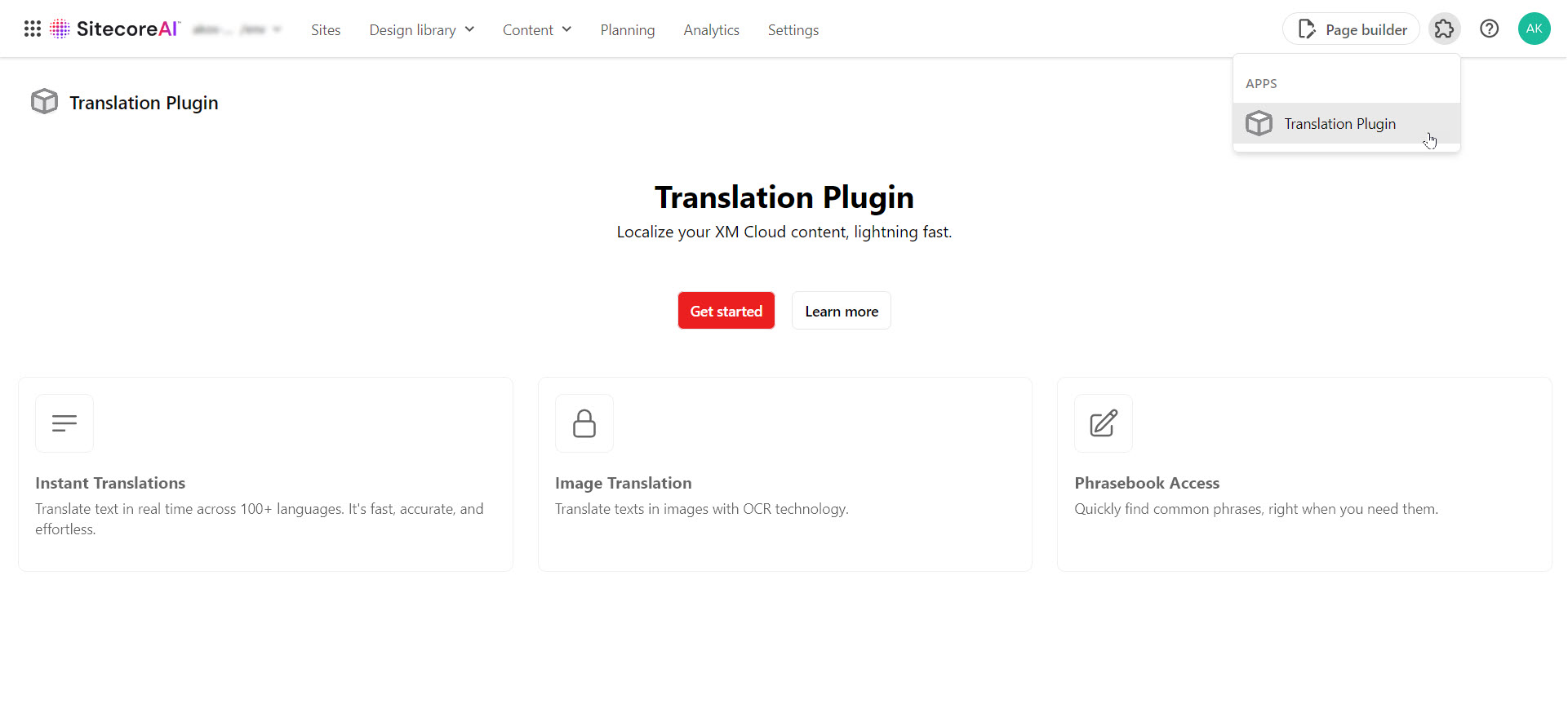
In the SitecoreAI full screen extension point, your app is listed on the SitecoreAI navigation header, in the Apps drop-down list. When selected, your app appears as a full screen under the navigation header. This extension point is ideal for displaying full-page content, for example, your app's home and authentication sections.
Page builder context panel
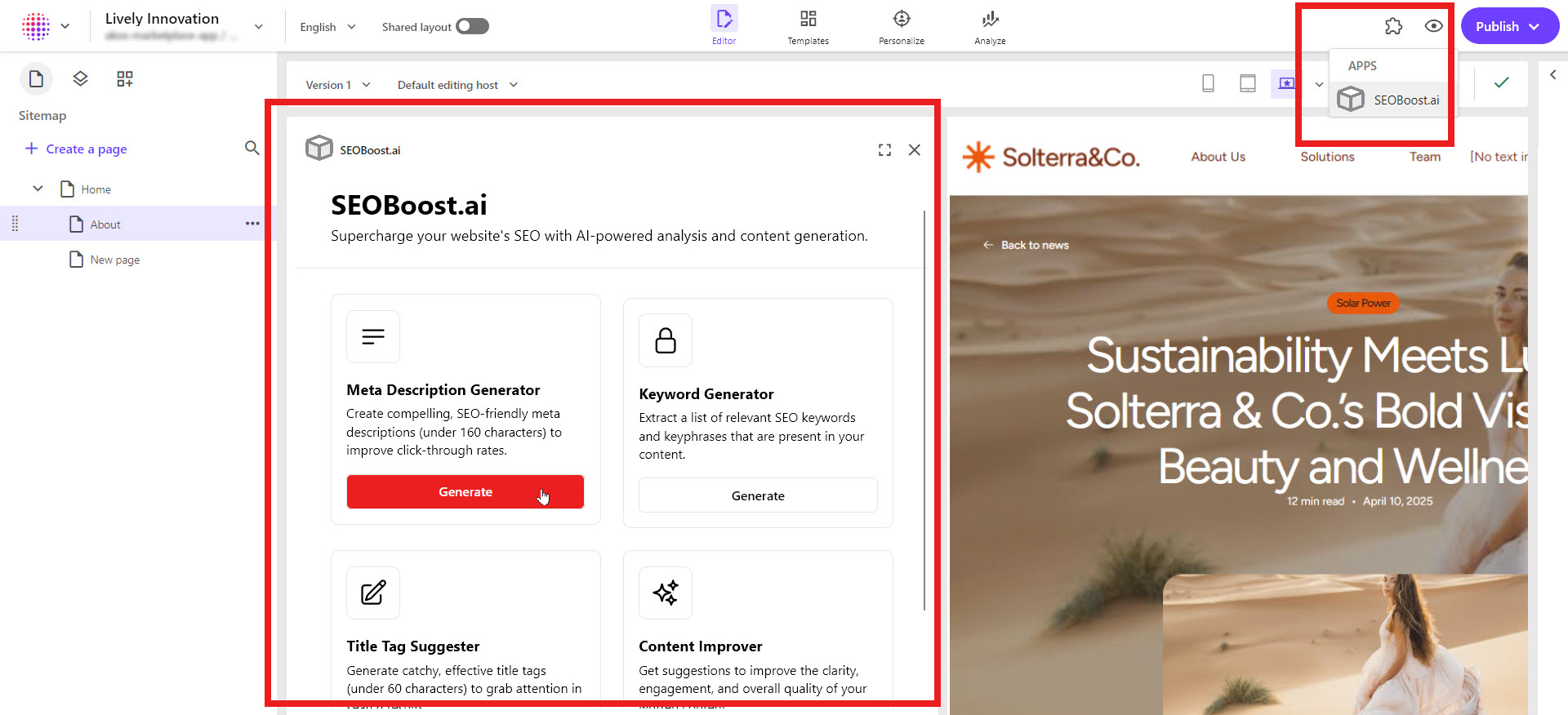
In the SitecoreAI Page builder context panel extension point, your app is listed on the SitecoreAI Page builder navigation header, in the Apps drop-down list. When selected, your app appears in a context panel to the left of the canvas. This extension point is ideal for a section of your app that extends page-level settings or displays, for example, real-time page analytics insights from a third-party web analytics tool.
Page builder custom field
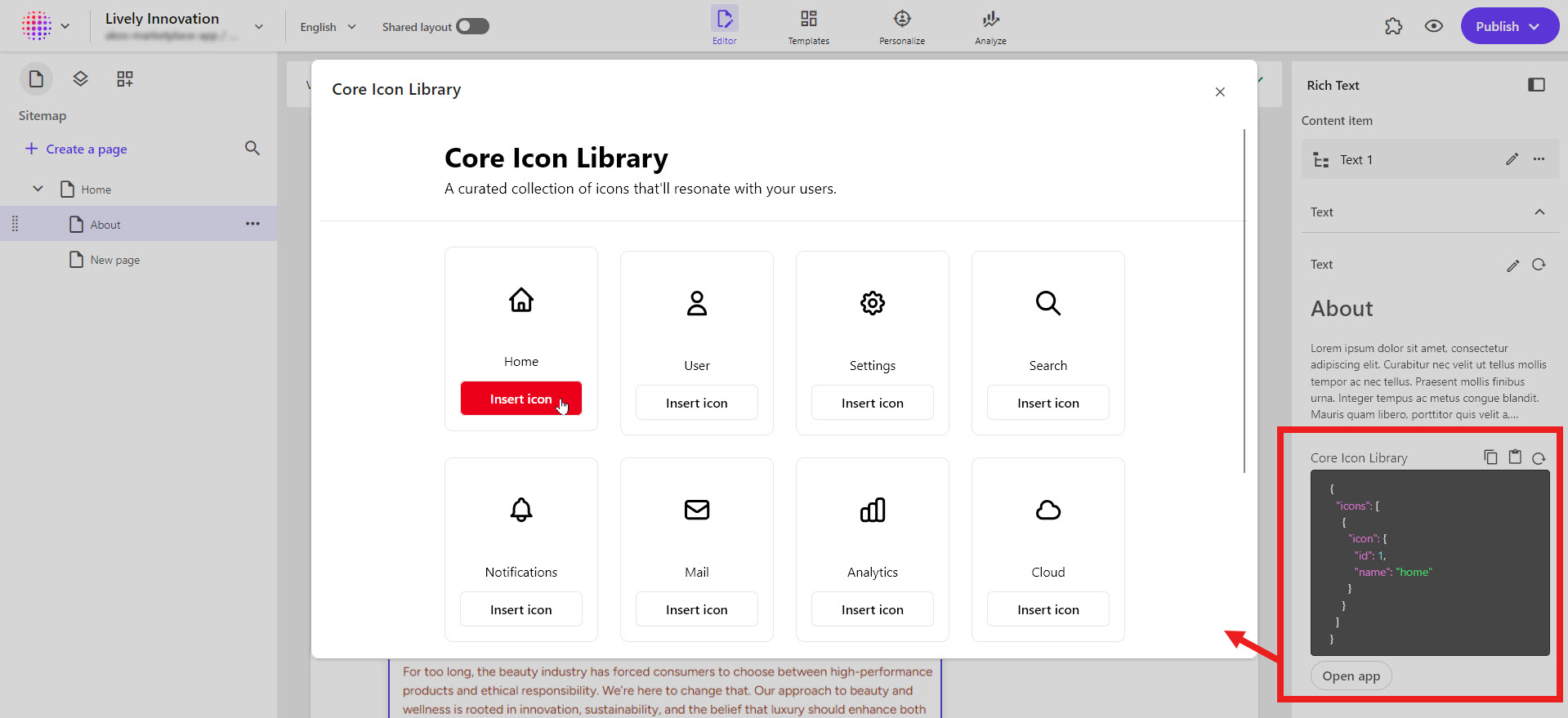
In the SitecoreAI Page builder custom field extension point, your app appears in a modal when the user locates a custom field you added to a content item or a page, and clicks Open app.
When a SitecoreAI user selects the content item, the custom field appears in the panel on the right-hand side of the canvas.
When a SitecoreAI user selects a page and clicks More actions > Page content, the custom field for the page appears in the Page content panel to the left of the canvas.
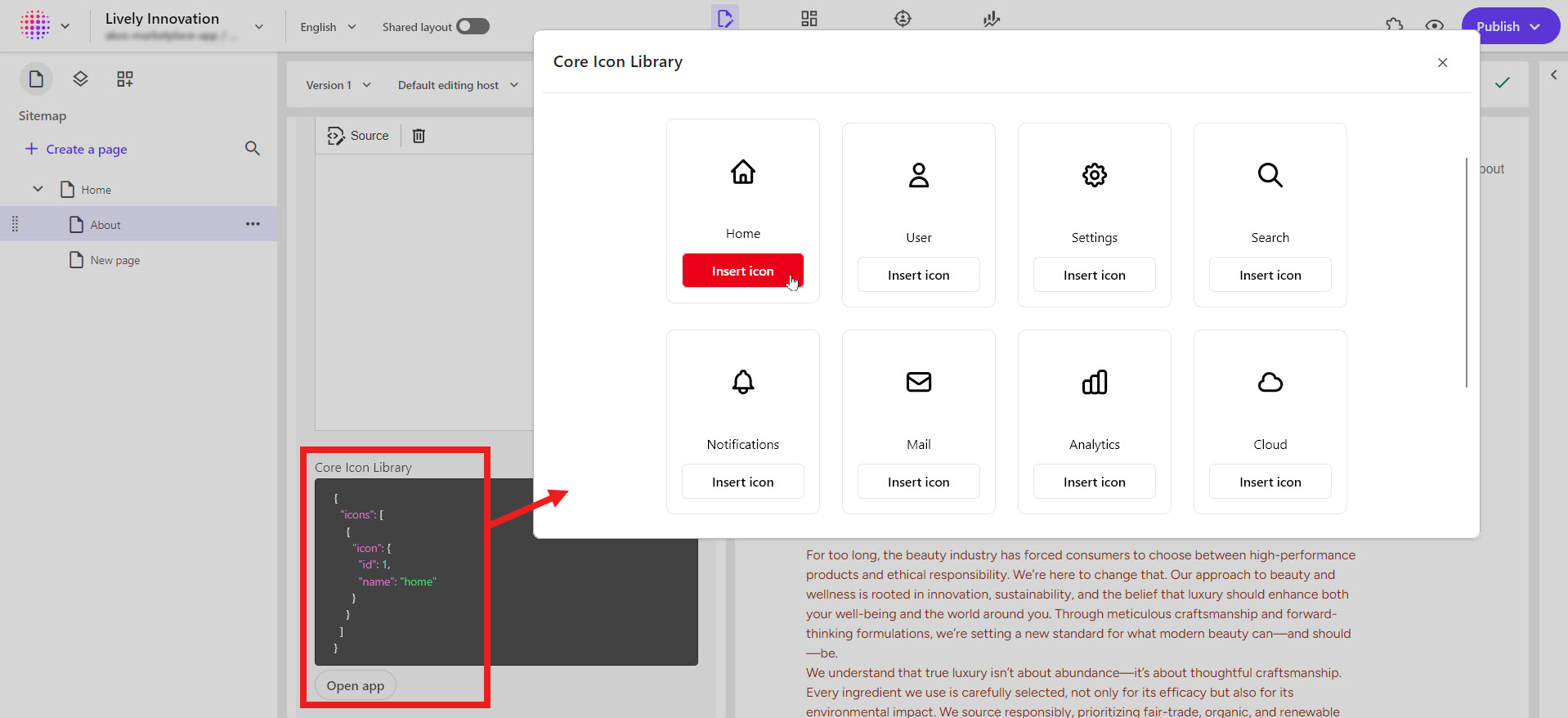
This extension point is ideal for loading third-party data such as icon libraries, gradient color pickers, or any other data from an external source using an API connection.
Dashboard widget
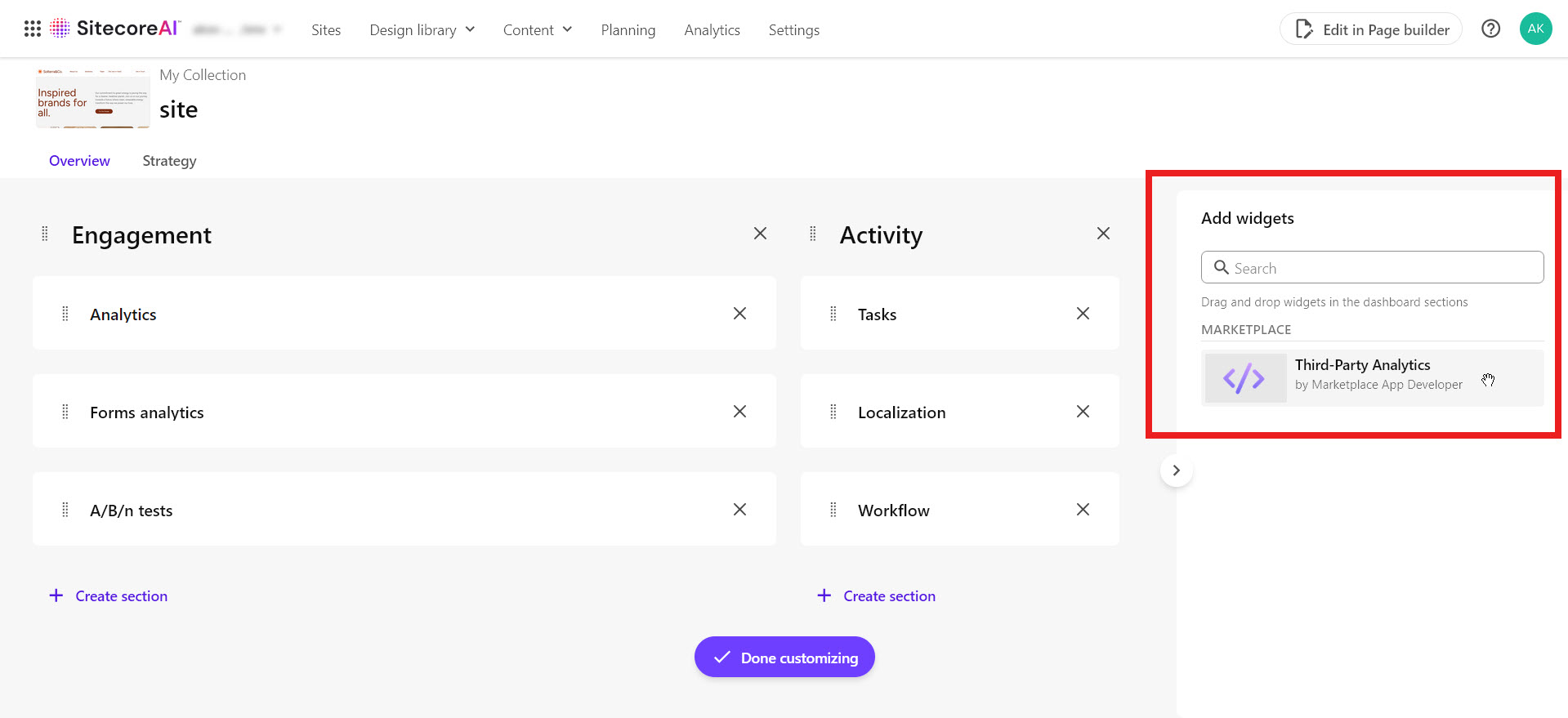
In the SitecoreAI dashboard widget extension point, your app appears as a widget when the user drags it onto the dashboard of a SitecoreAI site. This extension point is ideal for displaying site-wide performance metrics from a third-party analytics provider. For example, a chart for visualizing bounce rates, channels, a list of popular pages, and more.