Migrate a site to SitecoreAI
For the SitecoreAI Pathway app to be available in the marketplace, you must request access.
SitecoreAI Pathway is an AI-assisted migration app that helps teams move structured content from a Sitecore XM/XP site or from any publicly accessible website into SitecoreAI faster, with less risk and less manual effort. It guides you through a structured workflow from preparing media and extracting source data to mapping site templates, items, renderings, components, and content into your target SitecoreAI setup and then executing migration with validation at key stages. Site content is migrated while preserving the site design and functionality.
The SitecoreAI Pathway app supports two distinct migration paths:
- Migration from a Sitecore website - for migrating existing XM/XP sites, using direct data extraction from the source environment.
- Migration from any other website - for migrating any publicly accessible non-Sitecore site, using AI-powered web crawling.
You can migrate a single site and then repeat the process to migrate multiple sites. SitecoreAI Pathway supports sites in multiple languages.
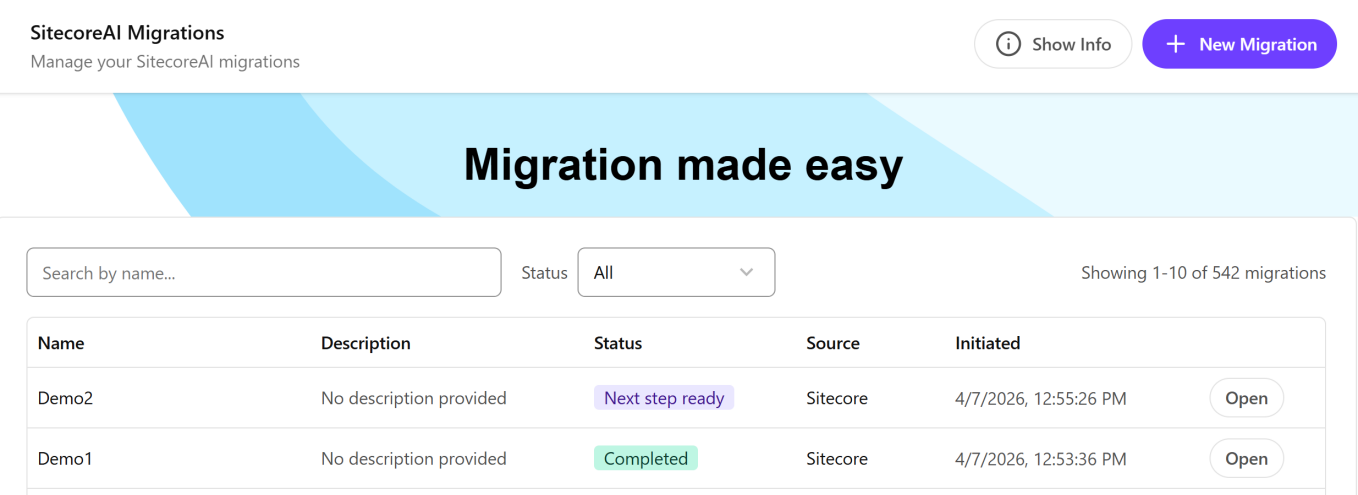
Use the Search field to find a migration by name or the Status drop-down list to narrow down displayed migrations based on their status (Not started, Running, Completed and so on).
The SitecoreAI Pathway app doesn't migrate page and partial designs, and XP-related items, such as xDB data, email marketing content, personalization, and so on.
Migration path from a Sitecore website
Use this path to migrate an existing XM/XP website to SitecoreAI. The app uses AI to extract the layout, renderings, components, and data from the source site and map them to your target SitecoreAI project before moving the content across.
If you are migrating a Sitecore website, ensure the XM/XP site uses Helix principles with a default layout structure. To plan your migration, you need to understand the site content and structure as well as which templates, renderings, and page designs are used.
You must have Admin access for XM/XP to change the security settings in the config file and upload the extraction handler You must also have .NET 10.0 installed.
Migration path from any non-Sitecore website
Use this path to migrate any website to SitecoreAI. You provide the sitemap.xml file of the source site or the URLs to specific website pages, and then the SitecoreAI Pathway app uses an AI crawler to extract the content and map it to your SitecoreAI project. If enabled, the SitecoreAI Pathway app also imports images from the scraped website.
Prerequisites
Before using the app, review the following prerequisites:
- Your target SitecoreAI site structure has been set up.
- The website to be crawled is publicly accessible. If it is behind a firewall or IP restriction, whitelist the crawler's IP address before starting.
- The site has a valid sitemap (
/sitemap.xml) that the crawler can use to discover pages or you have a list of specific site page URLs. Note that sitemaps might include both active and outdated URLs. The crawler supports up to 200 URLs.
Before you begin
Set up your desired target structure in SitecoreAI, including the:
- Layout (for example, the footer, main section, and header)
- Templates (content models)
- Components
- Page designs
- Partial designs
- Page designs mapped to templates
If you are migrating a Sitecore site, use the XM to XM Cloud migration tool to move in-scope media from the source site to the target SitecoreAI project.
If you are migrating a non-Sitecore site, media is scraped from the source site and moved to /sitecore/media library/project.