Select CMS
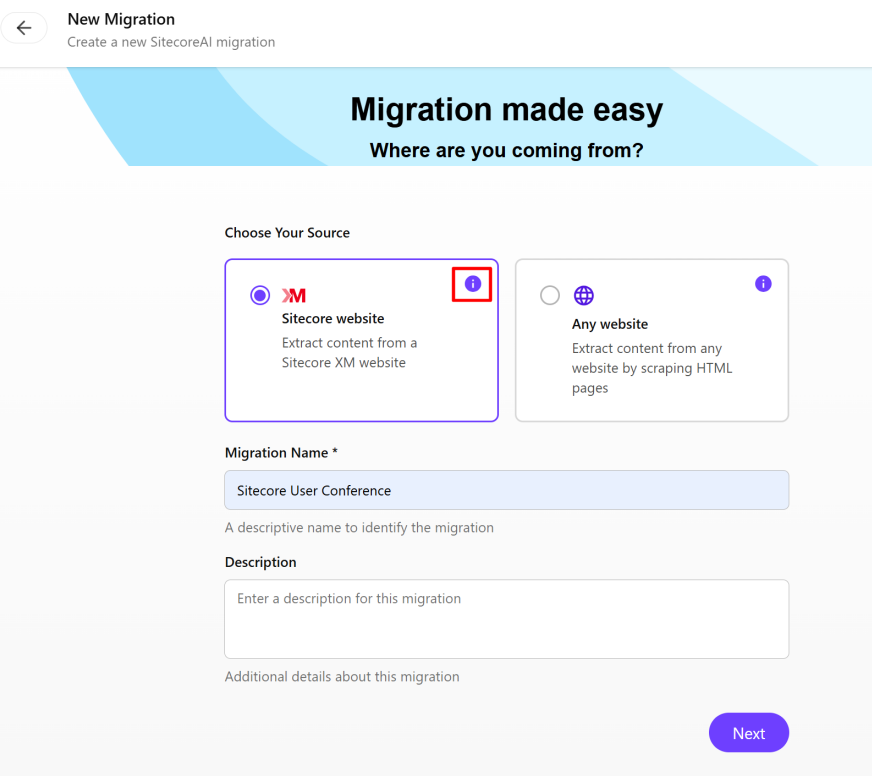
On the Select CMS page of the wizard, you choose your CMS source, and then enter a name and description. Using the SitecoreAI Pathway app, there are two migration options:
- Sitecore Website - this option is designed for migrating an existing Sitecore XM/XP site to SitecoreAI using AI to map your current templates, items, and renderings to the closest matching components in your new SitecoreAI project.
- Any Website - this option lets you migrate content from non-Sitecore sources.
The options available in the SitecoreAI Pathway app depend on the source you chose.
To select the CMS:
-
In the SitecoreAI Pathway app, click
 New Migration.
The New Migration page opens where you select the CMS and view pertinent information about the migration process by clicking Show Info
 .
.
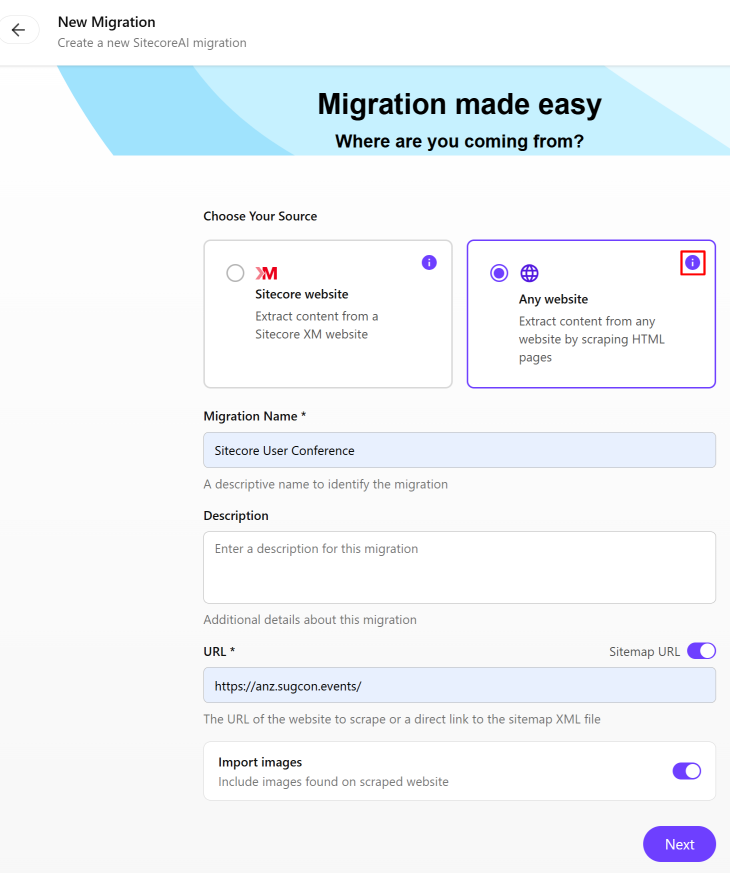
If you are migrating a non-Sitecore website, you'll see the Sitemap URL switch, the URL field, and the Import images switch.
-
In the Choose Your Source section, click the tile for the type of website you want to migrate, and then click Show Info
for that type to display:- For a Sitecore website - the prerequisites you need to follow.
- For Any website - the prerequisites, steps, and limitations.
-
In the Migrating from dialog, read the instructions and when finished, click
 to close the dialog.
 -
In the Migration Name field, define a name for the migration and, in the Description field, enter an optional description.
-
If you selected the Any website tile, do the following:
- To migrate an entire website, in the URL field, enter the URL of the website you want to migrate (for example,
https://example.com/orhttps://example.com/sitemap.xml). - To migrate only specific pages of a website or if the website does not have a public sitemap, turn off the Sitemap URL switch and, in the URL field, enter the URL of the pages you want to migrate (for example,
https://example.com/page-1orhttp://example.com/page-2) with one URL per line. - To exclude images from the scraped website, turn off the Import images switch.
- To migrate an entire website, in the URL field, enter the URL of the website you want to migrate (for example,
-
Click Next.
When migrating other websites, keep in mind that the crawler is limited to 200 URLs.