The deployment log
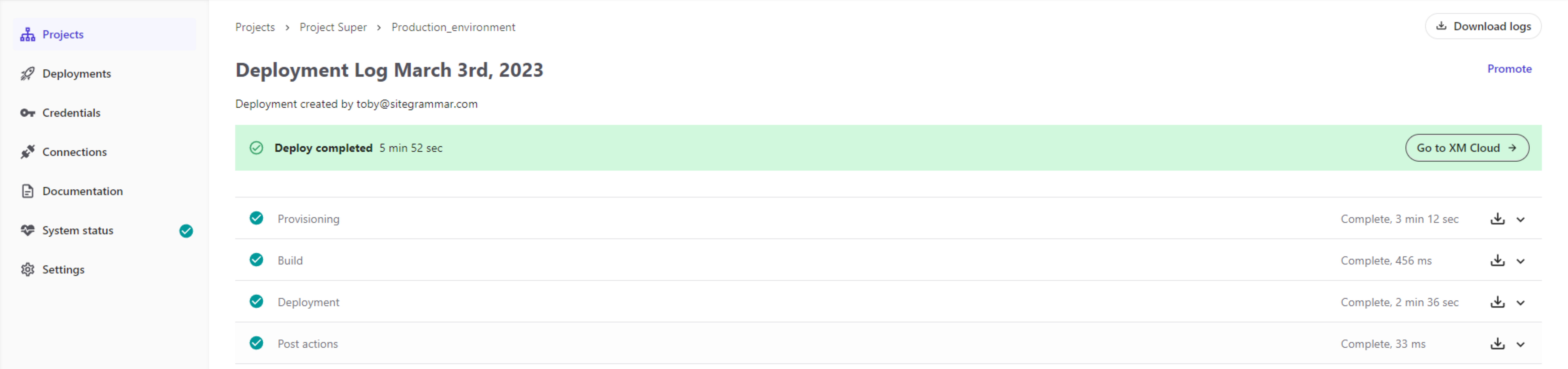
The deployment log displays the progress, status, warnings, and errors of a SitecoreAI deployment.
Depending on the current status of the deployment, the log provides options to cancel a running deployment, rerun a failed deployment, download logs, or open the Dashboard.
The logs include information about:
- Provisioning
- The build process
- Deployment
- Post actions
Note
To access Sitecore logs such as the Content Management or Rendering Host logs, view the environment logs.
View the deployment log
The deployment log automatically displays when you deploy a new environment. You can also view the deployment log of a specific deployment from the Environments and deployments page.
To view a deployment log:
- In the navigation pane of the Deploy App, click Projects.
- On the Projects page, click the project that contains the environment whose deployment log you want to view.
- On the project page, click the environment you want.
- On the deployment page, click the Actions menu (../../images/actions-menu-horizontal-icon.png) of the deployment you want to view, then click View deployment logs.
- To view the detailed logs of each deployment stage, click the stage to expand it.
- To view only specific types of messages, click the drop-down menu and select the type of messages you want to display.
If you have suggestions for improving this article, let us know!