Assign a brand kit to a site
When using the AI capabilities in , you can guide how content is generated, optimized, and translated by assigning a brand kit to a site.
Assigning a brand kit ensures that all AI-generated, optimized, and translated content consistently follows your brand guidelines.
When a brand kit is assigned, uses specific brand kit sections to guide how content is created, adapted, or localized.
How a brand kit is applied
The brand kit is applied in the following ways:
-
Content generation and optimization - you can select a brand kit to guide how the AI writes. The AI uses these sections to guide content generation:
-
Brand Context - provides background on your brand’s purpose, positioning, and identity for consistent communication.
-
Dos and Don'ts - provides guardrails to keep content aligned with your tone and values.
-
Tone of Voice - describes the personality traits (for example, friendly, confident) that shape how your brand communicates.
-
-
Page and site translation - during translation, the AI automatically applies relevant brand kit rules from these sections to control how specific terms are handled:
-
Glossary and Localization - controls how specific terms are translated or preserved.
-
Dos and Don'ts - guides terminology, tone, and phrasing if no glossary terms are defined.
-
Assign a brand kit to a site
Assigning a brand kit ensures that both generated and translated content are consistent with your brand.
To assign a brand kit to a site:
-
In Channels, for the site of your choice, click Dashboard
 .
. -
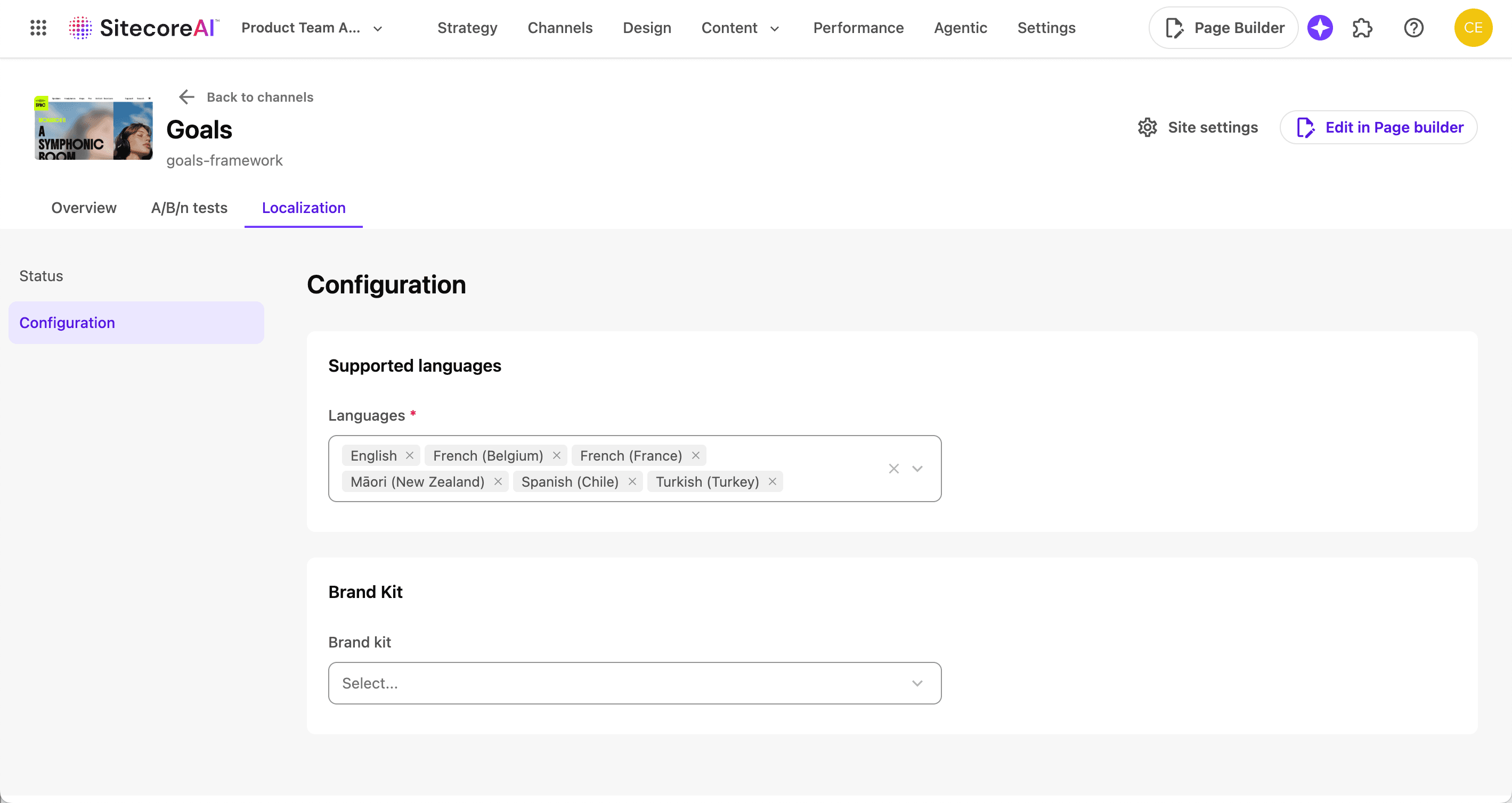
In the Localization tab, click Configuration.
-
In the Brand kit drop-down menu, select the brand kit you want to apply to this site.
-
Click Save.
Once assigned, the brand kit becomes available to select when generating or optimizing content with AI. During site translation or page translation, any defined glossary terms and rules are applied automatically.