Create a campaign template
Templates enable you to quickly create a new campaign based on a predefined workflow. You can create as many campaign templates as you need and you can group them into meaningful categories based on your business objectives using themes.
Save an existing campaign as a template
Saving a campaign template provides you with the ability to quickly create new campaigns based on an existing workflow.
-
On the Sitecore Launchpad, click Marketing Automation.
-
On the campaign dashboard, select the campaign that you want to save as a template.
-
From the Actions drop-down menu, click Save as template.
-
In the Template Details dialog box, define the following fields:
-
Name—the name that displays on the Campaign Templates dashboard.
-
Description—additional information about the template.
-
Campaign Type—the campaign marketing theme. There are five default themes available:
- Account development
- Acquisition
- Conversion
- Retention
- Service campaigns
- Win back
You can define new campaign types (or marketing themes) in the Content Editor.
-
-
Click Save.
The template is added to the list of available templates.
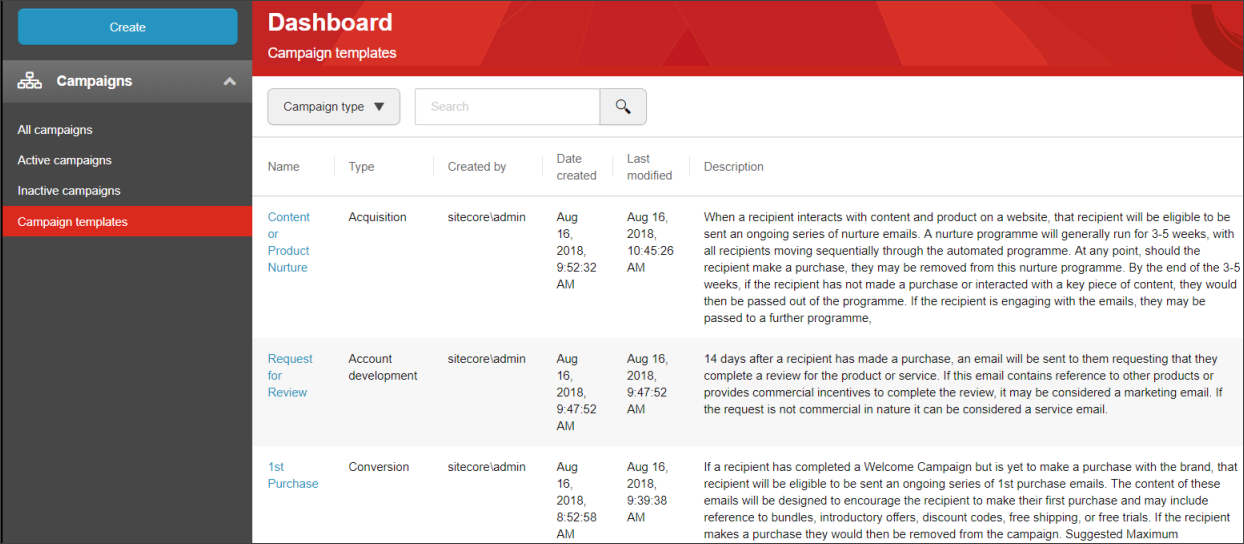
You can sort this list using the Campaign Type drop-down list.