Enroll contacts from a list in a marketing automation campaign
Version:
To simplify the process of adding contacts to a marketing automation campaign, you can create a list of contacts in the List Manager and then enroll all the contacts contained in the list in the campaign in one step.
To enroll contacts in a marketing automation campaign
To enroll contacts in a marketing automation campaign
To quickly and easily enroll multiple contacts in a marketing automation campaign:
-
On the Sitecore Launchpad, click List Manager and create a contact list.
Segmented lists are not supported.
-
On the Sitecore Launchpad, click Marketing Automation.
-
On the Campaign dashboard, select the campaign for which you want to enroll contacts.
-
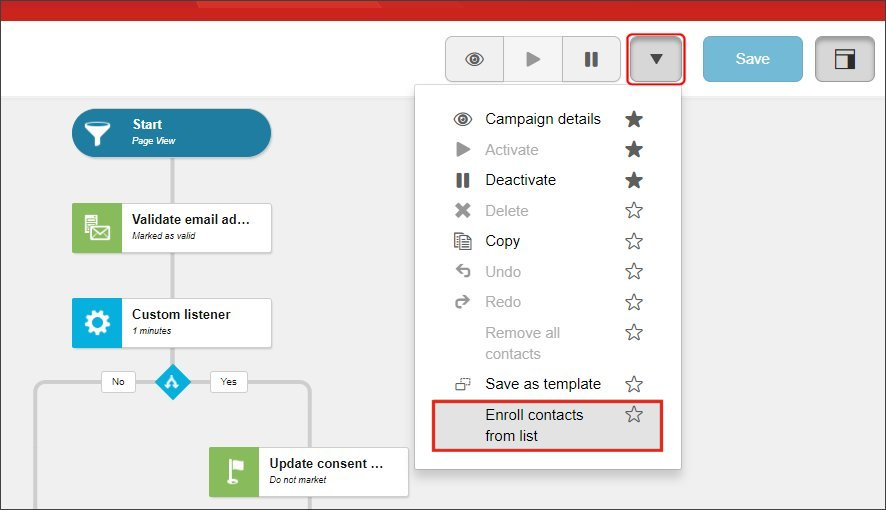
Activate the campaign using the commands from the Action drop-down menu.
-
To enroll contacts, click Actions, Enroll contacts from list.
-
In the Select List window, select the list you want to use and click OK.
If you have suggestions for improving this article, let us know!