Split tested widget purchase funnel
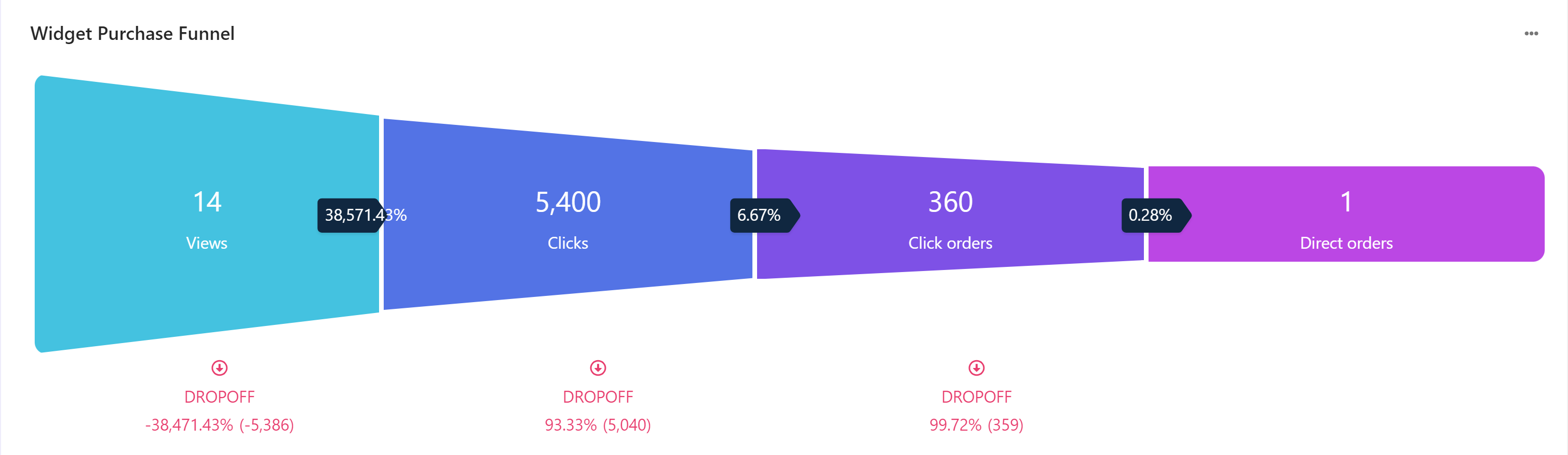
A Widget purchase funnel report displays the metrics of the purchase funnel related to a split tested widget variation The funnel metrics, in successive order and distinct colored segments, are view, clicks, click orders, and direct orders. Drop-off percentage and values measured through the funnel are also displayed.
The following is a screenshot of a widget purchase funnel.
To export data, click  and then click Export Data.
Metrics and KPIs
In the reports, attributed metrics and KPIs represent records that reflect the type of visitor interaction to which they are attributed.
For example, a click-assisted metric records sessions or visits where the visitor purchased one or more products different from those that they clicked.
Visitor interaction types include:
- Direct - refers to a visitor clicking one or more products and purchasing one or more products that they clicked.
- Click-assisted - refers to a visitor purchasing one or more products different from those they clicked.
- View-assisted - refers to a visitor viewing one or more products.
- Unassisted - refers to a visitor not viewing and not clicking a product but converting.
The following describes the metrics and KPIs in this report:
Views - the total number of views from visitor sessions or visits.
Clicks - the total number of clicks from visitor sessions or visits.
Click-assisted orders - the number of orders from sessions or visits when a visitor purchased one or more products different from those clicked.
Click revenue - the revenue from sessions or visits when a visitor purchased one or more products different from those clicked.
Direct orders - the number of orders from sessions where a visitor clicked one or more products and purchased one or more products they clicked.