Add a Kubernetes secret
Your Sitecore Managed Cloud configuration is provided by environment variables that refer to Kubernetes secrets (secretRef). Sensitive data is stored in Azure Key Vault and mounted to the Kubernetes secret through the Secrets Store CSI driver.
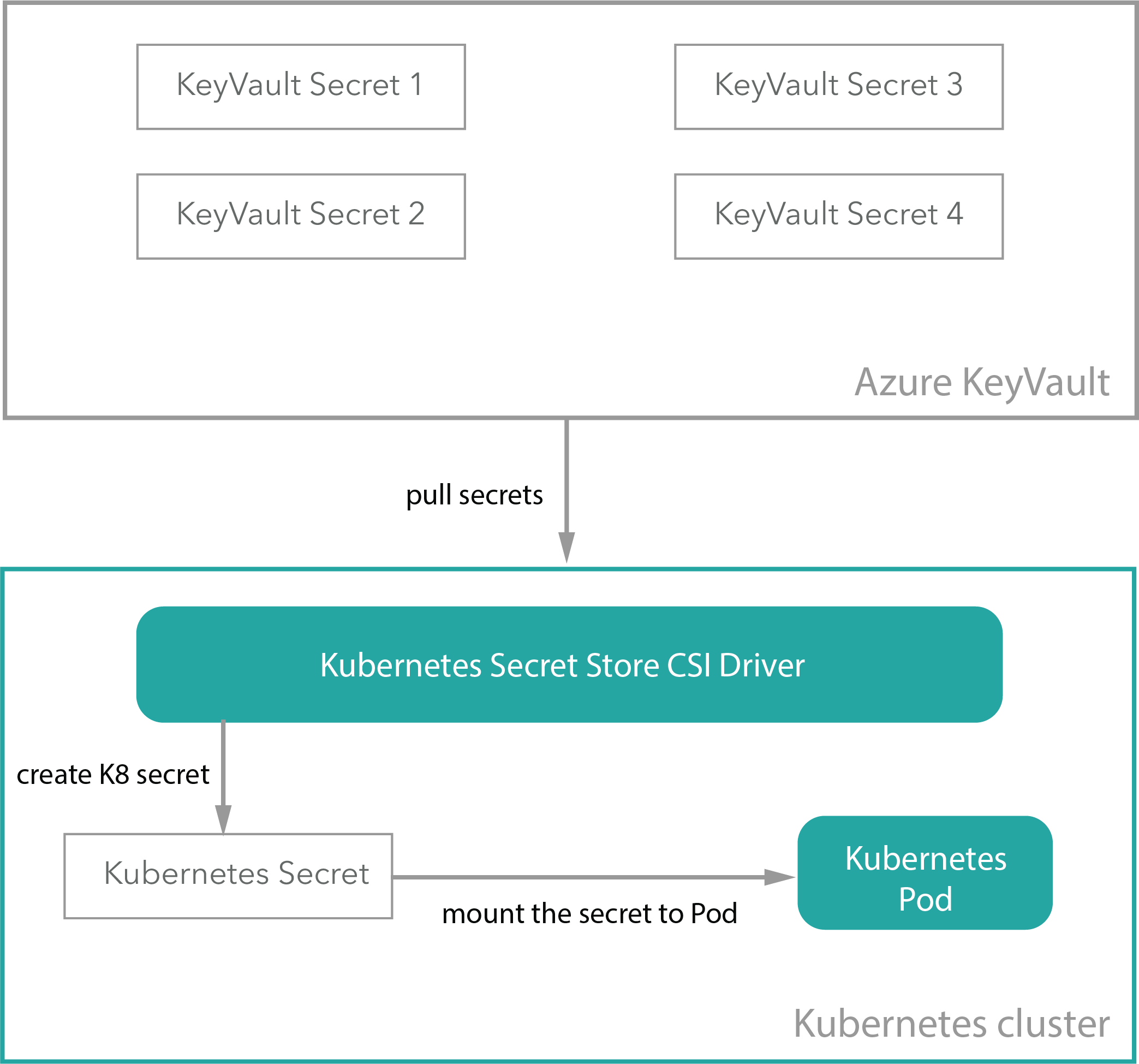
You might want to create a new secret, for example, to pass sensitive values for your container service through the environment variable.
To add or extend a secret:
-
Add a secret to Azure KeyVault.
-
In the Application repository, go to
roles/sitecore-{topology}/templates/and in thesecrets.yamlfile, go to thespec.parameters.objectssection and add the new secrets reference:To add a new secret, add:
To extend a secret from
spec.secretObjects, find the appropriate {secretName} that you want to extend:When the new secret has been added to the Azure KeyVault and the
secrets.yamlfile, you can use it as a reference in the AKS deployment/pod configuration. Here is an example of asecret configuration:In the
secrets.yaml’ there is a secret calledsitecore-hostnamewith the keysidandcm:This secret is used by the
id.yamldeployment overlay in/roles/sitecore-{topology}/overlays/id.yaml:To add secrets to other deployments, follow the same procedure.
-
Run the application pipeline to apply the changes.
When you update the secret value in the Azure KeyVault, the secrets-synchronizer pod automatically synchronizes it with the AKS secret.