- 3. Content Audit
Perform a content audit
On the Content Audit page of the wizard, group and map content in the SitecoreAI Pathway app.
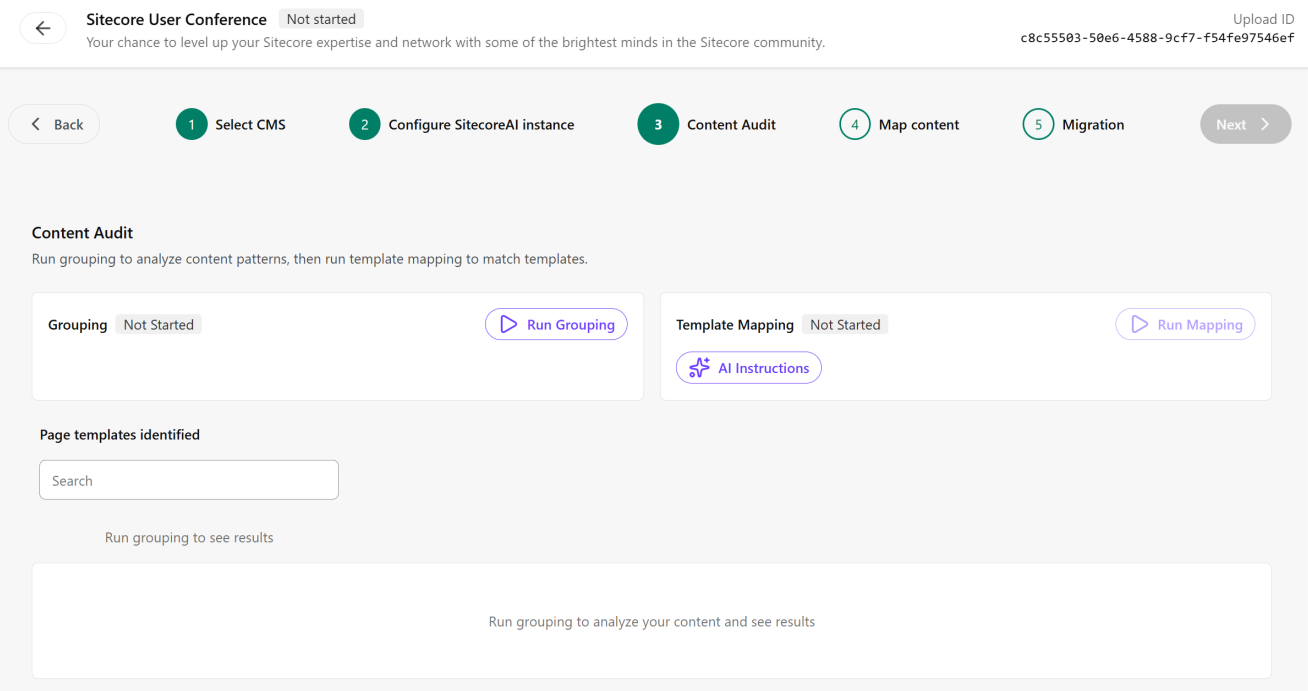
To perform a content audit:
-
On the Content Audit page, in the Grouping section, click
 Run Grouping to start the AI-powered audit and group pages by structure.
 -
To view details about a page, such as the title and path, in the Page templates identified list, click a page template and, in the Action column, click View
 .
. -
In the Template Mapping section, click AI Instructions and review the system prompt provided.
-
Add additional instructions if required. Keep them simple and concise. Avoid unnecessary words. Here are some examples to help you write instructions:
- Always map "HomePage" to the "SubhomePage" template.
- Ignore any source templates prefixed with "old-" or "legacy-". Do not map these to any target template.
- All blog-related page types (BlogPost, BlogListing, BlogCategory) should map to the "ArticleDetail" template.
- Landing pages that contain "Hero" in their name should always map to the "HeroLandingPage" template.
-
When you are happy with the prompt, click Save.
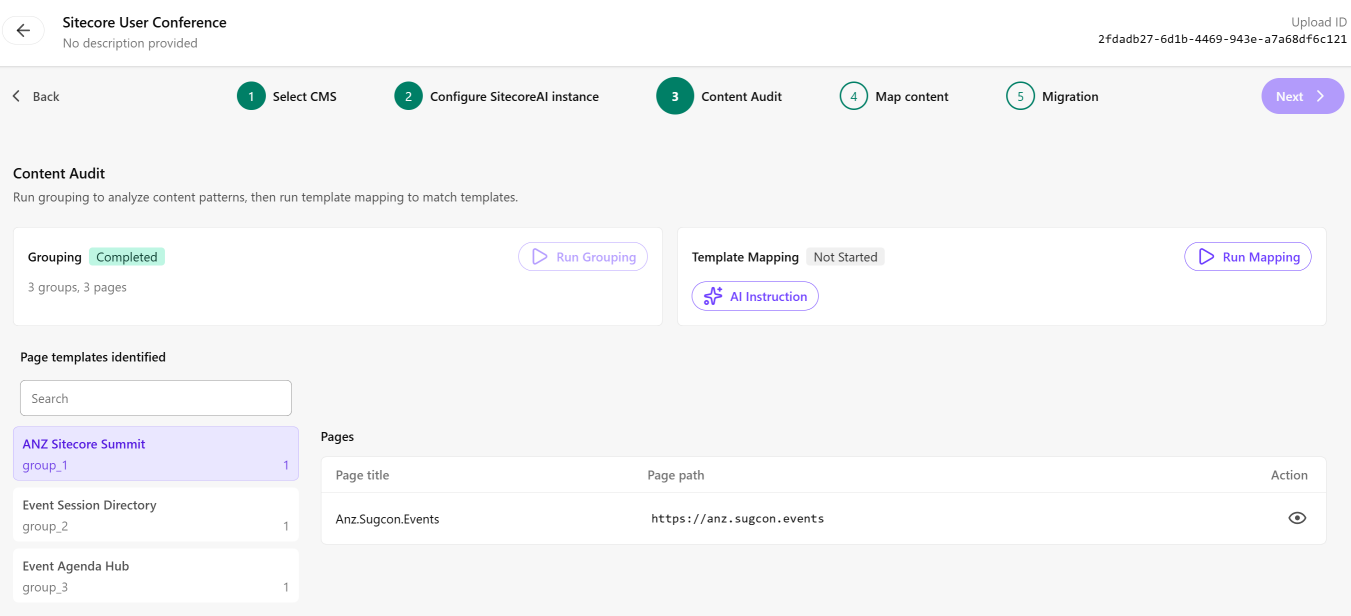
-
Click
Run Mapping to map source site templates to the target SitecoreAI site templates. -
To view details about the template mapping including the target fields, source fields, and reasoning, click View template mapping details.
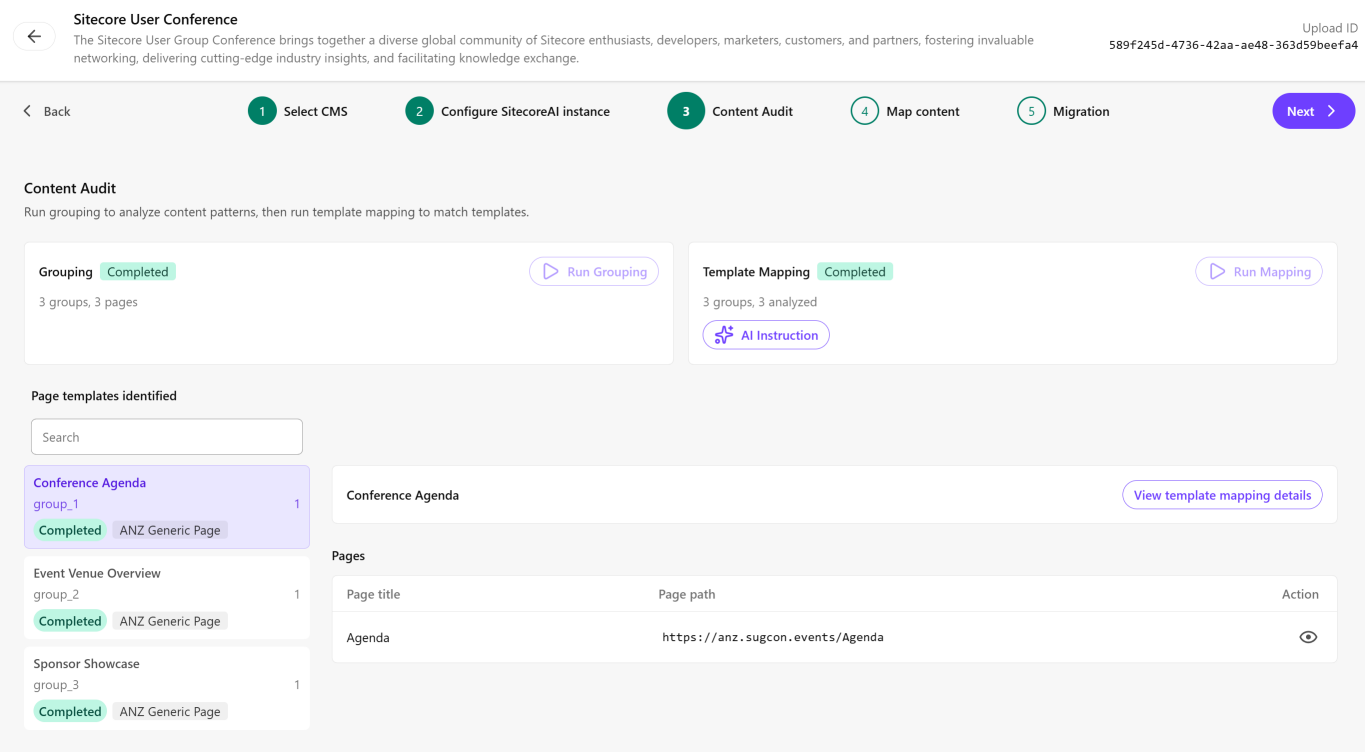
-
Review the details in the Template mapping details dialog and click
 to close the dialog when you have finished your review. To refine template mapping results, you can add additional details to the AI instructions and rerun template mapping.
 -
Click Next.
If, after reviewing the details of the content audit, you decide to change the AI instructions, be sure to record any mapping information or results you want to retain because after you update the instructions and click Save, the Content audit step of the migration process is reset to Not started and existing mapping results are deleted.