Export the site data from the source environment
This process exports all items from the Sitecore site source environment and uploads them to Azure Blob Storage, where they can be accessed by the SitecoreAI Pathway app using the XMCComponentExtraction-x.x.x.zip package.
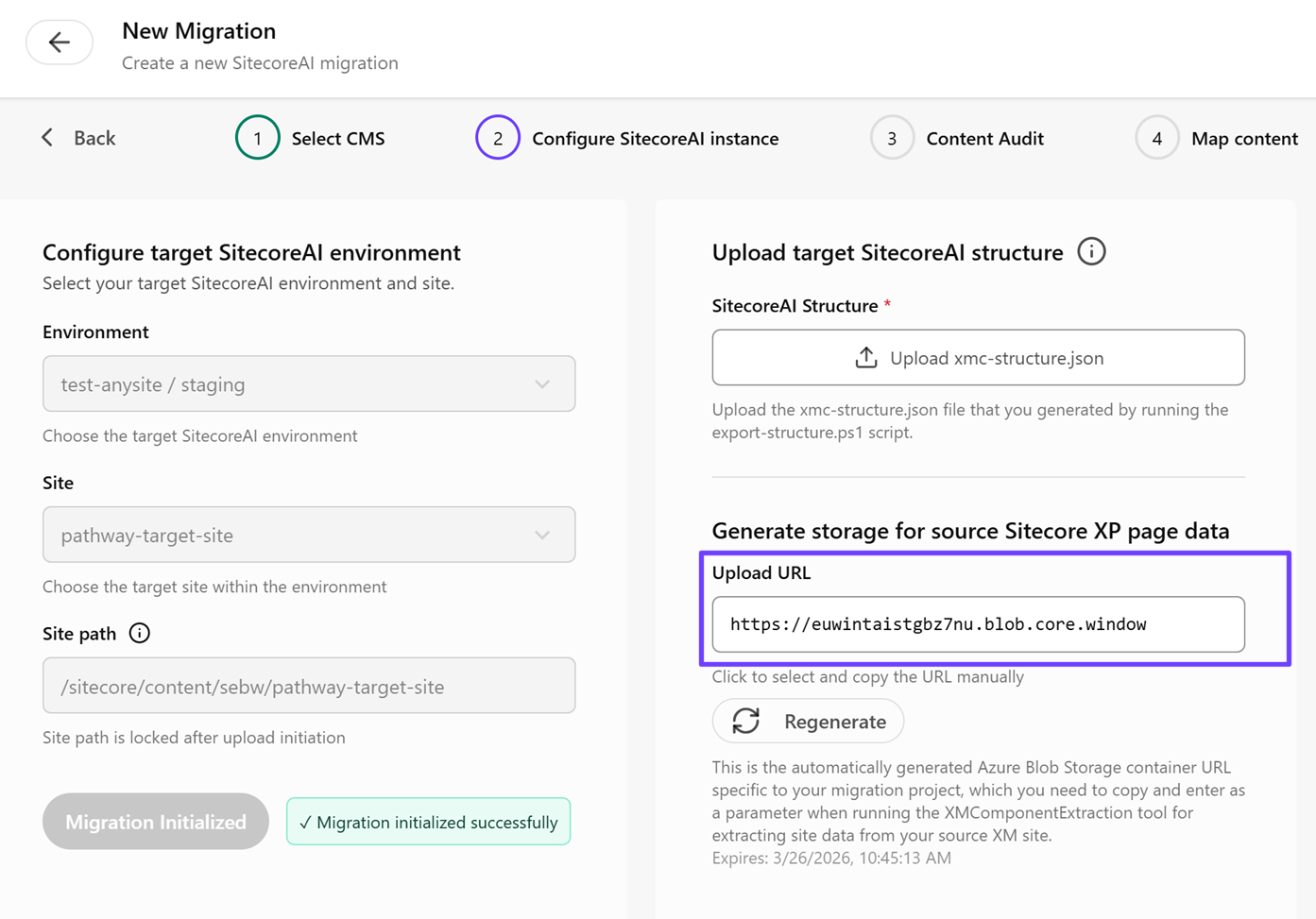
You can download this package from the 2 Configure SitecoreAI instance page by clicking  Read instructions in the Generate storage for source Sitecore XP page data section.
With other websites, this procedure is not needed as the site data is extracted using a crawler.
If you are migrating Sitecore websites, you must have Admin access for XM/XP to change the security settings in the config and upload the extraction handler. You must also have .NET 9.0 installed.
To export the site data from the source environment:
-
In the extracted
XMCComponentExtractionfolder, navigate to theAppConfig/Sitecore/ServicesClient/Sitecore.Services.Client.configfile and download the file. -
Open the
Sitecore.Services.Client.configfile and change theSitecore.Services.SecurityPolicyvalue toSitecore.Services.Infrastructure.Web.Http.Security.ServicesOnPolicy.This change allows the extraction handler to access the required APIs. Revert this setting to its original value after the extraction is complete.
-
Save and upload the .
configfile to the file system overwriting the existing file. This is typically done as a config patch. -
Navigate to the
Sitecore/Adminfolder and upload theExtractorHandler.ashxfile that was part of the extracted package. This is typically done through a standard deployment. To verify the handler is accessible, send a request to the .ashxfile. A valid response indicates the handler is working correctly. -
On the Configure SitecoreAI instance page of the migration wizard, in the Generate storage for source Sitecore XP page data section, click in the Upload URL field and copy the Azure Blob Storage URL.
-
Open a terminal and run the extraction app (
Extractor.App.Con.exe) with the following parameters:CM Host- the hostname of the source XM/XP Content Management host.Username- the username of an admin account on the source XM/XP environment.Password- the password for the admin account.Upload URL- the Azure Blob Storage URL.
For example: