Understanding agents
Agents are the foundation of automated work in SitecoreAI. They automate routine and repetitive tasks, enabling seamless collaboration between people and AI. Agents can:
- Set goals - define objectives and work toward them.
- Take initiative - identify opportunities and act independently.
- Make decisions - evaluate options and choose the best path forward.
- Learn and improve - adapt based on results and feedback.
- Coordinate with others - collaborate with you or other agents.
In Agentic Studio, agents function as digital workers that automate marketing tasks while adhering to defined rules, workflows, and guidelines. This allows teams to focus on strategy and other high-value work.
There are two types of agents in SitecoreAI. Prebuilt agents are designed for common use cases. Custom agents, which include standard agents and workflow agents, can be tailored to your specific business needs. When to use a standard agent or workflow agent depends on the complexity of the AI process and how much human intervention you want.
In the Agentic studio, agents can work independently or together in flexible ways. You can run multiple agents in parallel, chain agents so each step builds on the previous output, and share context and results across agents. This flexibility supports both structured workflows and more open-ended, creative tasks.
Before you start using agents
By default, agents do not understand your organization’s tone of voice, brand guidelines, or business context. Agents rely on configuration and contextual inputs to determine how they behave and what information they use.
Before working with agents in Agentic studio, make sure that you:
- From the Settings page, select the tools, skills, schemas, and templates that agents can use consistently across workflows.
- Set signals with your preferences to provide relevant context and insights.
- Configure each agent for your specific needs using the appropriate instructions, schemas, templates, and workflow actions.
When you create or edit an agent, these settings determine how it interprets prompts, what information it references, how it formats responses, and what actions it performs.
The Agents page
The Agents page is where you can find, run, and manage agents available in SitecoreAI. To access it, on the navigation menu, click Agentic and then, in the left sidebar, click Agents.
The Agents page displays all available agents, including prebuilt agents, agents created or duplicated by users, and agents shared with you by other users.
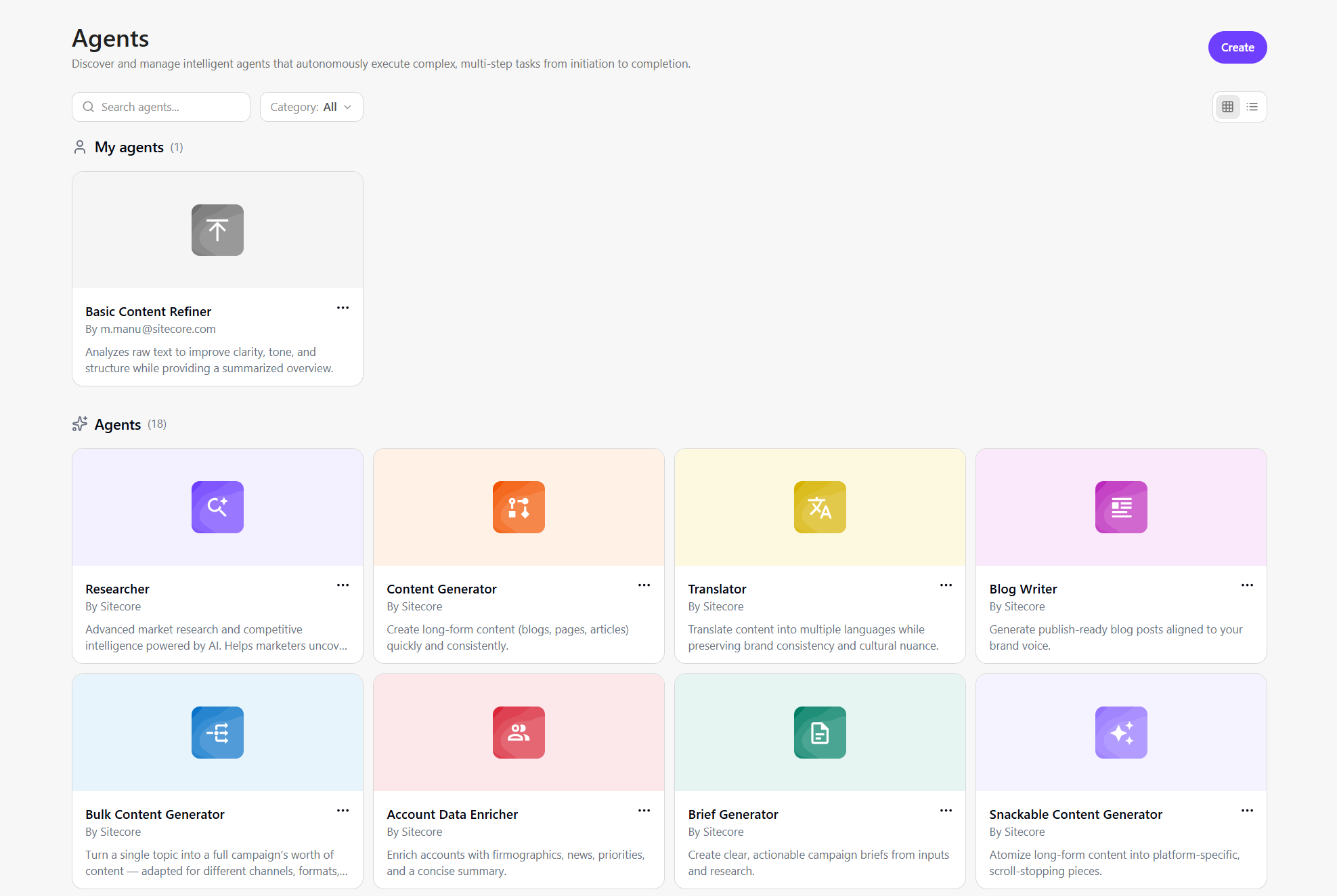
On this page, you can:
-
Browse by type - view all available agents. You can filter agents and switch between different views.
-
Browse by category - view agents based on how they are created or shared:
- My agents - agents you created and can make accessible to others.
- Shared - agents others made available to you.
-
Run agents - open an agent by clicking on its card. This takes you to a page where you create a new space to run the agent.
Running an agent generates an artifact that you can review, refine, compare, export, or transform. See Manage an artifact for more details.
-
Manage agents based on permissions - your available actions depend on your role in Agentic studio and whether you have a Builder license. Depending on your permissions, you can:
- Create a custom standard agent or workflow agent.
- Duplicate an existing agent for customization.
- Export or import the agent's JSON file.
- Delete a custom agent you created.
- Edit agent configuration.
- Manage agent visibility to control who can view or use them.
Available agents
Agentic studio includes prebuilt agents for common marketing tasks:
| Agent | What it does |
|---|---|
| Account data enricher | Fills in missing details (like size, industry, location, and key contacts) from your uploaded account list. |
| AEO/SEO researcher | Evaluates your website’s visibility, ranking signals, and competitiveness in both Google and AI-powered search platforms such as ChatGPT, Copilot, Perplexity, and Gemini. |
| Audience summary | Gives a snapshot of your target audience, who they are, what they care about, and how to reach them. |
| Blog writer | Writes clear, structured blog articles for your audience and goals. |
| Brief generator | Drafts clear, structured briefs for campaigns or content projects. |
| Bulk content generator | Quickly creates content for multiple audiences and channels at the same time. |
| Competitor analyzer | Reviews competitor content and messaging to show where you can stand out. |
| Content generator | Creates contextual, high-quality, ready-to-use content from single prompt. |
| Email writer | Writes persuasive, personalized emails for newsletters, promotions, or onboarding. |
| Market signals | Generates AI-driven market insights by analyzing trends, updates, and industry signals. |
| Persona content auditor | Checks if your content matches your target personas’ tone and needs. |
| Quote extractor | Finds and pulls key quotes or statements from long content. |
| Researcher | Performs deep structured research on any topic, gathering insights from web and market sources. |
| Snackable content generator | Turns long-form content into short, engaging pieces. |
| Structured content extractor | Pulls key information from unstructured text and organizes it for reuse and analysis. |
| Summarizer | Condenses long documents or articles into short summaries. |
| Translator | Translates and localizes content into other languages while keeping your brand’s tone. |
To help you troubleshoot issues with the agents you use or build, you can use the debugging tool.