Modify the Commerce Search Results Scriban template
This topic provides an example of how to modify the Commerce Search Results rendering by editing the Scriban template.
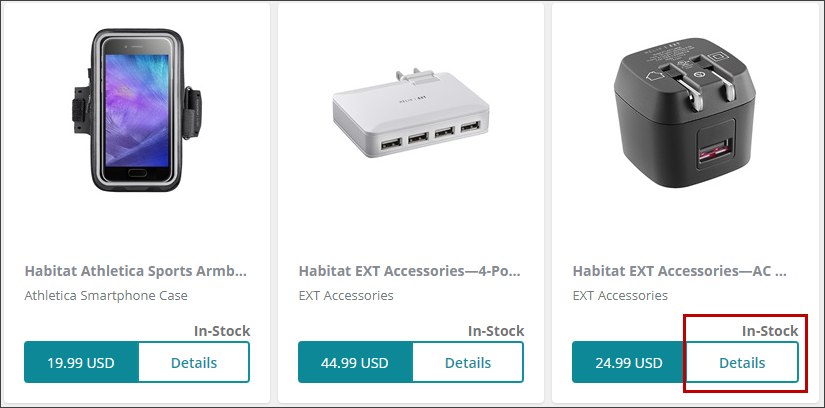
Before the modification, commerce search results on the live storefront include a stock status label and a Details button.
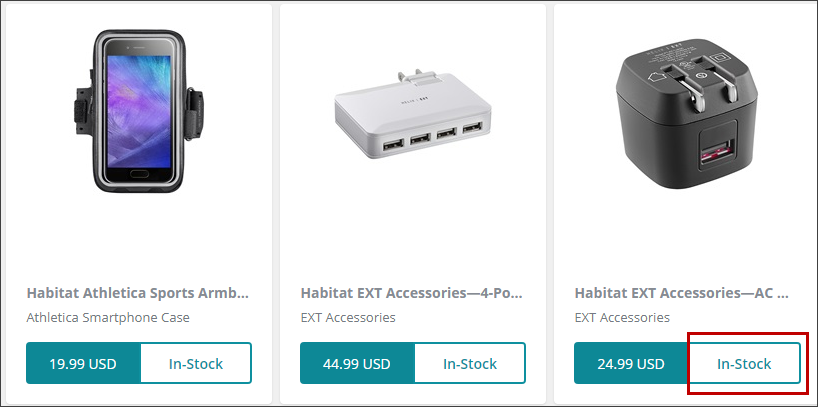
After modifying the Scriban template, the Details label is replaced with the stock status.
To see how to modify the Commerce Search Results Scriban template, watch the video available on the Discover Sitecore channel.
To modify the Commerce Search Results rendering through the Scriban template:
-
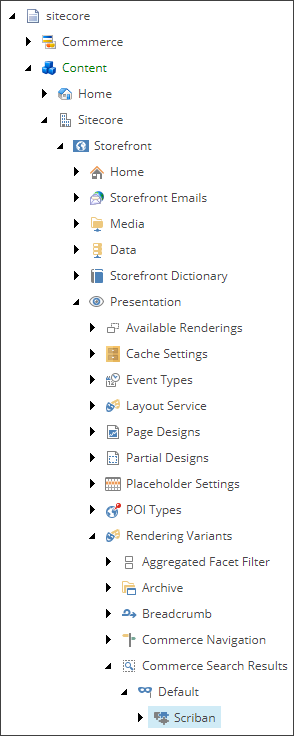
In the Content Editor, go to sitecore\Content\
\ .\Presentation\Rendering Variants -
Expand the Commerce Search Results item, as well as the Default item, and click Scriban.
-
On the Content tab, in the VariantDetails section, in the Template field, modify the following lines:
[**1 Copy data-bind="text: stockLabel" from this line to the clipboard and delete the line. [**2 Add data-bind="text: stockLabel" to the end of the line. [**3 Delete the {{ sc_translate 'DETAILS' }} line. NoteFor easier editing, you can copy the Scriban code into a code editor, modify it, and copy it back into the Template field.
-
On the ribbon menu, click Save.
-
Press F9 and publish your changes using Smart Publish.