View signals
Signals highlight noticeable changes in your brand's visibility across AI platforms. The Signals page includes signals with and without contributing pages. Use it to review the changes that matter the most and narrow the list by status, time period, competitor, or topic.
Find signals
To view signals for your site:
- In SitecoreAI, click Strategy, then scroll to the Signals widget.
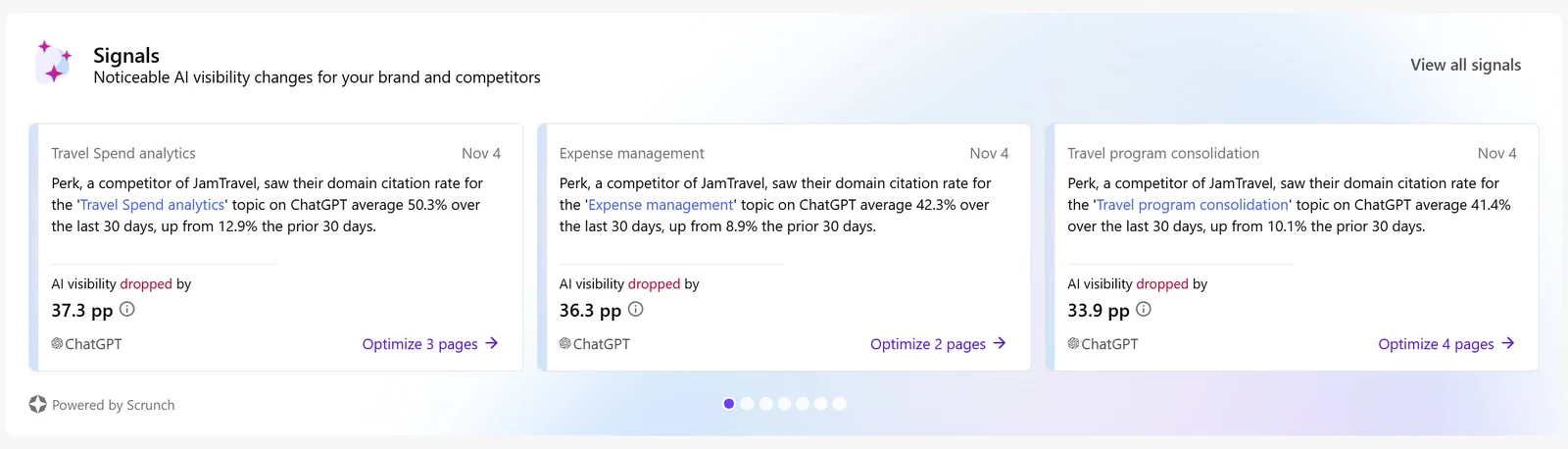
- Click View all signals.
The Signals page opens with the list of available signals.
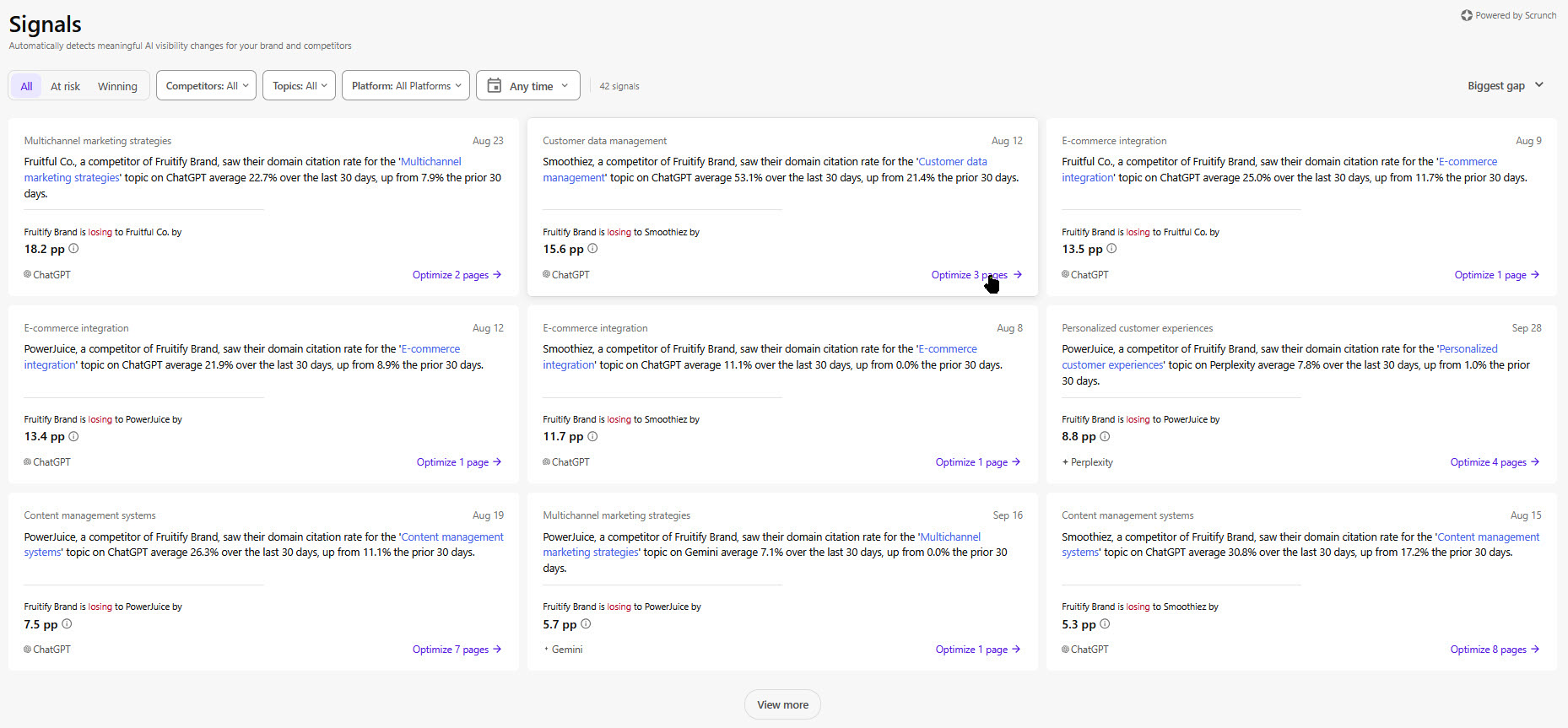
Each signal card summarizes a detected change, including the following details:
- Headline - a summary of what changed, including the AI platform and the magnitude of the shift.
- Topic - the topic the signal belongs to.
- Date - when the change was detected.
- Pages - the total number of pages that contributed to the detected change, whether or not content recommendations are available.
- AI platform - which AI tool the change was observed on.
- pp change - how much the metric shifted, in percentage points.
For a signal with contributing pages, click Optimize page(s) to review those pages. To load more signals, click View more at the bottom of the page.
Sort signals
By default, signals are ordered by Biggest gap. You can choose any of the following sort orders:
- Biggest gap - signals where metrics fell the most appear first. This is useful for spotting sharp percentage-point declines.
- Most recent - signals detected most recently appear first. This is useful for staying on top of the latest changes.
Filter signals
Use the tabs to filter what signals you see on the Signals page:
- All - view all signals, including those without contributing pages.
- At risk - view only the signals where your brand is falling behind.
- Winning - view only the signals where your brand is outperforming competitors. Winning signals don't require action, but you can still view the signal details.
You can use the following filters to further narrow the list of signals:
- Competitors - filter signals by the competitors defined for your brand in Scrunch.
- Topics - filter signals by semantically related user prompts or strategic themes.
- Platform - filter signals by the AI tool, such as ChatGPT, Claude, Gemini, or Google AI Overviews.
- Metric - filter signals to view only the ones related to mentions or citations.
- Last 30 days - filter signals by the past two, seven, or 30 days, or choose a custom date range.
Why you might not see signals
If the Signals page shows no signals, or fewer than you expect, see Missing signals or AEO opportunities for causes and next steps.