Brand context
Brand context is structured, reusable information that provides AI agents with a broad understanding of your brand, helping them generate more grounded, consistent, and brand-aligned responses.
SitecoreAI builds the initial brand context from a source you provide and organizes what it learns into editable Markdown files. These files cover key areas such as your audiences, products or services, messaging, content guidelines, and customer evidence.
You can add more than one brand context to support different brands, websites, regions, business units, or other brand needs.
Why use brand context?
AI agents produce better results when they have reliable information about the brand they are working with.
Without brand context, an AI agent might understand the task you give it, but not necessarily know:
- Who your most important audiences are.
- What products, services, or capabilities you offer.
- How you position your brand and communicate its value.
- Which terminology, style, and content standards it should follow.
- Which evidence it can use to support brand claims.
This information is often spread across websites, product pages, brand guidelines, customer stories, and other sources.
Brand context in SitecoreAI brings this information into a structured, reusable form so teams can review, maintain, and use it across supported AI workflows.
How brand context works
SitecoreAI organization admins or owners can add one or more brand contexts. Each brand context is created from a single source: either a brand website URL or an existing SitecoreAI site.
After you provide a source:
- SitecoreAI analyzes the source and related publicly available information to identify useful brand and marketing details.
- SitecoreAI organizes that information into a standard set of folders and editable brand context files.
- Admins or owners review the generated information and update it as needed.
- Users can select a brand context for use in Agentic studio.
- The AI agent or chat uses relevant information from the selected brand context in the background. Users don't need to manually select individual files or folders to provide context.
If you have a Scrunch subscription, you can also connect the brand context to your existing brand in Scrunch. SitecoreAI retrieves the data from Scrunch and makes it available in the brand context, where it can also provide context for chats and agents in Agentic studio.
You can also access brand context programmatically using Marketer MCP tools or Agent API endpoints to list and retrieve brand contexts, files, and folders and combine that information with other SitecoreAI data for downstream tasks. For example, you can combine brand context with audience information to generate a brief that reflects both audience needs and the brand's positioning, messaging, and guidelines.
Generated folders and files
Each brand context includes generated folders and editable Markdown files that organize different aspects of the brand.
When you open a brand context in SitecoreAI, the file explorer shows the generated folders and files so you can review, edit, and refine the information.
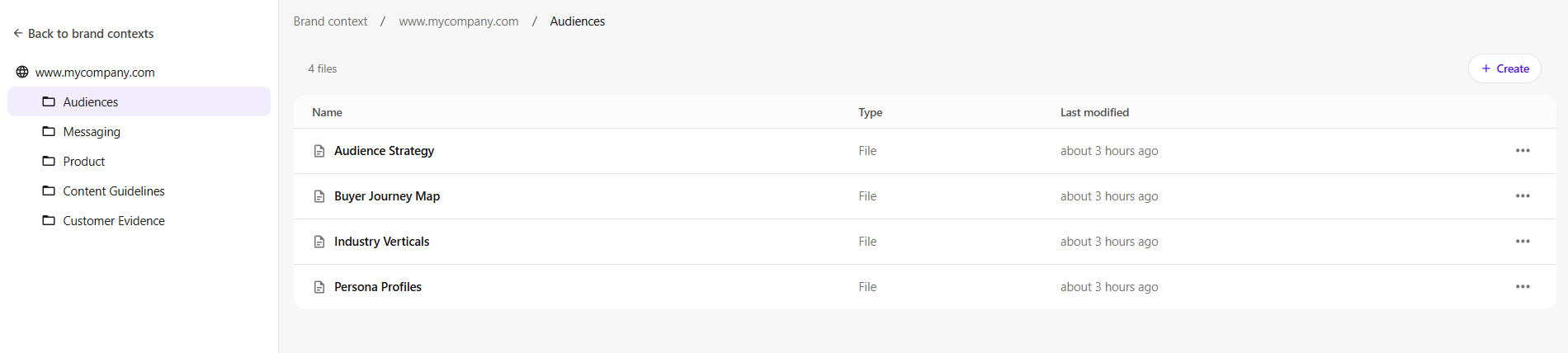
The generated structure covers five areas of brand knowledge.
| Folder | Initial files | What it covers |
|---|---|---|
| Audiences | Audience Strategy, Buyer Journey Map, Industry Verticals, Persona Profiles | Audience segments, needs, journeys, and personas |
| Messaging | Competitive Positioning, Messaging Framework, Proof Points, Value Propositions | Positioning, differentiation, key messages, and value |
| Product | Capabilities Matrix, Integrations & Ecosystem, Product Portfolio | Products, services, capabilities, and ecosystem |
| Content Guidelines | Channel Guide, Content Standards, Style Guide | Channel guidance, content standards, style, and terminology |
| Customer Evidence | Case Studies, Evidence Framework, Success Metrics, Testimonials | Evidence that can support brand claims |
If you connect the brand context to your brand in Scrunch, SitecoreAI also adds a AI Discovery folder with AI discoverability data for the connected brand, providing another way to view and use data from Scrunch in SitecoreAI.
For details about the generated folders and files, see Brand context folders and files. To learn about the data from Scrunch, see Understanding AI Discovery files from Scrunch.
Editing brand context
Generated brand context provides a starting point that admins and owners can review, refine, and maintain over time. This applies to the editable files generated from your brand context source. The files in the AI Discover folder are managed by SitecoreAI and can't be edited.
The information generated depends on the brand and the information available from the source. It can include details found directly in the source as well as interpretations based on publicly available information. Some areas might contain limited information or might not apply to every brand.
Admins and owners can edit the generated files to:
- Correct or remove generated information.
- Add information that was not available from the source.
- Replace generated interpretations with approved brand guidance.
- Add internal guidelines or preferences.
- Keep the information current as the brand evolves.
For example, an admin might update a generated Persona Profiles file with new audience details that are relevant to the brand.
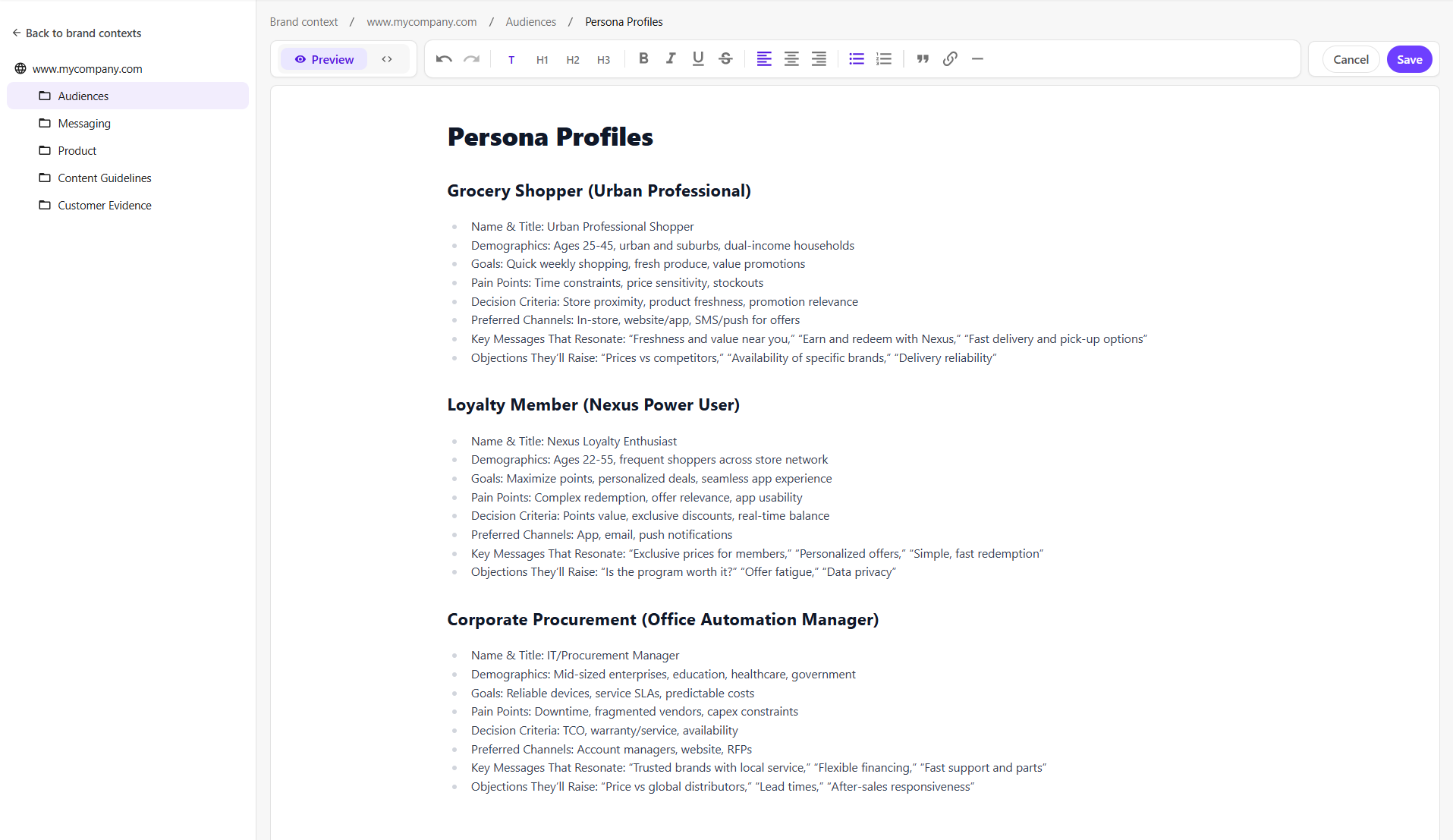
Edits become part of the brand context that AI agents can use during future supported AI-assisted work.
Related tasks
To add and manage brand context, use the following task guides: