
Link your public app to a community app idea
If you're building a public Marketplace app that implements a community app idea, you can link your app to the idea. This helps increase visibility for both your app and your developer profile.
After Sitecore confirms the link and you publish your app, the linked idea becomes Implemented, and your app appears in the Inspired by this idea section of the idea's page. The most recently published apps that implement an idea are also listed on the main app ideas page.
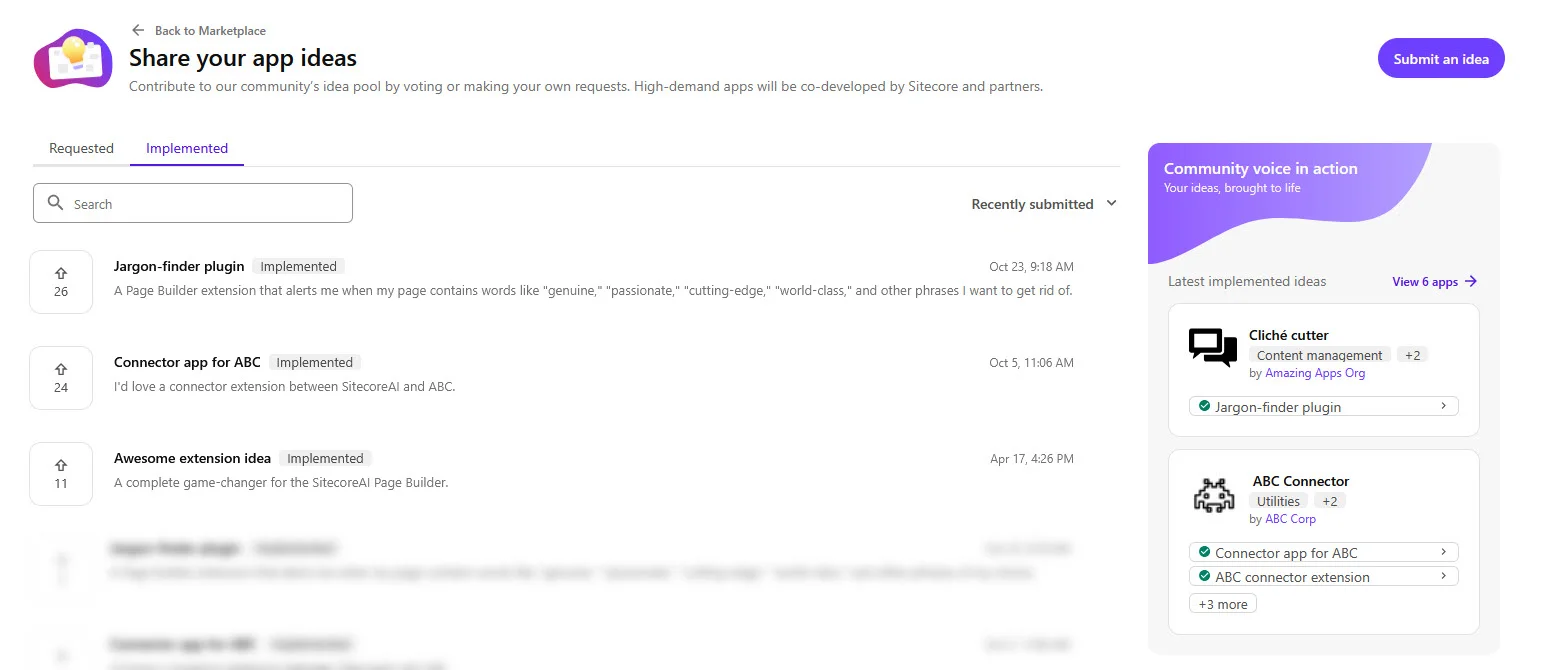
Linking rules
The following linking rules apply:
- Only public apps in the In development status can be linked to ideas.
- Only ideas in the Requested or Planned status can be linked to apps.
- Each organization can link one app to the same idea.
- One app can be linked to multiple ideas.
- Multiple organizations can link apps to the same idea.
You cannot unlink an app from an idea yourself. To remove a link, create a support case in the Cloud Portal.
Link your app to an idea
You can link your app to an idea from the idea's details page.
To link your app to an idea:
- In the Cloud Portal, click Marketplace, and in the left-hand sidebar, in the App ideas and requests section, click Share your ideas.
- On the Share your app ideas page, click the idea your app implements.
- In the Already working on an app that implements this idea? Link your app to this idea. section, click Link app.
- In the modal, select your public app, then click Link app.
The first linked app changes the idea's status to Planned. If your organization already linked an app to the idea, the section for linking an app no longer appears for your organization. Other organizations can still link their apps to the idea.
When you submit your app for approval, the linked ideas are included in the submission and cannot be changed during review. Sitecore reviews the links as part of app approval. Confirmed ideas remain Planned until you publish your app.
After publication, confirmed ideas become Implemented and your app appears in their Inspired by this idea section. Linked apps do not appear on the public idea details page until they are published.