Convert an artifact into a SitecoreAI item
Artifacts generated by agents or flows within a space are not just drafts. You can convert them directly into structured SitecoreAI items and continue building from there.
This allows you to move from AI-generated artifact in a space to usable content without copying or recreating it manually.
To convert an artifact:
-
In the navigation menu, click Agentic and then, in the left sidebar, click Spaces.
-
On the Spaces page, locate the relevant space. You can use filters or search by title, agent name, or flow.
-
Click the space to open it.
-
In the main pane, in Classic view, locate the artifact and click View. The artifact content is displayed.
-
To help AI convert artifacts more accurately into SitecoreAI items, click Transformation skills and, in the dialog that opens, click the checkboxes next to the skills you want to use when converting an artifact.
-
Click Convert.
-
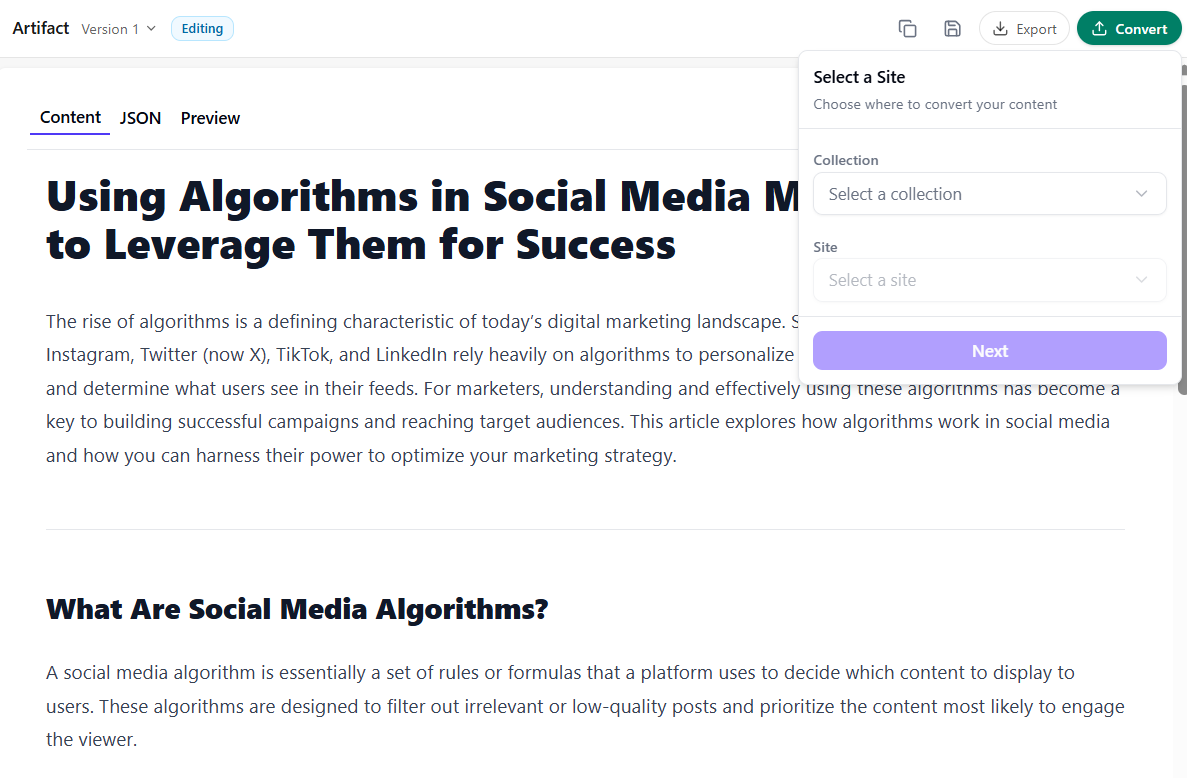
In the Select a Site dialog, choose the Collection and Site, then click Next.
-
In the Select a Template dialog, choose an available template (for example, an Article Page template) and click Next.
-
In the Select Location dialog, in the content item tree, choose where to create the item.
-
Click Convert.
The system transforms the artifact into an item based on the selected site, template, and location.
When conversion is complete, a confirmation message appears. You can click Preview in Pages to open and review the result in the Page builder.