Review AI-proposed changes in the Chat interface
In the Chat interface, you can enter a free-form prompt to ask AI to create, update, or translate content in SitecoreAI. You do not need to select a specific agent unless your request requires one.
Before saving anything, SitecoreAI shows the proposed changes in chat for human review and approval. This review step lets you verify proposed changes before they are applied, helping you check accuracy, catch issues, and stay in control of what gets saved.
Review AI activity
While SitecoreAI works on your request, the Chat interface shows the tools it uses to complete the task.
For example, a request to update page metadata might show tool calls such as List Site Context Skills, Get Site, and Search Pages. This helps you understand the sequence of actions the AI is taking behind the scenes.
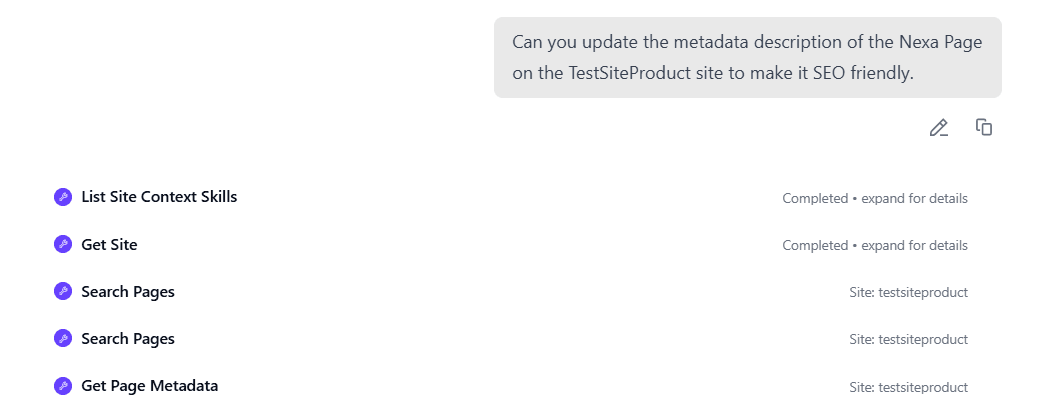
Each tool call can show a status, such as Completed, and contextual details, such as the site being updated. You can expand a tool call to view more details, including the input and output data passed between tools.
Review proposed changes
When the work is complete, the chat interface may show a review card with the proposed changes.
The review card varies depending on the task.
-
For page creation, it can show the page location, page content, metadata, and other values needed to create the page.
-
For content updates, it can show current values alongside proposed updates, including empty fields that AI proposes to populate.
-
For translation tasks, it can show the source and target locales, original source text, any current translation, and the proposed translation.
For example, when reviewing metadata changes, the card may show fields such as Title, Page Title, Meta Description, and more.
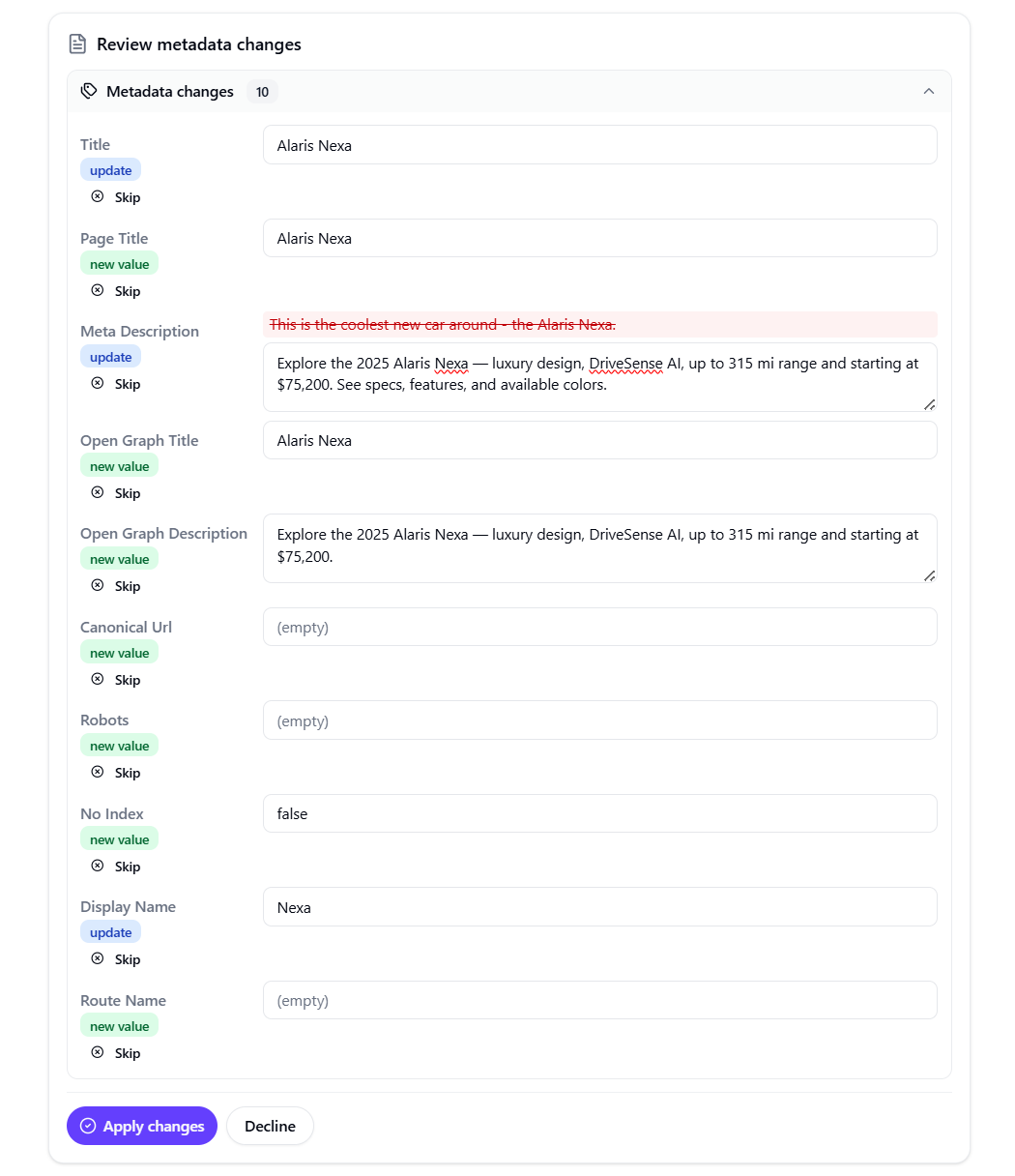
Each field can include a label such as update or new value to indicate the type of change. Existing values that will be replaced may appear crossed out, and the proposed value appears in an editable field.
Apply, skip, or decline changes
After reviewing the proposed changes, choose how to continue:
-
Apply changes saves the proposed changes to the SitecoreAI item.
-
Create page creates the new page with the proposed content and metadata.
-
Skip rejects a specific change and keeps the others available.
-
Decline rejects all proposed changes.
After you apply changes, the Chat interface shows progress and confirms when the update is complete. It may also provide links to continue your work, such as Open in Page Builder or Preview the page.
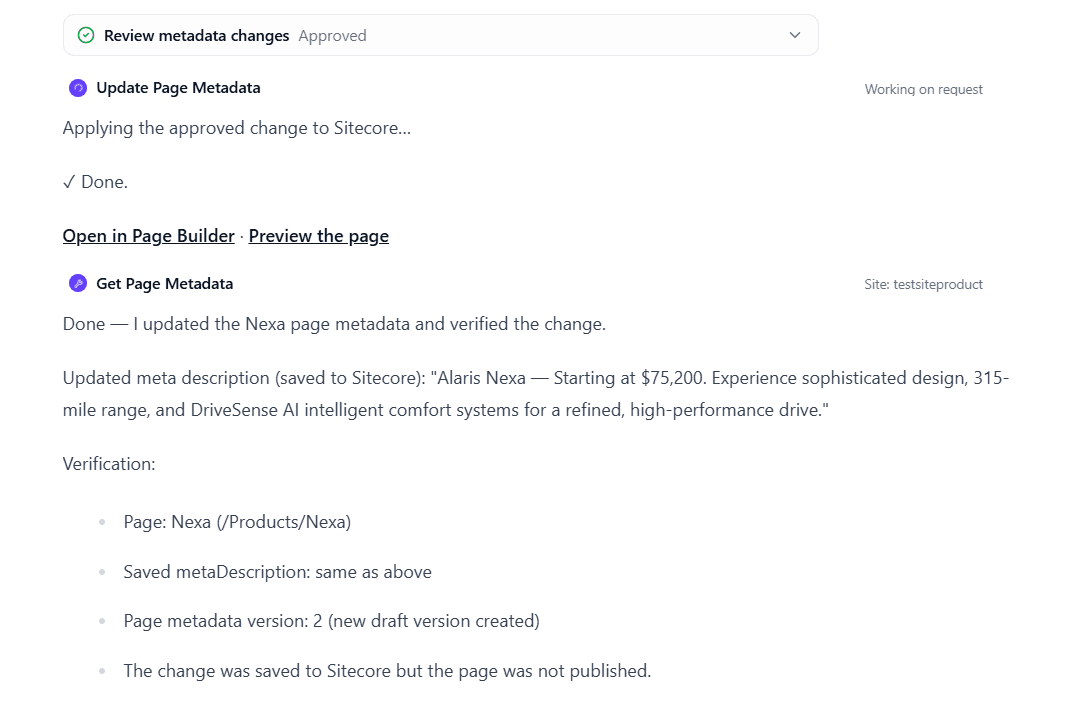
Applied changes are saved to SitecoreAI, but they are not published automatically. To make the changes live, you must publish the item.