Run additional agents within a space
Within a space, you can run agents at any time, either before starting any work or after an initial agent or flow has completed. This allows you to build on existing outputs or start new tasks without creating a new space.
All agents run using the shared context of the space, including previously generated artifacts. This ensures that follow-up tasks remain aligned with earlier work and can reuse existing outputs.
To run additional agents within a space:
-
In the navigation menu, click Agentic and then, in the left sidebar, click Spaces.
-
On the Spaces page, locate the relevant space.
You can use filters or search by title, agent name, or flow.
-
Click the space to open it.
-
In the right pane, on the Agents tab, click Add agent.
-
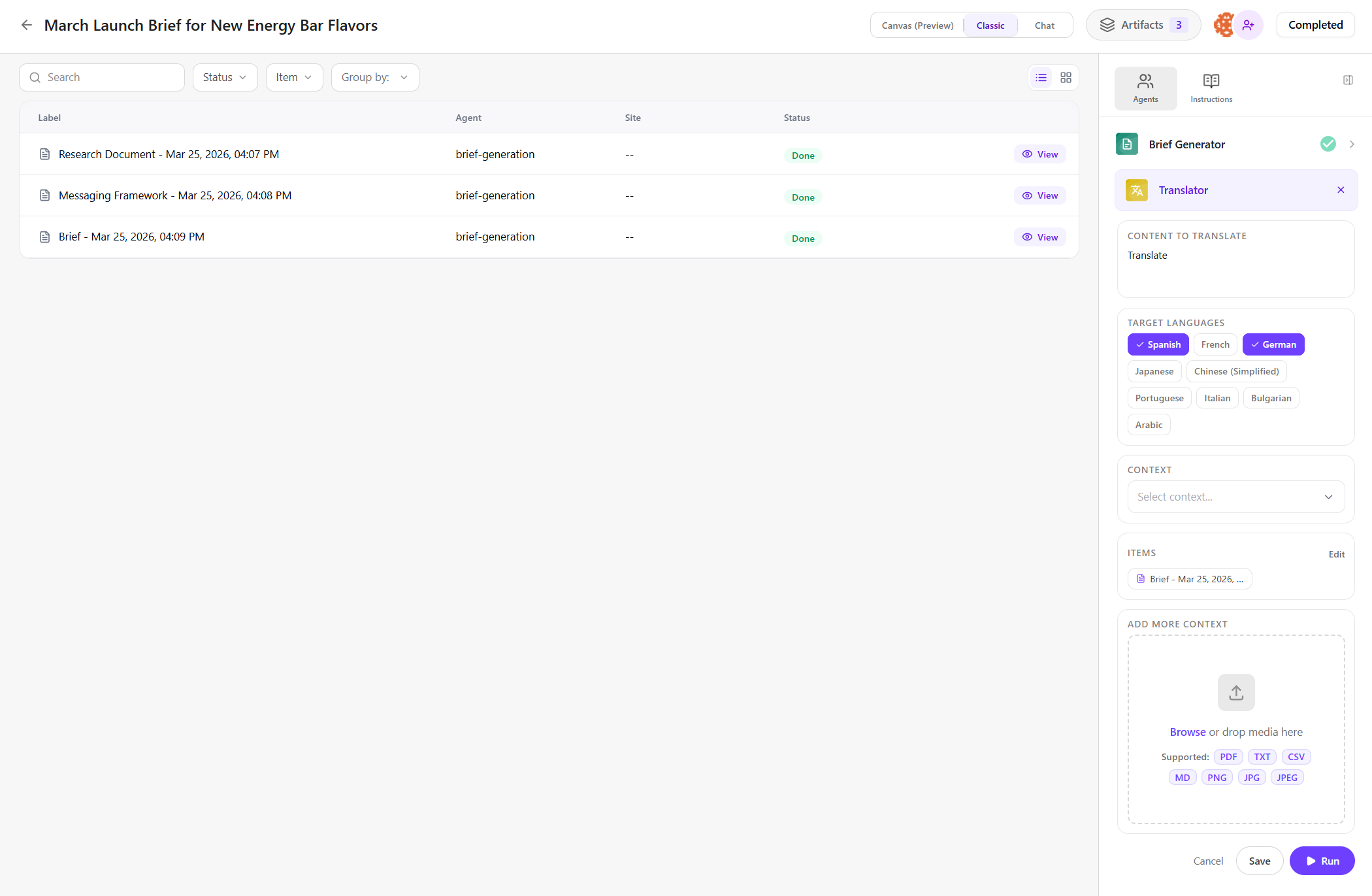
In the dialog, select an agent (for example, Translator).
The selected agent is added to the Agents tab.
-
Provide the required inputs, just as you would when running the agent independently.
For example, to use the Translator for the content created by the Brief Generator, enter a prompt (for example, Translate).
-
Choose the Parameters used to generate artifact variations (for example, select target languages like Spanish, German).
-
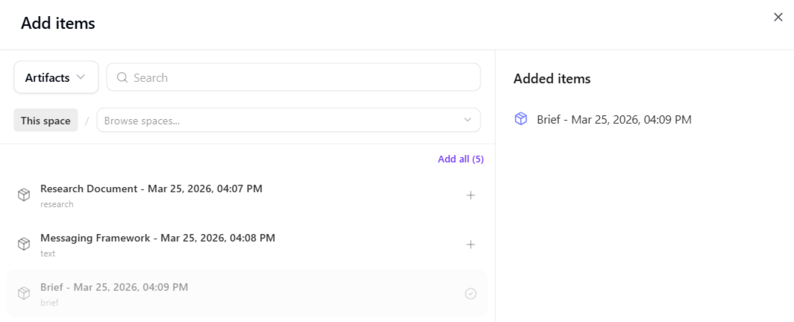
To select the brief artifact generated by the first agent for the Translator to work on, click Add items.
Select Artifacts from the drop-down, choose the brief, and click Save.
-
Optionally, you can add more items, context, or files, if needed:
- Items - use items as the inputs the agent will act on. The agent processes each item to generate outputs. Click Add items to include:
- CMS - select content item from a SitecoreAI site or collection.
- Artifacts - use artifacts previously generated in any space.
- Briefs - select a brief created in the Strategy app.
- Other - import a CSV file and select all or part of its data.
- Context - use context as background information that guides how the agent generates results. Click Add context to include:
- Artifacts - use any artifacts previously generated in the current space.
- Brand kits - select your organization's brand kit.
- Supporting files - click Browse to upload supported files related to your request.
- Items - use items as the inputs the agent will act on. The agent processes each item to generate outputs. Click Add items to include:
-
Click Run to start the new agent.
The agent analyzes your prompt and and processes the selected item (brief) to generate content based on your selected parameters (such as languages).
When the run is complete, the generated artifacts are added to the space.
To learn more about what’s included in a space, see Open a space.
You can continue adding agents as needed, and review, refine, or build on the results.