Understanding signals
In SitecoreAI, a signal is a real-time insight that highlights noteworthy trends, news, updates, or shifts related to a subject you choose to track. Each signal provides a concise, research-backed summary designed to support timely and informed marketing decisions. Signals are shaped by the preferences you set:
- Topic defines the primary subject you want to track.
- Industry provides the broader context around your chosen subject.
- Prompt guides what the AI should pay closer attention to or emphasize within your selected subject and industry.
For example, if you want daily insights about shifts in social media algorithms, you can set your signals preferences accordingly. You then receive insights that highlight shifts affecting content reach, engagement patterns, and how brands might need to adjust their publishing strategies.
How signals are delivered and used
Signals are available in the Agentic studio in multiple ways to support different workflows:
- Signals as a page - view automatically generated insights on the Signals page, based on your preferences.
- Signals as a standalone agent - run the Market Signals agent to generate signals on demand.
- Signals within Chat - select the Market Signals agent directly from the Chat interface.
Whether accessed from the Signals page, as a standalone agent, or through the Chat interface, you can generate signals on demand. Updating the inputs generates a new set of signals based on your latest preferences.
By surfacing these tailored signals, marketing teams can:
- Identify meaningful trends and shifts impacting their campaigns.
- Spot opportunities or risks earlier through relevant, curated insights.
- Prioritize actions based on up-to-date information.
- Make informed, strategic decisions across their workflows in SitecoreAI.
The Signals page
The Signals page in the Agentic studio delivers personalized, AI-driven research insights based on your selected preferences. It continuously scans trusted industry sources and surfaces concise, relevant insights aligned to the topic, industry, and prompt you define. It is on this page where you can explore and review the latest market signals for a chosen topic, industry, and prompt.
To access the Signals page, in the navigation menu, click Agentic and then, in the left sidebar, select Signals.
The Signals page displays a gallery of insights generated from your saved preferences. Each signal summarizes a relevant development or trend and highlights areas that might require attention across your marketing activities.
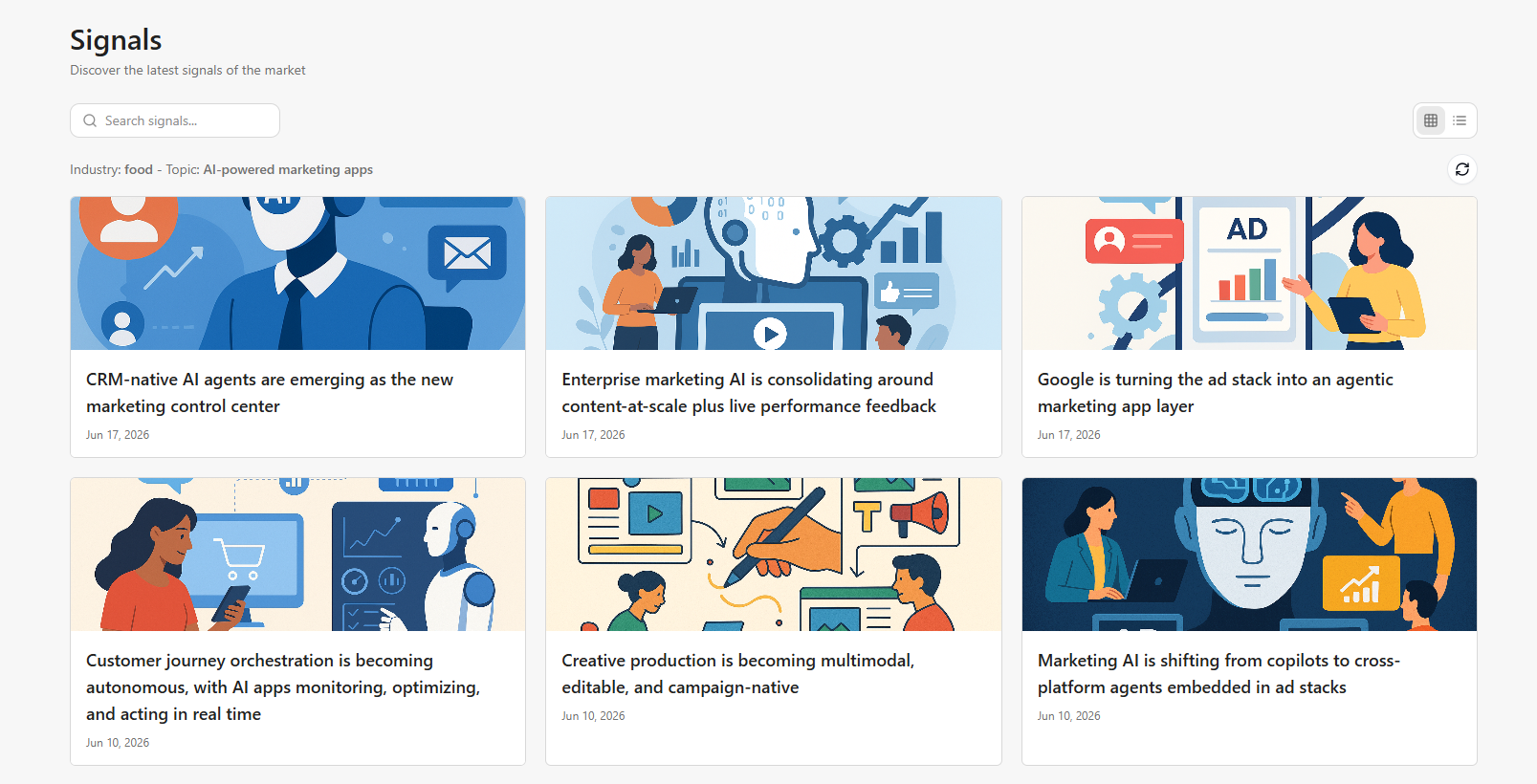
On this page, you can:
- Open a signal to view its detailed insights.
- Click Refresh signals to apply any changes to your set signal preferences and regenerate signals. You can also do this from the Overview page.
You can perform additional tasks regarding signals from the Overview page, such as: