Understanding spaces
In Agentic studio, a space is a structured, team-ready workspace where you can manage and collaborate on AI-driven work. It provides a single place to track progress and view, organize, refine, and build on work performed by agents and in flows. A space captures related activity, artifacts, and context in one place, making it easy to track progress, refine outputs, and collaborate with others. You can create a space manually to organize work before running agents or flows and you can convert a chat into a space. An example of a typical workflow in a space is:
By organizing agentic work in one place, marketing teams can:
- Monitor active and completed work.
- Review and refine AI-generated artifacts.
- Run additional agents within the same space.
- Share context across related activities.
- Collaborate with teammates in a structured environment.
The Spaces page
The Spaces page is where you can view the history, progress, and outputs of all AI-driven activities. It displays all available agents, including those created automatically to run tasks or those you created yourself.
To access it, on the navigation menu, click Agentic and then, in the left sidebar, click Spaces.
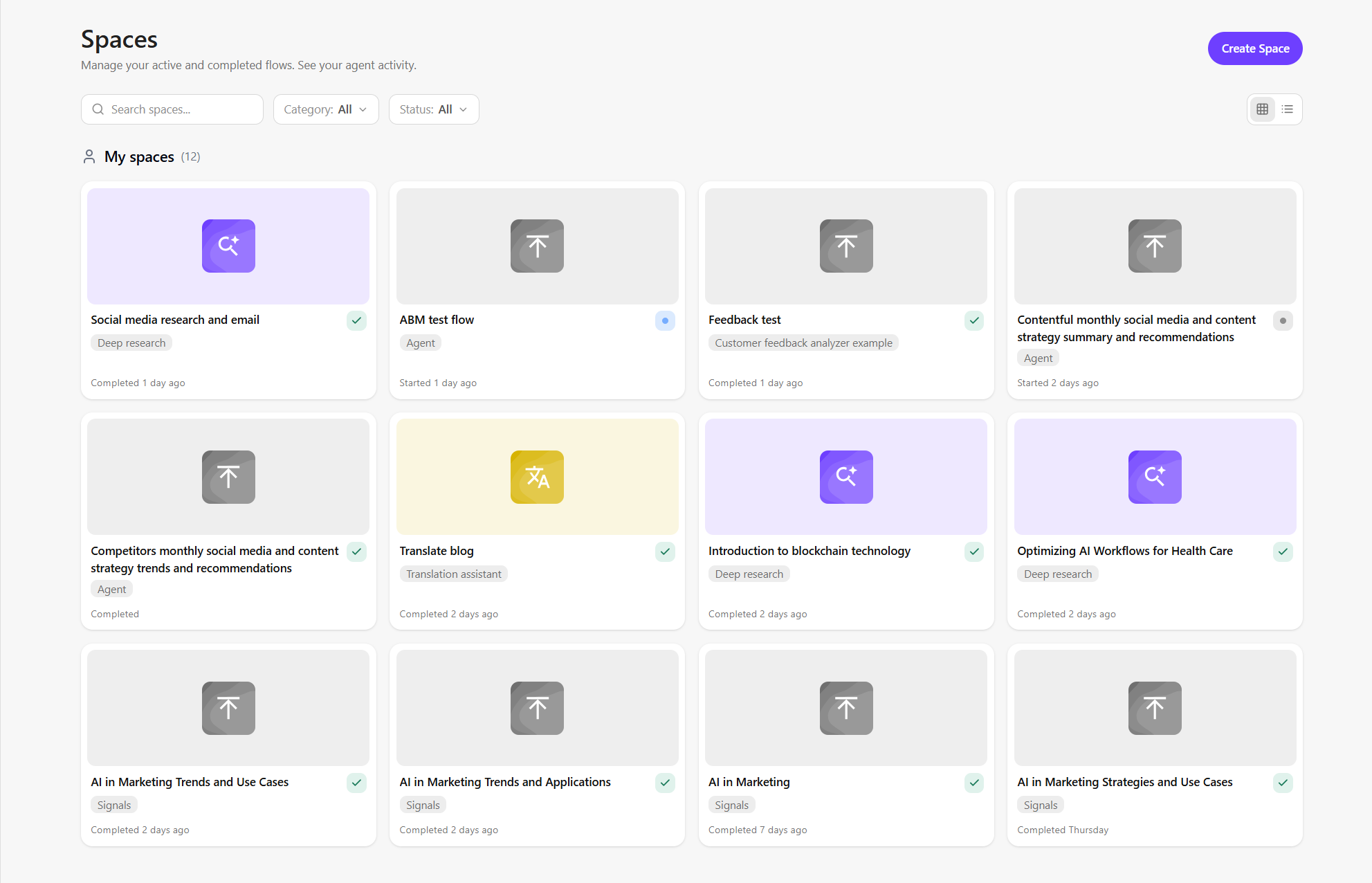
On this page, you can:
- Browse by type - view all available spaces. You can filter spaces and switch between card or list views. Each space displays a:
- Title - the type of work (for example, Request to generate content or Extraction request).
- Label - name of the agent or flow (for example: Bulk content generator or Signals).
- Status - indicates whether the work is in progress, finalized, or completed.
- Date and time - shows when the task started or was completed.
- Browse by category - view spaces based on how they are created or shared (see Manage collaborators in a space):
- My spaces - spaces you created and can make accessible to others.
- Shared - spaces others made available to you.
- Create a space - manually create a space for different types of work, such as content generation, scheduled tasks, bulk updates, or any custom workflow.
- Open a space - open a space by clicking on its card. Within a space, you can do the following:
- Rename a space.
- Manage collaborators in a space.
- Chat in a space to continue working with AI.
- Manage artifacts generated in a space to review, improve, and convert AI outputs.
- Run multiple agents within the same space.
- Convert a generated artifact into a SitecoreAI item.
- Change the status of a space to reflect the current stage of work.