Understanding content item usage
List all pages where a content item is used
In the Page builder, you can now find out how many time a data source item is being used among all the pages of all the sites of an environment, as well as the workflow state of that item. You can also access a list of all the pages the content item is used at least once. If a content item is used multiple times on a single page, it will count as "Used in 1 place".
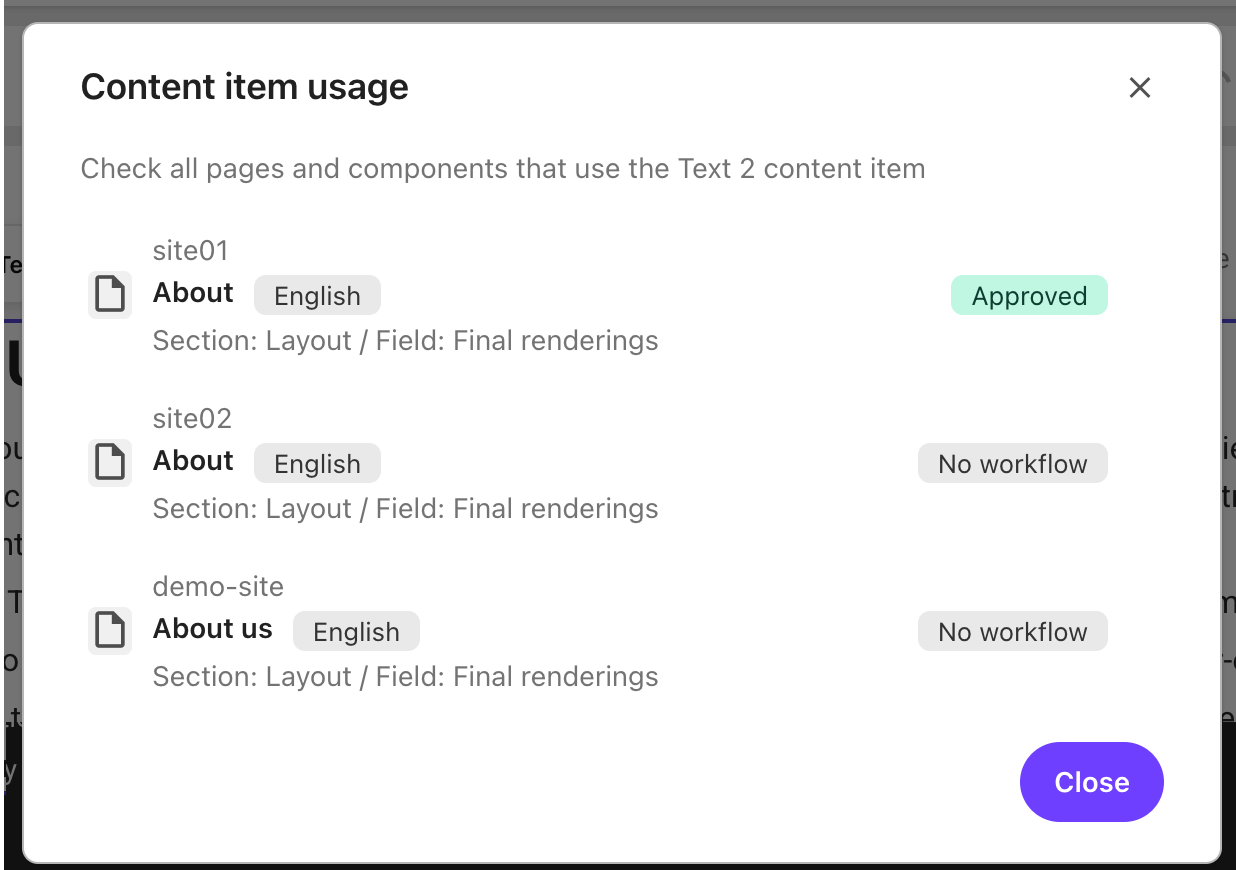
When opening the Content item usage dialog, you can see the list of the individual pages where the content item is used at least once, and for each of the pages you can see:
- The site the page belongs to.
- The name of the page. Pages are grouped by unique item ID and language and version. If you see the same page listed twice, once with a language and once without, it means one reference is tied to a specific language version, and the other is either unversioned, shared, or missing language metadata.
- The language version of the page when available.
- The section and field where the content item is used. "Section" is the named region or rendering (for example, Layout, Header, Footer) and "Field" is the data field or property within that section (for example, Title, Image, Link, Final Rendering).
- The workflow state of the page.
To find out how many times and on which page a content item is used:
-
Open a page and click on the component where the content item is used.
-
In the right-hand panel, click Content.
-
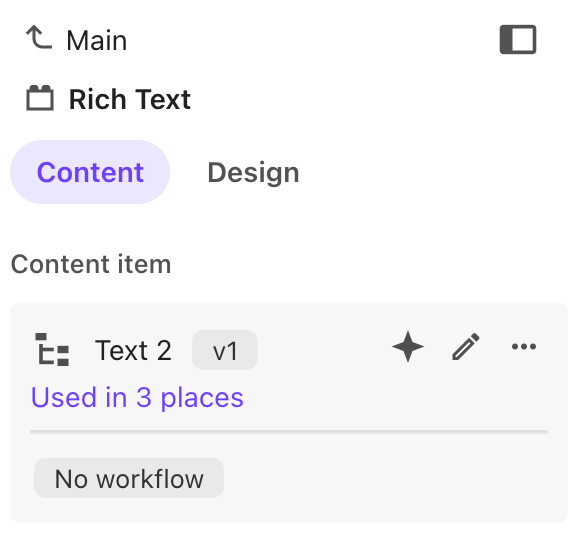
In the Content item section, you can see how many times a specific content item is used. You can also see the workflow stage of the item.
-
Click on Used in x places to see the list of pages and components that use the content item.
-
Optionally, click on one of the item in the list to open the relevant page in a new browser tab.
List all content items used in a page
You can list all the content items that are used in one page in Page builder, so you get an overview of each item, whether they are part of a partial design, and their workflow state. you can also access the item history, with details such as Last edited date, and the previous workflow steps, with user name, date and comments.
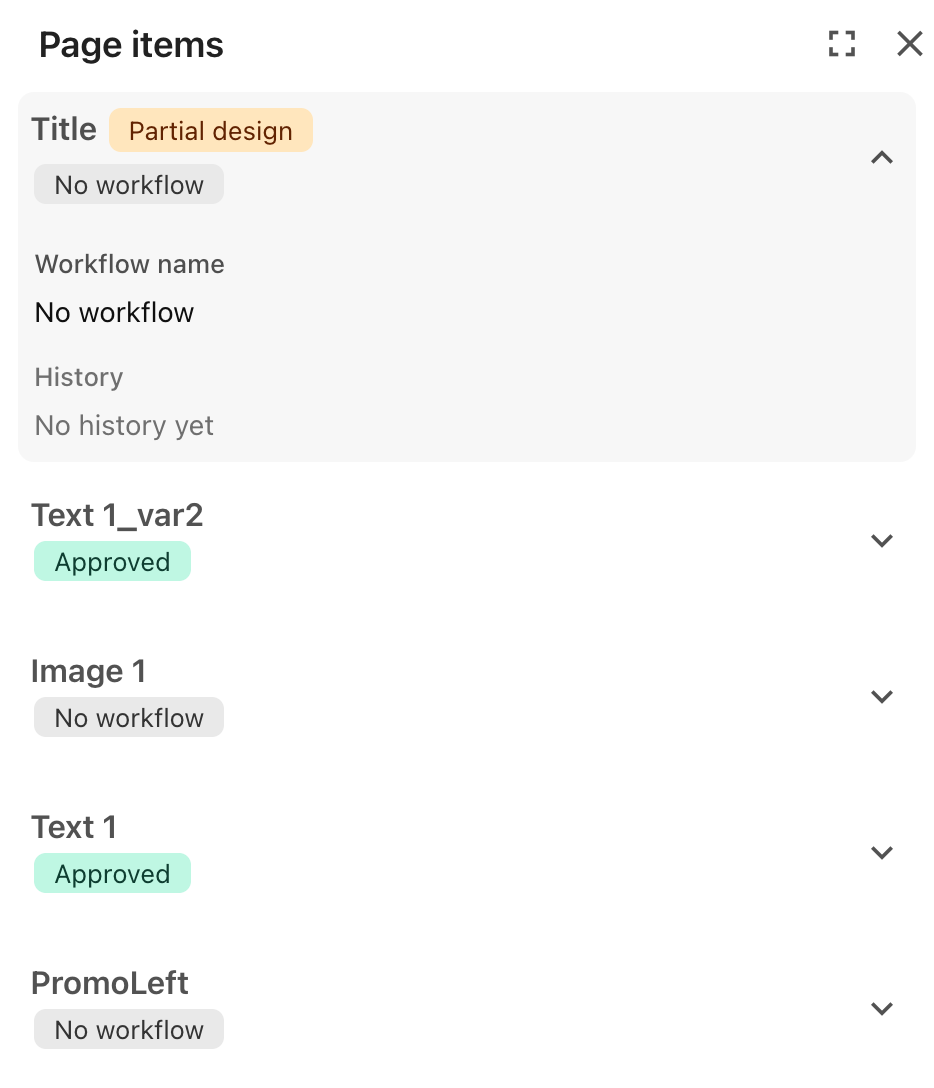
To see a list of all items used in a page:
-
In the content tree, click Actions, then click Page items.
-
To access Workflow name and the content item History, click .