AEO opportunities
- Early access - this feature is in early access and available to any organization with a Scrunch subscription.
- Connect to Scrunch - before you can work with AEO opportunities, make sure your SitecoreAI CMS environment is connected to Scrunch. The connection is live if the AEO opportunities tab appears on your site's Channels page in SitecoreAI.
Answer engine optimization (AEO) helps make your content easier for AI tools to discover, understand, and cite when generating answers.
Scrunch analyzes your content and surfaces AEO opportunities and recommendations in SitecoreAI.
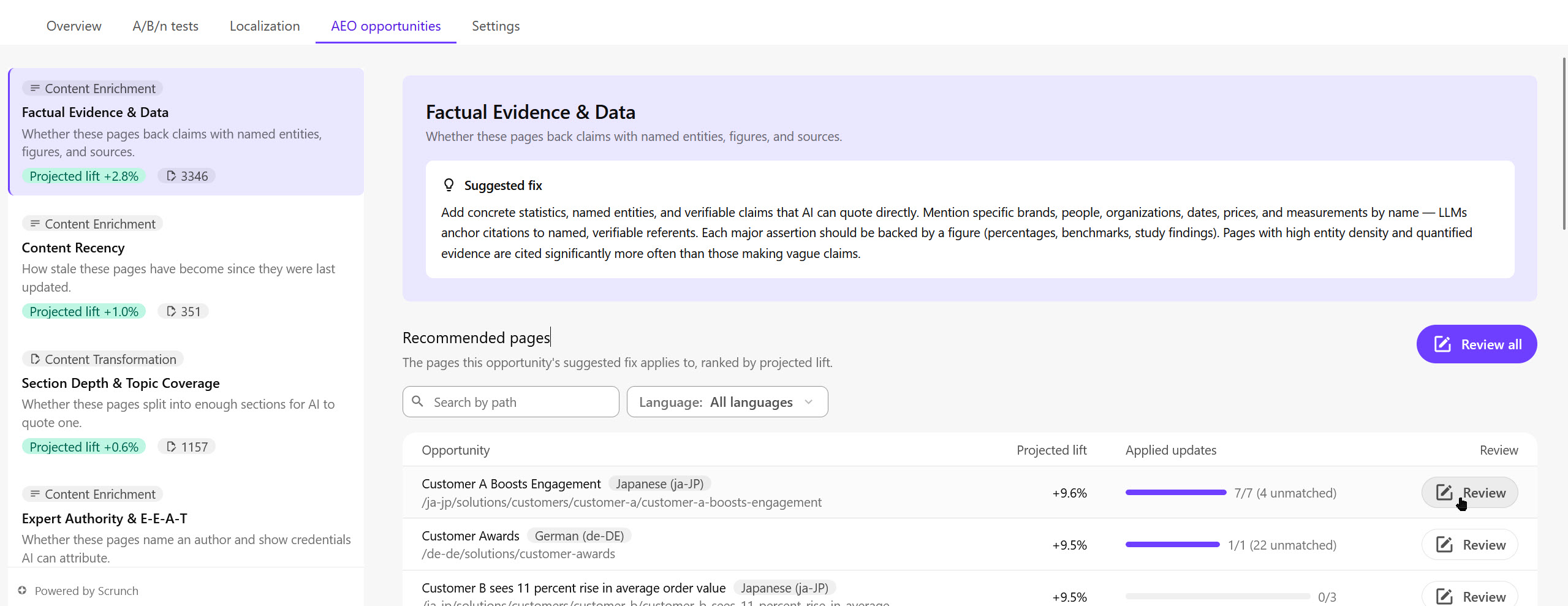
An AEO opportunity identifies ways to improve how your brand, site, or pages appear in AI experiences. It can apply to one or more pages and may include projected lift to help you prioritize improvements. The projected lift is the estimated percentage-point improvement in citation rates from addressing the opportunity.
A corresponding recommendation describes the specific content change to make.
In SitecoreAI, opportunities and recommendations can appear in:
- Signals - a curated subset of opportunities that surface in Strategy because they're associated with a meaningful, brand-level change in AI visibility relative to competitors. A signal is about how your brand is performing on citations and mentions compared with competitors, and which opportunities help close that gap.
- Channels - the full set of AEO opportunities identified across a selected site, regardless of whether they're tied to a change in AI citation performance. Use Channels to prioritize improvements broadly.
- Page builder - AEO optimization provides recommendations for the page you're currently editing.
Channels always has the complete picture of possible improvements across your site; Signals highlights only the opportunities connected to a detected competitive shift.
Opportunity types
Each opportunity has a type, such as:
-
Content Enrichment - enhance content with additional facts, evidence, context, and expertise to increase quality, authority, and citeability.
For example, Scrunch identifies pages where addressing the following enrichment will increase your AI visibility:
- Add statistics, benchmarks, or research findings to support claims.
- Include named experts, author credentials, and attributed quotes.
- Add references to specific products, companies, people, dates, or locations.
- Link to authoritative sources such as industry reports, studies, or standards.
- Expand a brief article with examples, use cases, and supporting context.
-
Content Transformation - restructure content into a more accessible and retrievable format through improved organization, readability, and presentation.
For example, Scrunch identifies pages where addressing the following transformation will increase your AI visibility:
- Break a long article into clear H2 and H3 sections.
- Convert dense prose into numbered steps, comparison tables, or FAQs.
- Rewrite headings as user questions, such as "What is AEO?" or "How does content enrichment work?"
- Shorten long sentences and paragraphs to improve readability.
- Reorganize content so the definition and key answer appear at the top of the page.
AEO opportunities in Channels
Use AEO opportunities in Channels to identify and prioritize improvements across a site.
SitecoreAI shows the site's top AEO opportunities, including their type, category, affected pages, and projected lift where available. When you select an opportunity, you can review the pages where it applies and the recommendations available for individual pages.
SitecoreAI organizes top AEO opportunities by type and category. Types can include Content Enrichment and Content Transformation, with categories such as factual evidence, content recency, readability, or topic coverage.
In Channels, open the site's dashboard to:
- View top AEO opportunities for a site, including their type, category, affected pages, and projected lift where available.
- Act on AEO opportunities by reviewing affected pages and acting on their recommendations.
AEO optimization in the Page builder
Use AEO optimization in the Page builder to improve the page you're currently editing.
Because you're already working on a specific page, SitecoreAI shows the AEO recommendations available for that page directly instead of first presenting a list of opportunities.
Each AEO recommendation describes a specific content change that could improve how AI tools discover, understand, or cite the page.
In the Page builder, use AEO optimization to:
- Review the AEO recommendations available for the page.
- Apply or decline each recommended AEO optimization.