Audience builder
Feature availability is part of a phased rollout. Your organization may not see this functionality yet. It will become available when your environment is included in the rollout.
Audience builder lets you create, manage, and set live audiences in SitecoreAI.
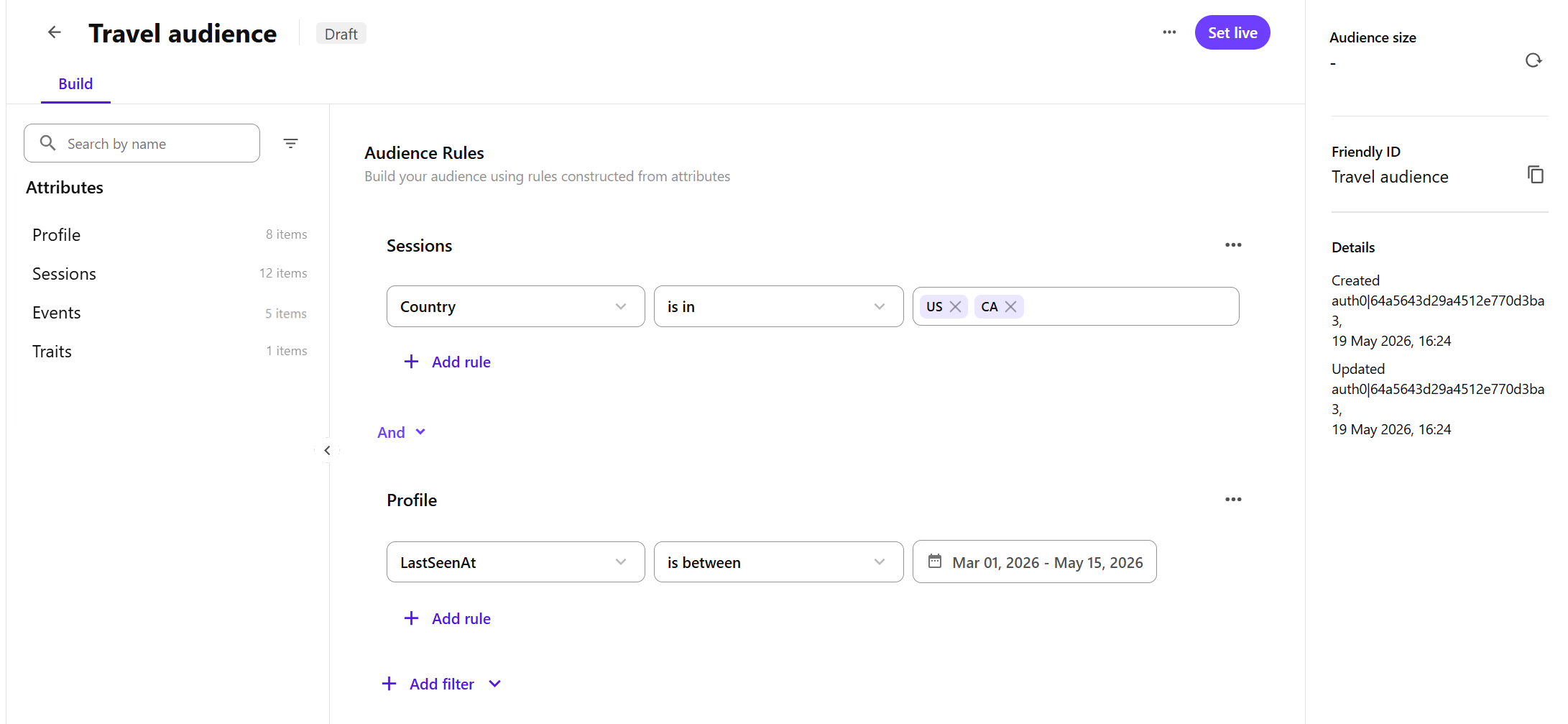
Use Audience builder to define the rules that determine who belongs to an audience. These rules are based on profile data attributes available in your environment. Attributes are organized into groups, such as Profile, Sessions, Events, and Traits.
Key terms
Before you build audience rules, it helps to understand these terms:
- Attribute groups - categories of related profile data attributes, such as Profile, Sessions, Events, and Traits.
- Attributes - profile data fields you select from an attribute group, such as Email, Last Seen At, Language, or Event Type.
- Audience rules - conditions profiles must match to belong to an audience.
- Rule groups - groups of audience rules based on attributes from the same attribute group.
Audience builder interface
Audience builder includes these main areas:
Attributes pane
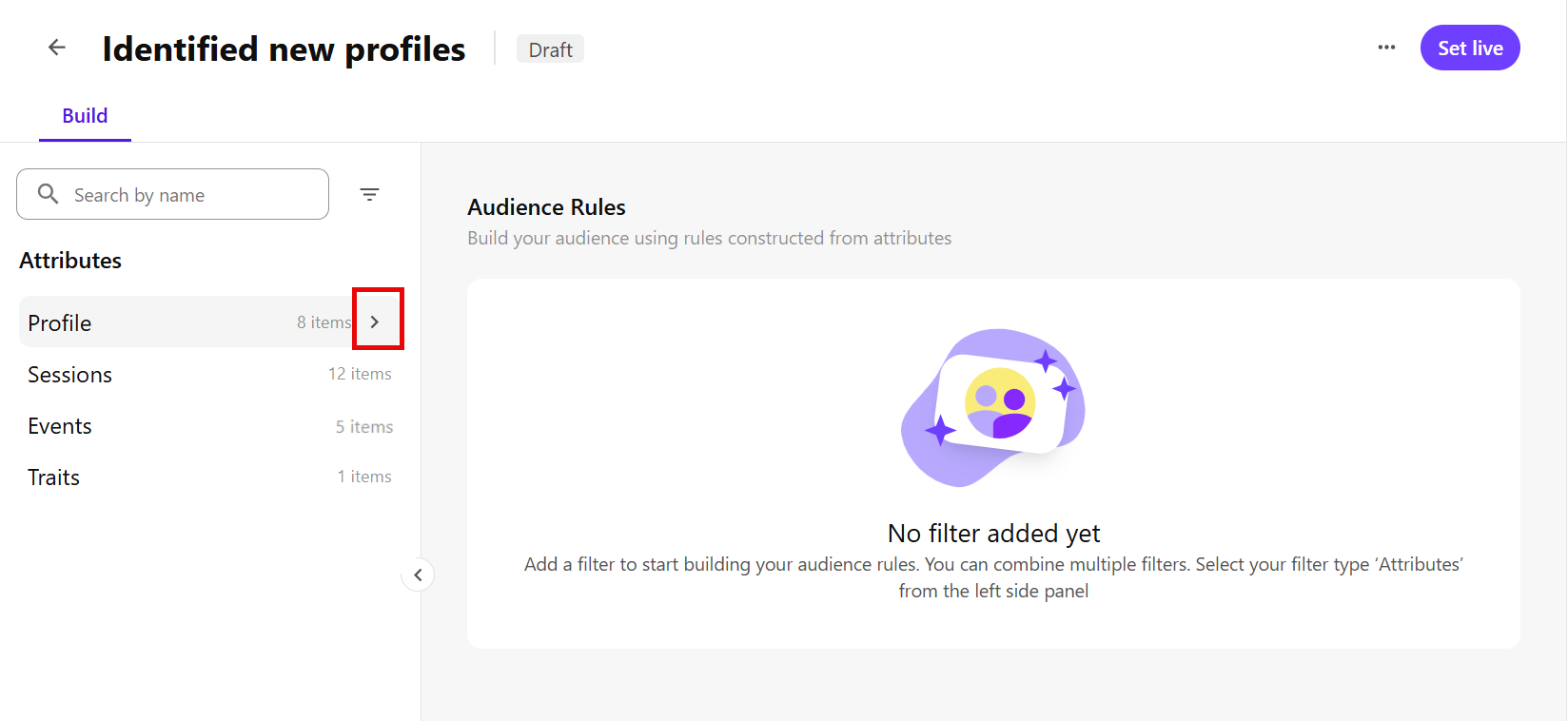
Use the Attributes pane to browse attribute groups and select the attributes you want to use in audience rules.
Expand a group, such as Profile, Sessions, Events, and Traits, to view its available attributes. Then select an attribute to add a rule to the Audience Rules workspace.
For example, expand Profile, then select LastSeenAt.
Audience Rules workspace
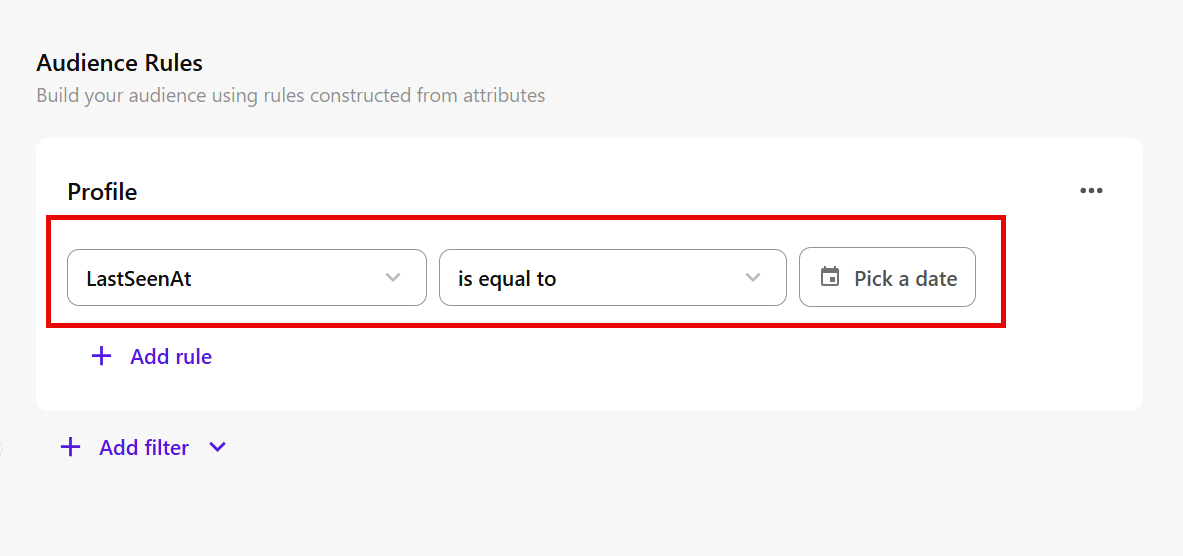
Audience Rules is the main workspace where you define the rules profiles must match to belong to an audience.
In Audience Rules, you can:
- add audience rules based on selected attributes.
- choose comparators, such as is equal to, to define how attribute values are matched.
- enter or select values, such as a specific date for LastSeenAt.
- combine rules or rule groups using And and Or.
- use Not to exclude profiles who match a specific rule.
- Add rules from different attribute groups to create rule groups.
- reorder rule groups to organize your audience logic.
- delete rule groups or rules you no longer need.
For example, after you select the Last Seen At attribute from the Profile group, you can create a rule that matches profiles last seen on a specific date.
Audience details pane
The audience details pane is always visible on the right side of the page.
Use this pane to calculate the estimated audience size and review audience details, such as when the audience was created or last modified.