Create an audience
Feature availability is part of a phased rollout. Your organization may not see this functionality yet. It will become available when your environment is included in the rollout.
Create audiences to define profile groups based on shared profile data, behaviors, or traits.
In Audience builder, you define an audience by selecting profile data attributes and adding rules that determine which profiles belong to the audience. You can continue refining the rules until the audience includes the profiles you want to target.
Identify the profile group you want to include in the audience. This helps you choose the right attributes and rules.
Create the audience
To create the audience:
- In the navigation menu, click Performance.
- In the left-hand pane, select Audiences.
- On the Audiences page, click Create audience.
- In the New audience dialog, enter a descriptive name for the audience.
- Click Create.
Audience builder opens with a new empty audience in Draft status.
Add the first audience rule
To add the first rule:
-
In the Attributes pane, select an attribute group, such as:
NoteAvailable attribute groups and attributes depend on the profile data available in your SitecoreAI environment.
-
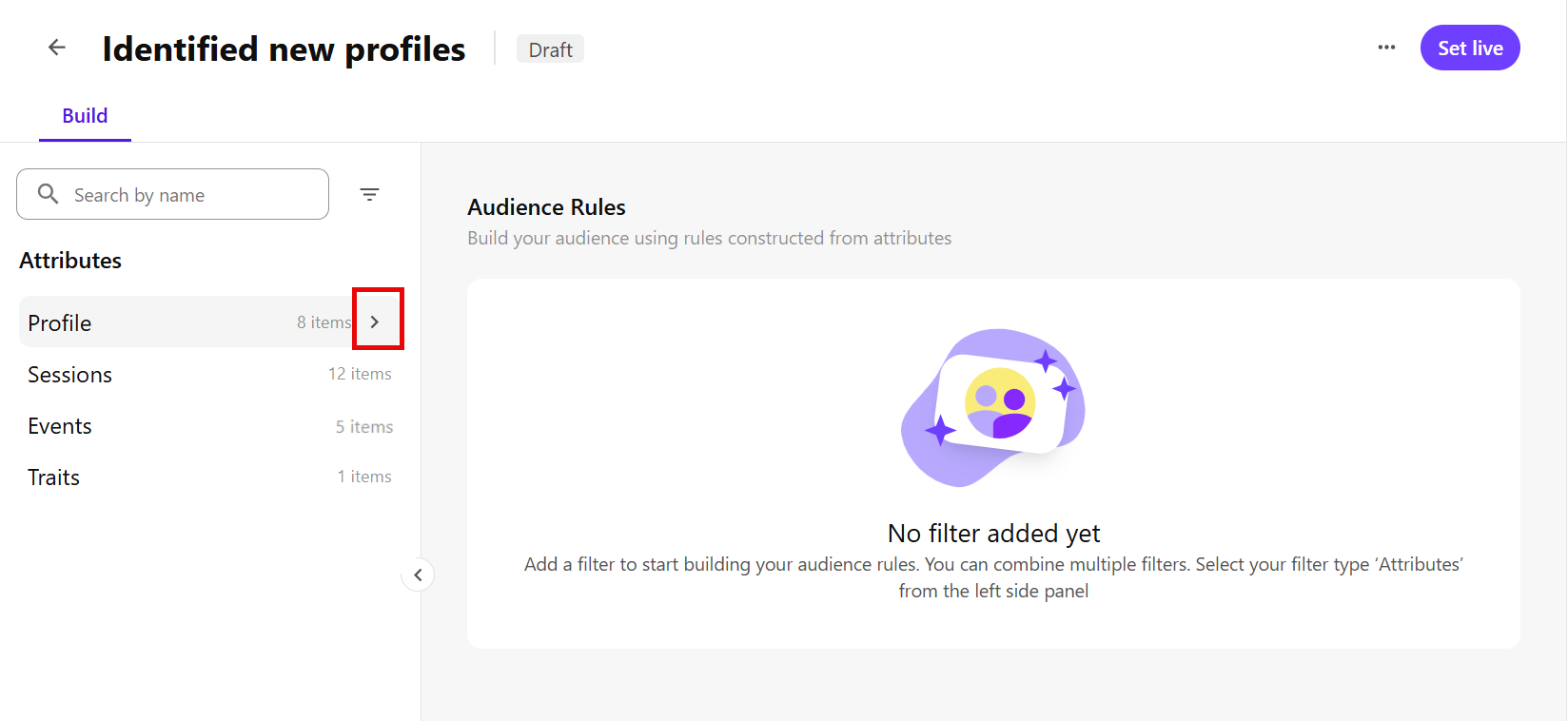
Click the expand icon to expand the group and view its available attributes.
For example, expand Profile to view profile attributes.
-
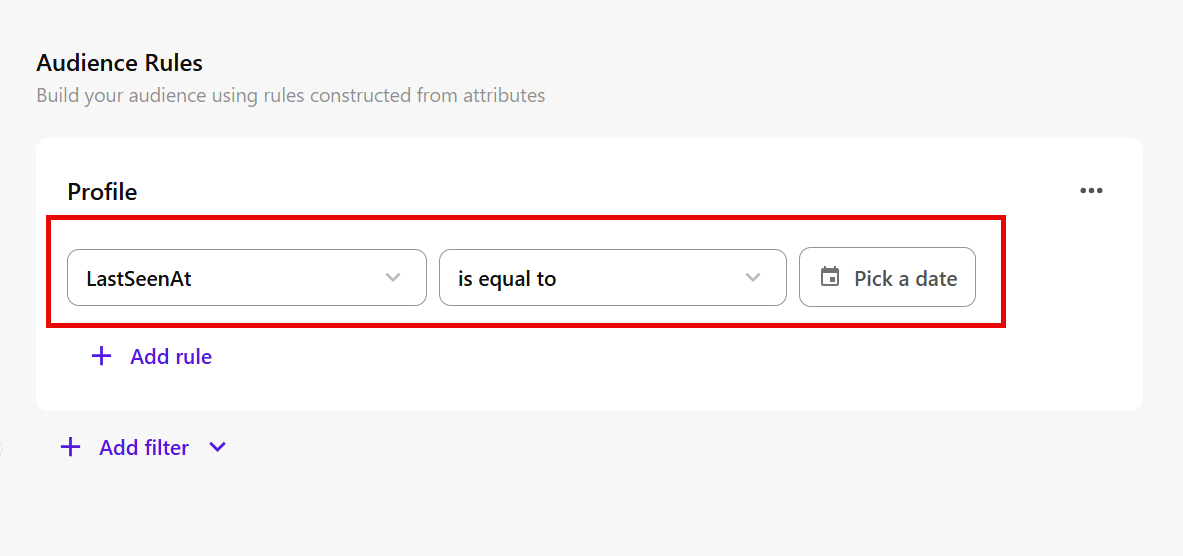
Select an attribute, then click the add icon .
For example, select LastSeenAt to add it as the first rule under the Profile rule group in the Audience Rules workspace.
-
Configure the rule:
-
Select a comparator - choose how the attribute value should be matched, such as is equal to, is in, or contains.
For example, for LastSeenAt, select is equal to.
NoteAvailable comparators depend on the selected field. See Audience rule comparators for more details.
-
Enter or select a value - provide the value profiles must match.
For example, for LastSeenAt, select a date such as April 28, 2026.
-
Add more audience rules
To refine the audience, you can add more rules from the same attribute group or from a different attribute group.
Add more rules from the same attribute group
Use this when you want to add another rule based on an attribute from the same group.
To add more rules from the same attribute group:
-
In the Audience Rules workspace, click Add rule.
For example, under the Profile rule group, click Add rule.
-
Select another attribute.
For example, select Email.
-
Configure the rule by selecting a comparator and entering or selecting a value.
For example, for Email, select contains and enter sitecore.com.
-
Choose how the rule is combined with the existing rules in the group:
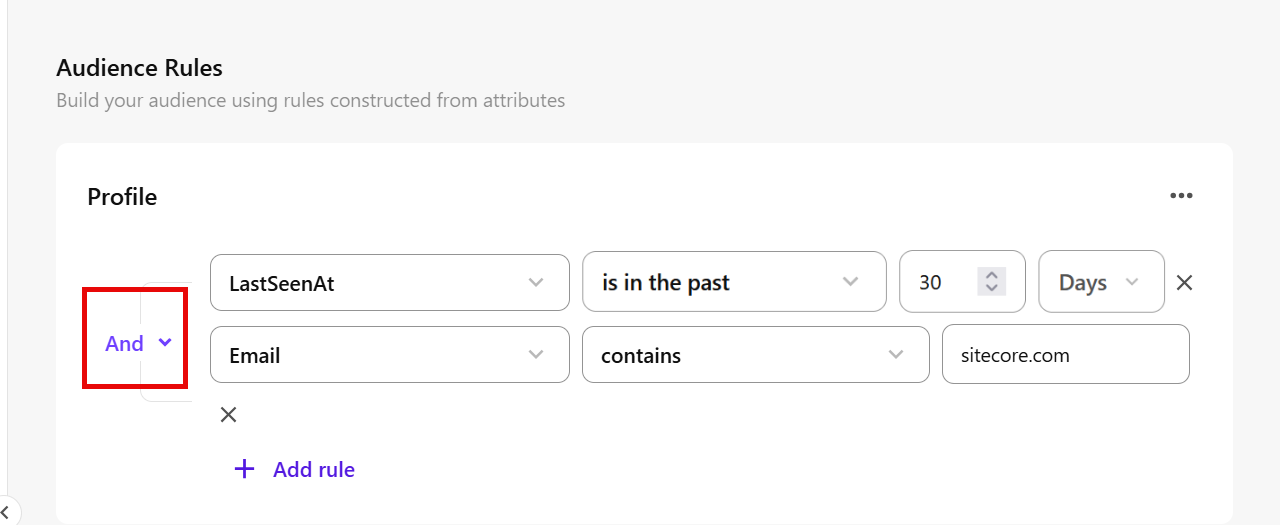
- And - profiles must match all rules in the group.
- Or - profiles must match at least one rule in the group.
- Not - profiles must not match the selected rule.
For example, select And if profiles must match both LastSeenAt and Email to belong to the audience.
-
You can continue adding rules and rule groups until the audience definition matches the profiles you want to include.
Add rules from a different attribute group
Use this when you want to build the audience using attributes from another group.
To add rules from a different attribute group:
-
In the Audience Rules workspace, click Add filter.
-
Select a different attribute group, then select an attribute from that group.
For example, select Sessions, then select Language.
It is added as the first rule under the Sessions rule group in the Audience Rules workspace.
-
Configure the rule by selecting a comparator and entering or selecting a value.
For example, for Language, select is equal to and enter EN.
-
Choose how the new rule group is combined with the existing group:
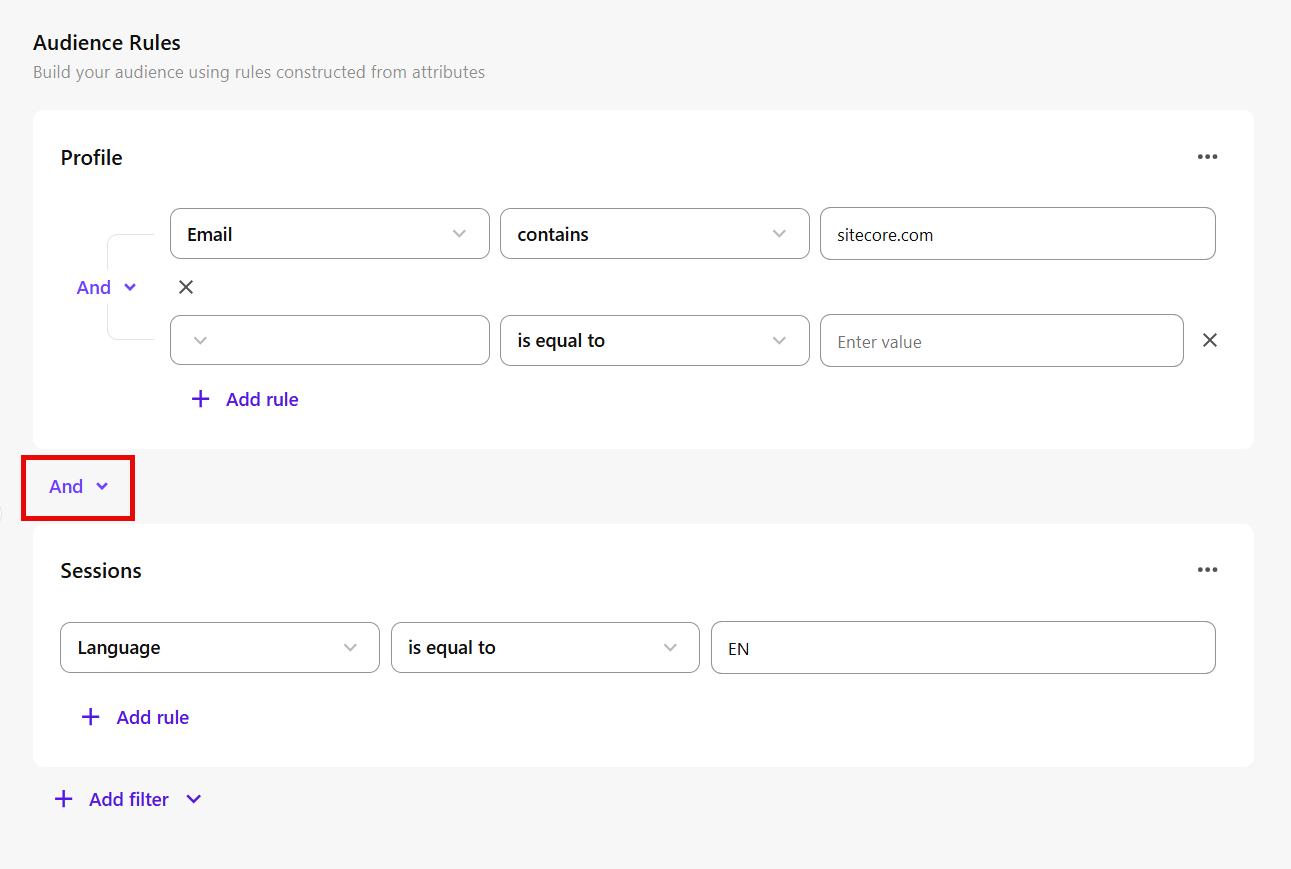
- And - profiles must match the rules in all groups.
- Or - profiles must match the rules in at least one group.
For example, select And if profiles must match both the Profile rules and Sessions rules to belong to the audience.
-
You can continue adding rules and rule groups until the audience captures all the profile attributes and rules you want to target.
Next steps
When the audience rules match the profiles you want to include, you can:
- Calculate the estimated audience size to check whether the audience is the right size.
- Set the audience live so SitecoreAI can evaluate profiles against the audience rules and save audience membership on their profiles.