Available attributes for audience rules
When you create an audience, you first select an attribute group, such as Profile or Sessions. You then select an attribute from that group and define how profiles must match it.
Available attribute groups and attributes depend on the profile data available in your SitecoreAI environment.
For example, in the Profile group, you might select the Email attribute and use the contains comparator to match profiles whose email address includes a specific domain.
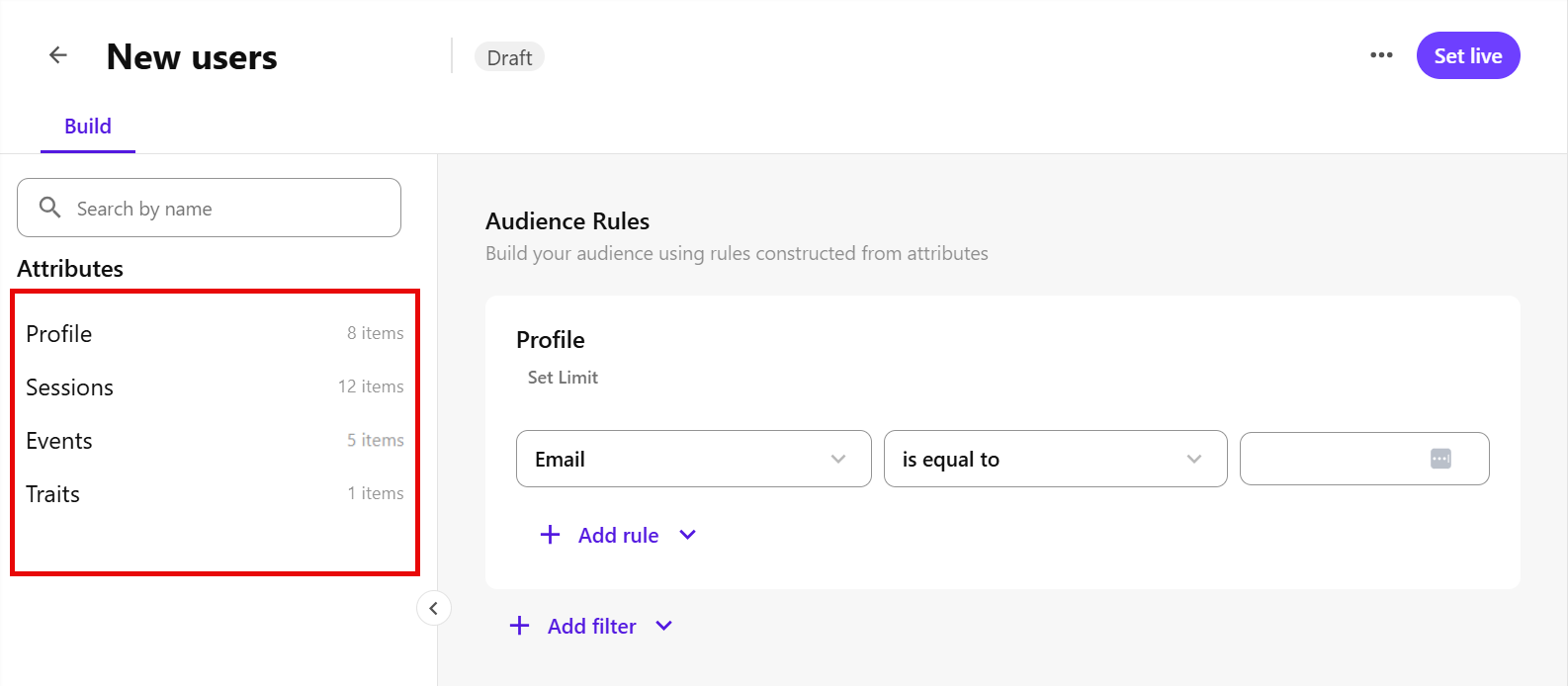
Audience builder supports the following attribute groups:
Profile
Use attributes in the Profile group to create rules based on profile information, such as contact details, identifiers, profile type, or when the profile was created or last updated. See Profiles to learn more about the profile data that SitecoreAI creates and stores for each site visitor.
The following table describes the attributes available in the Profile group.
|
Attribute |
Description |
Example |
|---|---|---|
|
Contact |
The profile’s contact information, such as:
|
|
|
Client Ids |
The client identifiers associated with the profile. |
|
|
Created At |
The date and time the profile was created. |
|
|
Id |
The unique identifier of the profile. |
|
|
Identifiers |
Identifiers associated with the profile, such as:
|
|
|
Last Seen At |
The date and time the profile was last seen. |
|
|
Modified At |
The date and time the profile was last updated. |
|
|
Type |
The profile type. |
|
Sessions
Use attributes in the Sessions group to create rules based on a profile’s sessions. A session is a group of events that occur on a specific channel during a defined period. See Engagement details to learn more about sessions and their timeline.
The following table describes the attributes available in the Sessions group.
|
Attribute |
Description |
Example |
|---|---|---|
|
Client Device |
Information about the device used in the session, such as:
|
|
|
Geolocation |
The profile’s geographic location, such as:
|
|
|
Stats |
Session statistics including pages viewed, such as:
|
|
|
Utm |
Campaign attribution information from UTM parameters, such as:
|
|
|
Channel |
The channel where the session took place. |
|
|
ClientId |
The client ID associated with the profile in this session. |
|
|
Created At |
The date and time the session was created. |
|
|
Id |
The unique identifier for the session. |
|
|
Language |
The language associated with the session. |
|
|
Modified At |
The date and time the session was last updated. |
|
|
Site Id |
The identifier of the site where the session occurred. |
|
|
Status |
The current status of the session. |
|
Events
Use attributes in the Events group to create rules based on standard or custom event data available in your environment. See Events to learn more about the events you can send to SitecoreAI.
The following table describes the attributes available in the Events group.
|
Attribute |
Description |
Example |
|---|---|---|
|
Custom |
Custom event data, such as:
|
|
|
Form |
Form event data, such as:
|
|
|
Identity |
Identity event data, such as:
|
|
|
Page View |
Page view event data, such as:
|
|
|
Search |
Search event data, such as:
|
|
Traits
Use attributes in the Traits group to create rules based on profile traits available in your environment.
The following table describes the attribute available in the Traits group.
|
Attribute |
Description |
Example |
|---|---|---|
|
Affinities |
Affinity scores calculated from the pages a profile views. You can use affinities to create rules based on a profile’s interests. |
|