- SitecoreAI CMS
Scrunch trial in SitecoreAI CMS
Eligible SitecoreAI organizations are enrolled in a free trial of AI discoverability features powered by Scrunch, with no manual setup required. You can monitor your brand's AI visibility and review content recommendations in SitecoreAI Strategy, Channels, and the Page Builder as soon as they're available for your organization, even before signing up for Scrunch.
The trial tracks a limited number of questions and analyzes a limited number of pages across a limited number of AI platforms, so signals and opportunities give a focused view of your brand's AI visibility rather than the full picture. With a Scrunch Enterprise license, you can track more questions, analyze more of your site, and act on more recommendations.
Trial availability
The trial is available to eligible SitecoreAI organizations that have a known public domain. If you don't see it in your organization and want to be included in the trial, contact your Sitecore account executive.
Available features
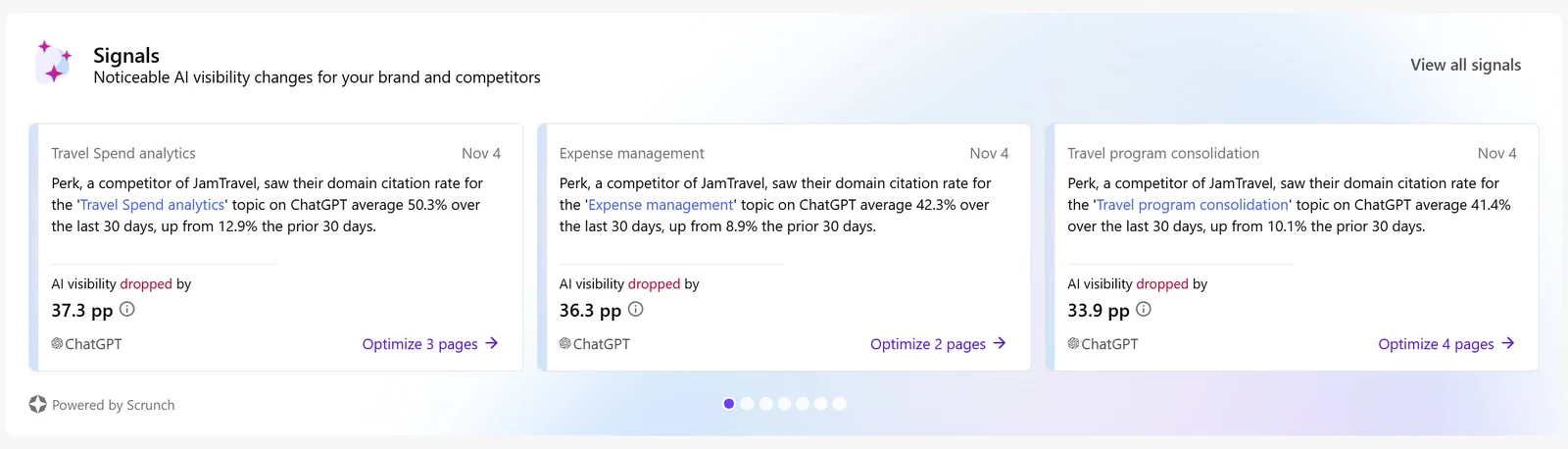
Signals in Strategy
Use the Signals widget in Strategy to monitor changes in how AI tools cite and mention your brand relative to competitors.
For instructions, see View signals.
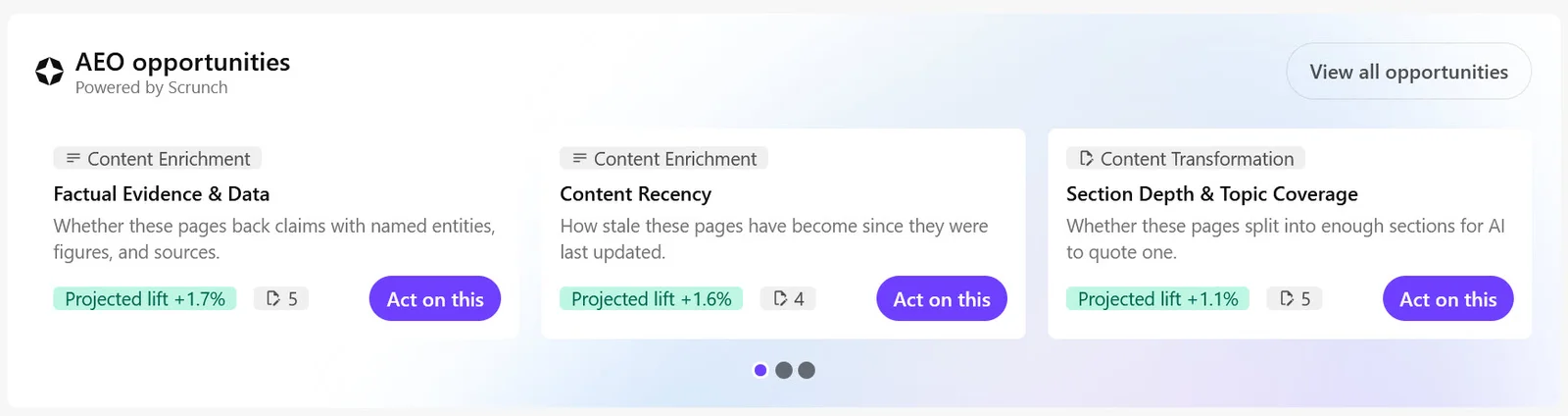
AEO opportunities in Channels
Answer engine optimization (AEO) opportunities identify content improvements that can make your content easier for AI tools to discover, understand, and cite. In Channels, use the AEO opportunities widget on your site's dashboard to review and prioritize these improvements.
For instructions, see View AEO opportunities in Channels.
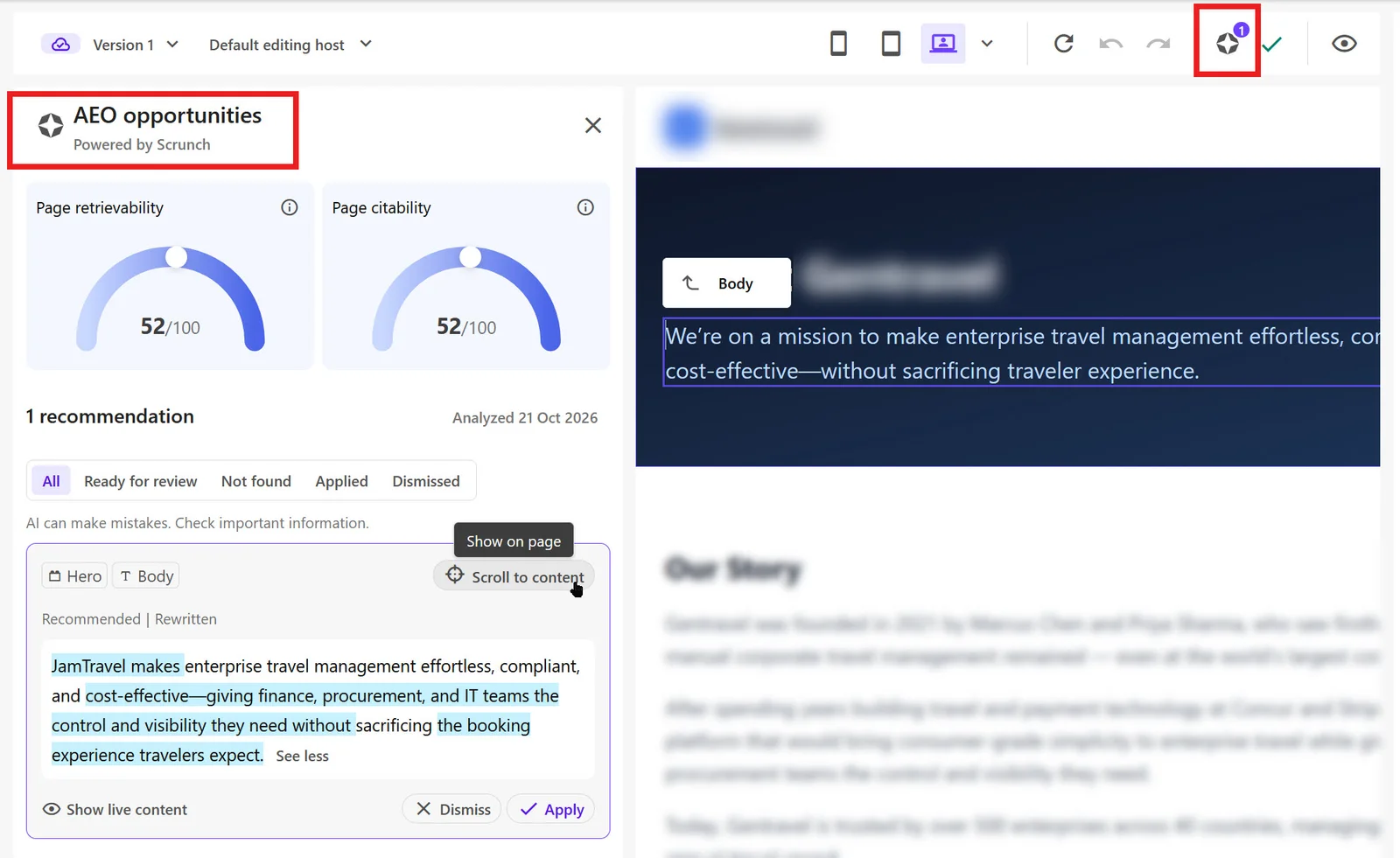
Recommendations in the Page Builder
Use AEO opportunities in the Page Builder to review recommendations for the page you're editing. Apply available updates or make manual edits, then publish your changes when you're ready.
For instructions, see Optimize content for AEO.
Data sources
Signals and AEO opportunities are based only on public information. Scrunch regularly asks major AI tools the kinds of questions people ask about your brand and products. It then analyzes how the answers mention and cite your brand and your competitors. Scrunch also analyzes some of the public pages on your website.
Before an Organization Owner signs up, Sitecore shares only public brand details with Scrunch, such as your domain and brand name. When you apply a recommendation, SitecoreAI creates a new version of the relevant content item. CMS content isn't sent to Scrunch, and no changes go live until you publish.
Permissions
Every user in a trial organization sees the same signals and AEO opportunities. Only an Organization Owner can sign up or request an upgrade; an Organization Admin cannot.
| Action | Organization Owner | Other users |
|---|---|---|
| View signals and AEO opportunities | Yes | Yes |
| Apply recommendations | Yes, if you have permission to edit the page | Yes, if you have permission to edit the page |
| Sign up for Scrunch | Yes. You accept the trial terms on behalf of your organization. | No. To sign up, contact your Organization Owner. |
| Sign in to Scrunch and customize the questions Scrunch tracks | Yes, after you sign up | Yes, if an Organization Owner invites you in Scrunch |
| Request an upgrade to Scrunch Enterprise | Yes, after sign-up. Click I'm interested to ask a Sitecore representative to contact you. | No. To upgrade, contact your Organization Owner. |
Sign up for Scrunch
You must have the Organization Owner role in SitecoreAI to sign up for Scrunch.
When you sign up for Scrunch, you get your own Scrunch account with the Admin role. You can then log in to Scrunch and:
- Explore citations and brand insights.
- See how AI mentions and cites your brand.
- Tailor the questions Scrunch tracks about your brand.
To sign up for Scrunch:
-
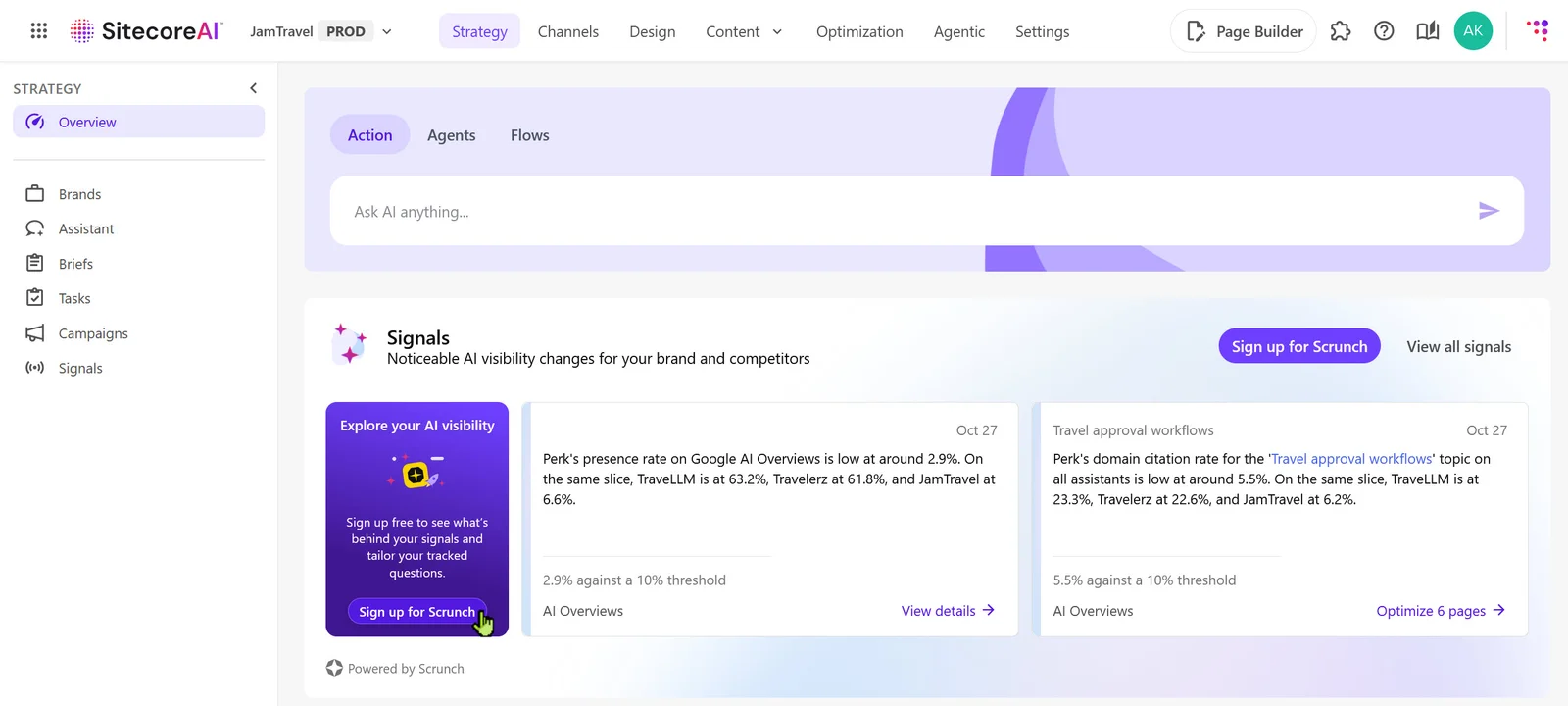
In Strategy, Channels, or the Page Builder, click Sign up for Scrunch on the trial card.
-
In the dialog that appears, click Sign up for Scrunch.
-
In the Accept the Scrunch trial terms dialog, read the terms. Select I have read and accept the Trial License Terms and Conditions, then click Accept.
You accept the terms on behalf of your organization. Your name, email address, and the time you accept the terms are recorded.
-
Open the email invitation from Scrunch and click the link to complete sign-up.
Upgrade to Scrunch Enterprise
You must have the Organization Owner role in SitecoreAI to upgrade to Scrunch Enterprise.
You can upgrade to Scrunch Enterprise in one of two ways:
- Contact your Sitecore account executive.
- Request an upgrade directly in SitecoreAI.
To request an upgrade directly in SitecoreAI:
-
In the header of the Signals or AEO opportunities widget, click Upgrade Scrunch.
Alternatively, on a trial card or banner in Strategy, Channels, or the Page Builder, click Unlock full access.
-
Click I'm interested.
A Sitecore representative will contact you to discuss the upgrade.
Missing signals or opportunities
Signals need about 30 days of data. For other reasons signals or opportunities might not appear, see Missing signals or AEO opportunities.
If you expect to see signals or opportunities and don't, contact your Sitecore account executive.
Opt out of the trial
To opt out of the trial, create a support case.
When you opt out, Sitecore disables Scrunch for your organization. Scrunch deletes your brand's data, and your account team is notified.