Analyze the public links of an asset
The Analytics dashboard shows how an asset performs across all its public links. With its interactive charts and filters, you can quickly see which link performs best, where views come from, and browser and device usage.
By default, only superusers can access the Analytics dashboard. To grant other users access, you must configure a rule that grants the following permissions:
Readpermission on theAnalyticsportal page (Portal.Page: Analytics)View Data Historypermission onM.Asset(required for the Analytics entity operation to appear on the asset details page)
View the analytics dashboard
To view the Analytics dashboard:
- On the menu bar, click Assets.
- On the Assets page, select an asset.
- On the asset details page, in the upper-right corner, click More actions > Analytics.
Analytics dashboard
When you first open the dashboard, the charts show the aggregated analytics of all the asset's public links. If you click a bar in the Total views per public link chart, the entire dashboard filters to that selected link.
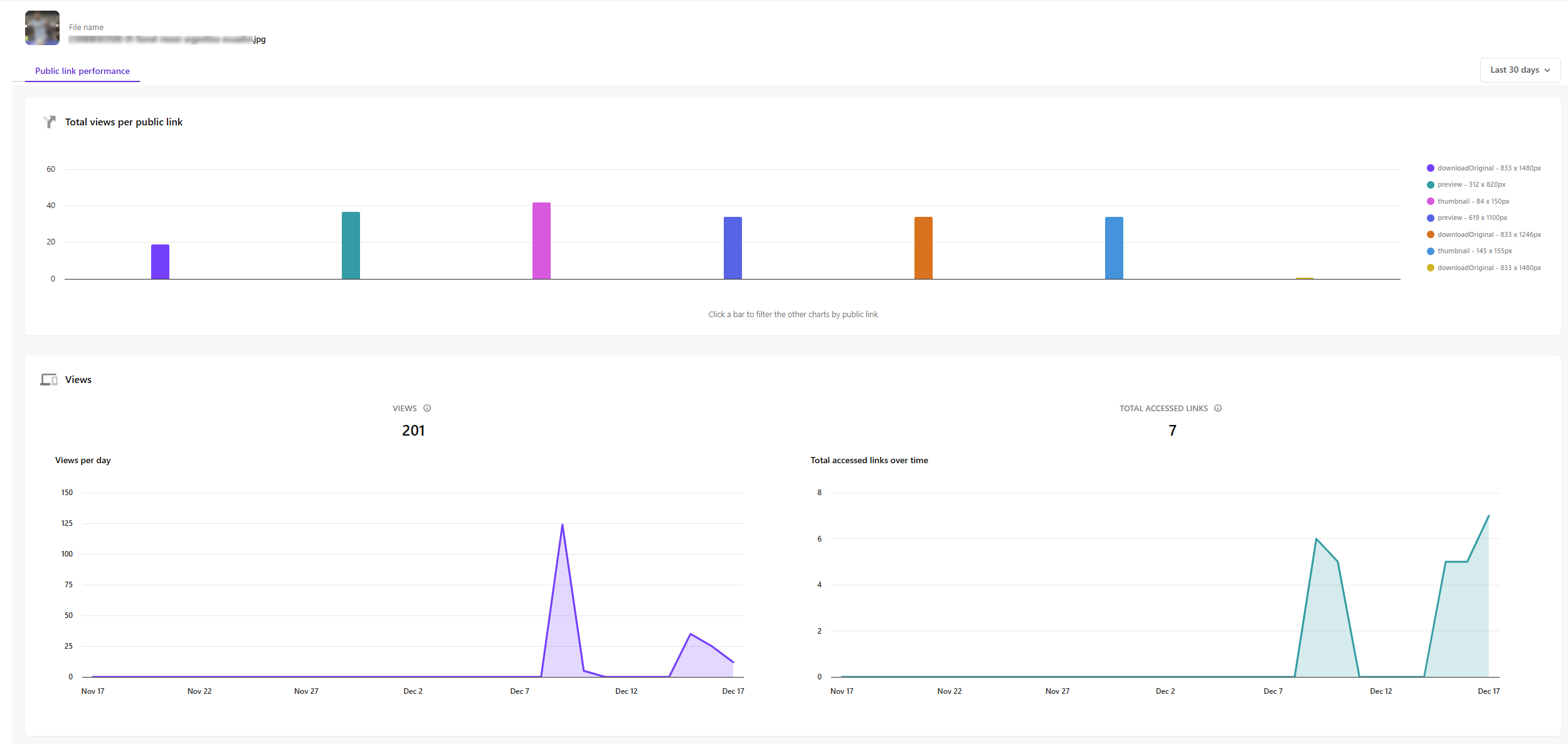
To specify the date range, click the dropdown at the top-right of the dashboard.
The dashboard includes the following sections:
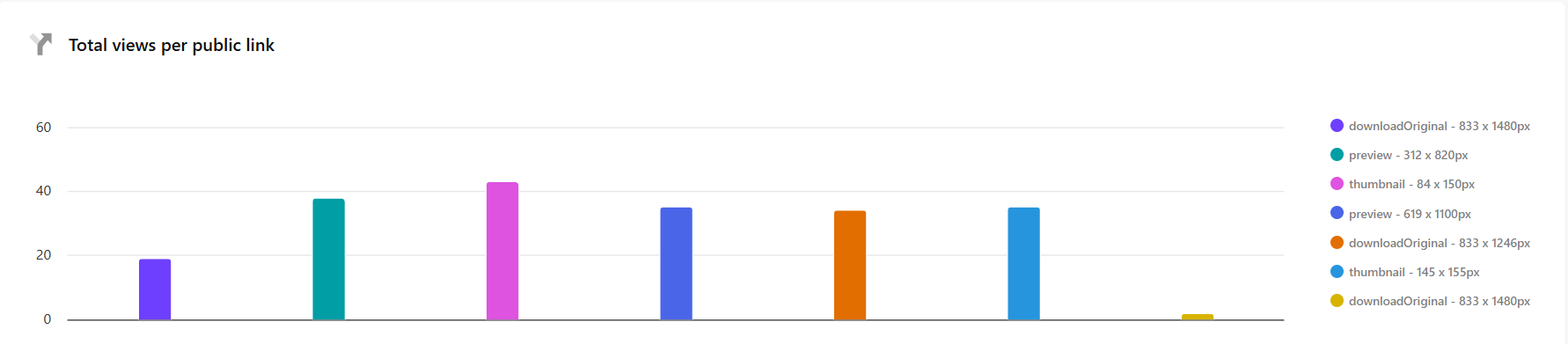
Total views per public link
The Total views per public link bar chart shows how many views each public link has received during the selected date range.
Each bar represents a specific public link that you can click to filter all other charts to show data for that specific link.
Views
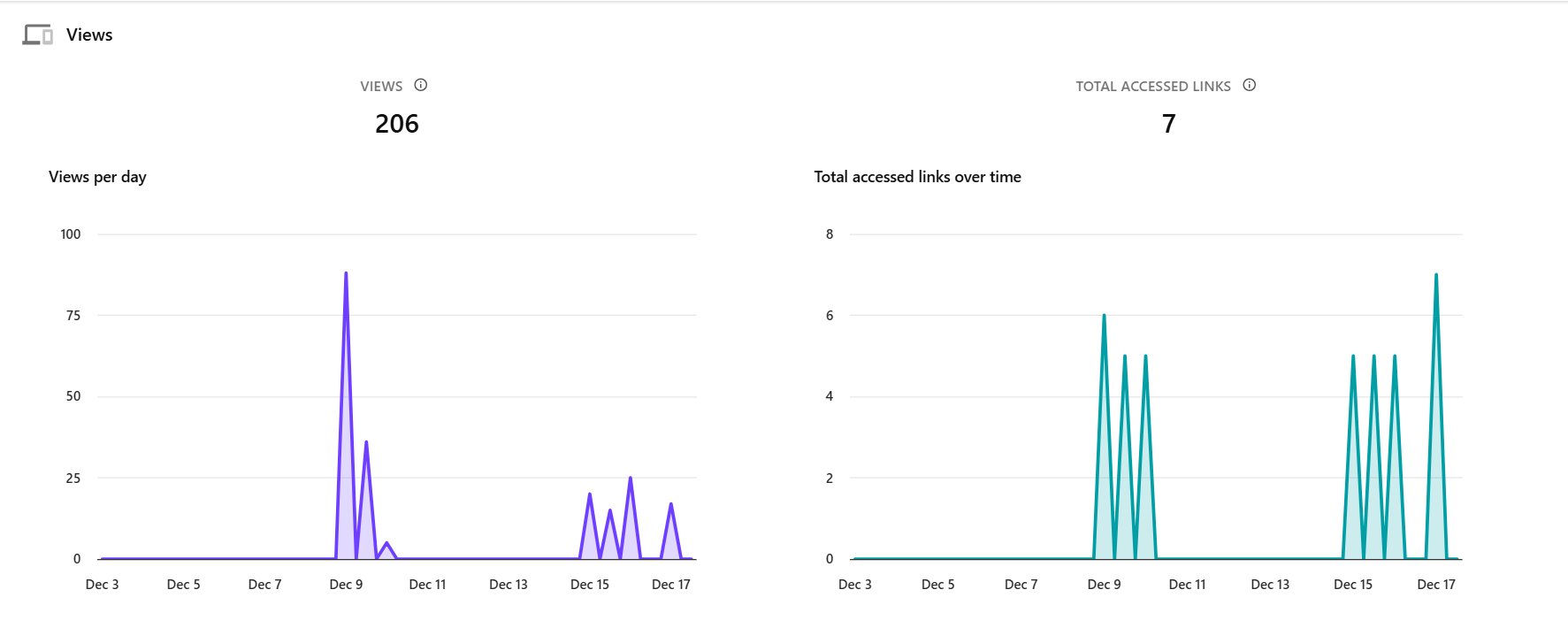
The Views section provides the following charts to help you understand engagement patterns over time:
- Views per day - displays the number of times the asset was viewed each day within the selected date range. Hover over any point to see the exact date and view count.
- Total accessed links over time - shows the number of unique public links visited each day.
Public link distribution
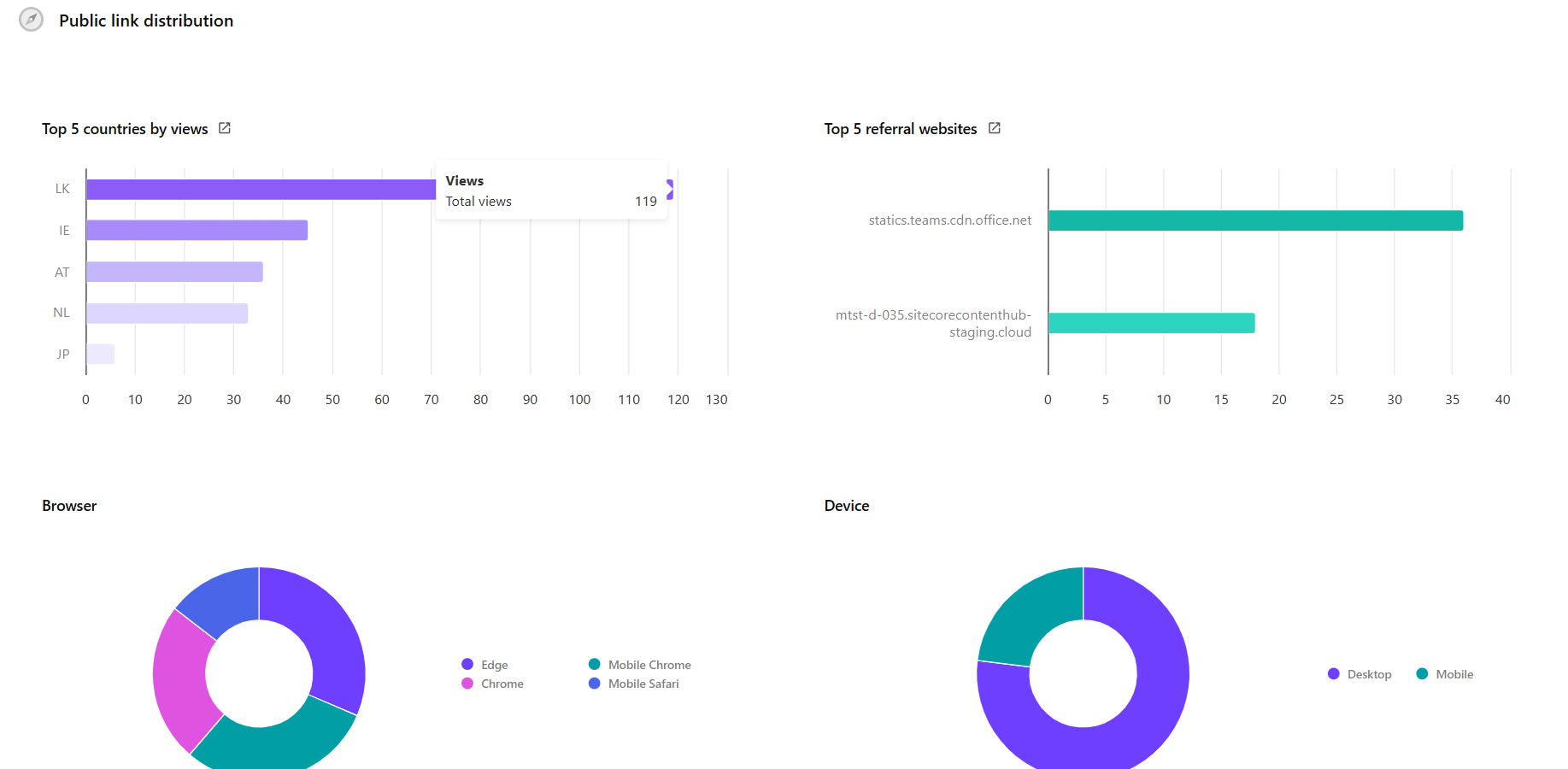
The Public link distribution section shows where your asset traffic comes from and how users access it.
It includes the following charts:
- Top 5 countries by views - displays the countries generating the most views for the asset.
- Top 5 referral websites - shows the top external websites driving traffic to the asset.
- Browser - displays the proportion of views by browser type.
- Device - displays the proportion of views by device type.