Publishing audit log
Note
To configure Content Hub, you must either be a superuser or have the necessary permissions granted to you through user group policies.
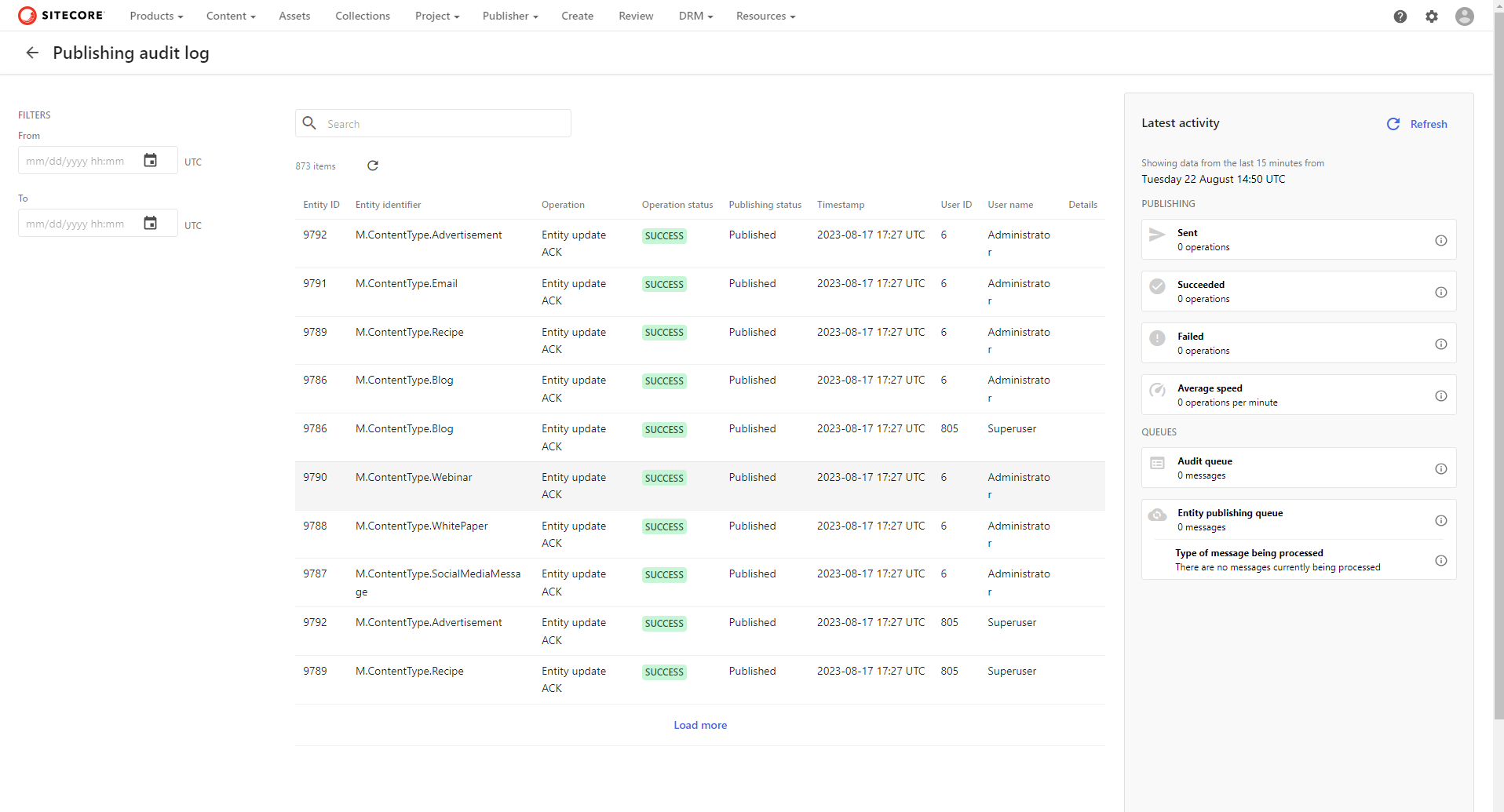
The publishing audit log provides information about publishing activities, including the following.
| Log entry | Description |
|---|---|
| Sent | Number of publish or delete operations sent to Experience Edge. |
| Succeeded | Number of successful publish or delete operations. |
| Failed | Number of unsuccessful publish or delete operations. |
| Average speed | Average publishing speed, calculated as the average number of successful publishing operations per minute over a 15-minute period. |
| Log entry | Description |
|---|---|
| Audit queue | Number of incoming messages in the entity audit queue. If this number is high, there might be a delay in audit entries appearing in the audit log. |
| Entity publishing queue | Number of incoming messages in the entity publishing queue. If this number is high, there might be a delay in processing publishing operations. |
| Type of message being processed | Type of message currently being processed in the entity publishing queue. When you are publishing all, additional information about the process (such as when it was started, the progress, and the estimated time of completion) is displayed. |
Note
By default, publishing audit log entries are deleted after 30 days.
View the publishing audit log
To view the publishing audit log:
- On the menu bar, click Manage .
- On the Manage page, click Publishing audit log.
- To filter the logs displayed by date, use the following fields:
- From - select the start point of the log in UTC.
- To - select the end point of the log in UTC.
- To see the details of a specific log entry, click that entry.
- To view more audit log entries, scroll to the bottom of the page and click Load more.
If you have suggestions for improving this article, let us know!