AI-assisted smart brief generation
AI capabilities in Content Hub need to be enabled and, if necessary, configured by a superuser or a user with the necessary permissions granted to them through user group policies. To use the AI-assisted smart brief generation feature, you must be a member of the SC.ContentOperations.Everyone user group and have fulfilled the necessary requirements.
To enable this feature, contact your account executive.
Briefs are central to content operations, which cover how content is created, managed, and published. The Content operations page gives you an overview of available briefs, campaigns, and projects, along with your task list.
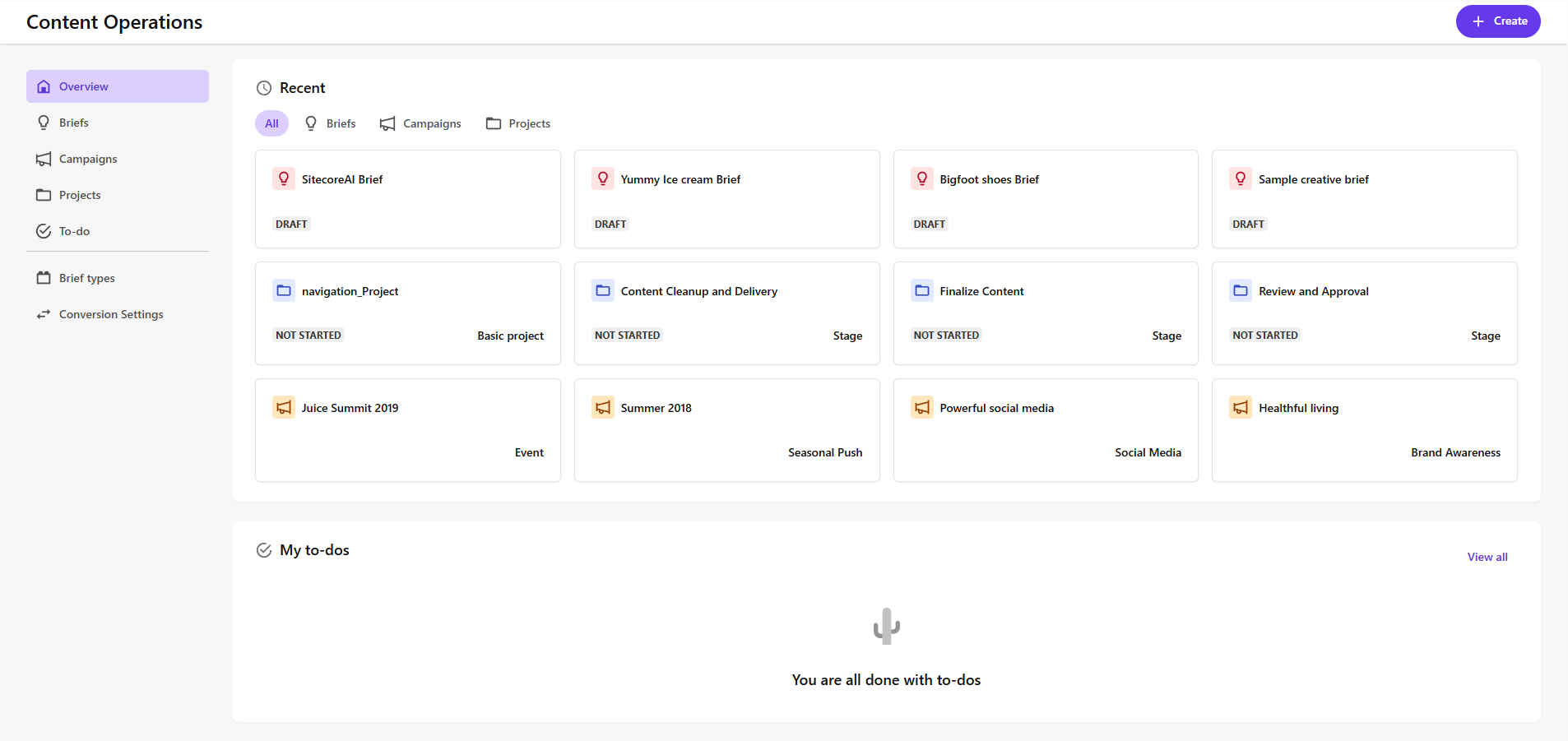
In the content lifecycle, a brief is a key document that guides the creation and management of campaigns and projects. It helps teams plan and produce content effectively by providing important information, such as:
- What are the primary goals?
- Who is the target audience?
- What are the requirements?
- Which key milestones need to be met?
The brief is a reference document for all the teams involved in the campaign or project. It can provide inspiration and lay out information to build on. You can also attach additional information that can help with the development and rollout to the brief.
With AI-assisted smart briefs, Sitecore Content Hub gives marketers the ability to create briefs quickly using an AI assistant to draft text, build timelines, and recommend relevant content, such as assets and asset references.
The Briefs page lists all created briefs along with their status. You can sort briefs by status, type, or creator.
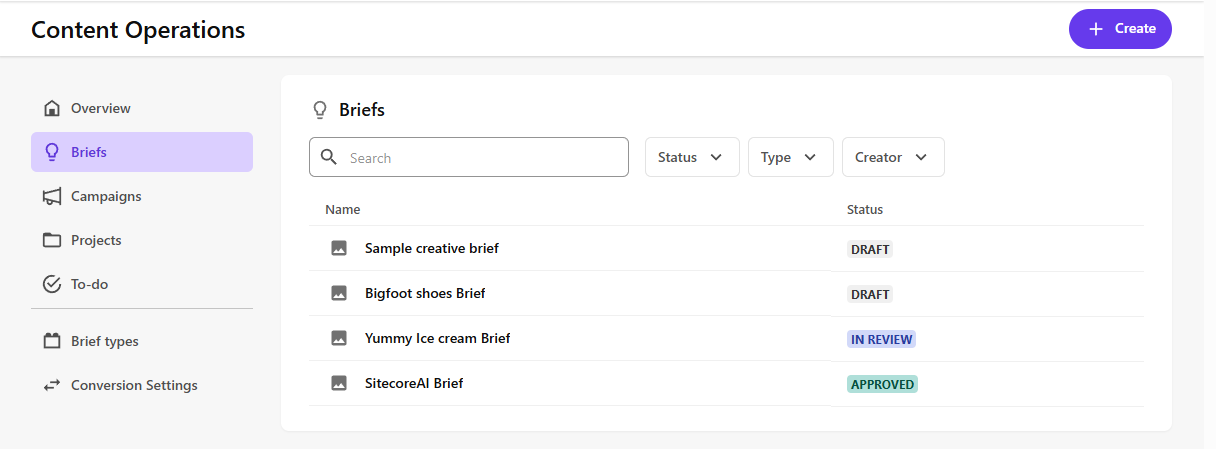
A brief goes through a development lifecycle similar to any piece of content. You can see the status for all briefs on the Content Operations page, on both the Overview tab and the Briefs tab. A brief starts as a draft, moves to in progress during the development phase, and is then approved when ready. You cannot change the stages in the brief lifecycle. To see the details of a brief, click the brief title to open the brief details page. It is on the details page that you can see linked projects and campaigns, including those created by converting the brief to a project or campaign.
To support team collaboration, there are other activities that are part of brief development, including:
- Adding comments in the review stage.
- Creating to-do tasks and assigning them to members of the team.
You can create and structure your own brief type by adding and ordering fields in a brief type template. A default brief type for creative briefs is included in Content Hub to help get you started. It includes all of the field types you can use in your brief type template.
Requirements
AI-assisted smart brief generation requires one of the following Content Operations + Stream license combinations:
- Smart briefs (without a Stream license) - lets you create briefs and convert them to a project or campaign. No AI suggestions are included.
- AI-assisted smart briefs (with a Free-tier Stream license) - lets you create briefs, convert them to projects or campaigns and use AI text and asset suggestions. AI-text generation is not specific to your brand.
- AI-assisted smart briefs (with a Premium-tier Stream license) - lets you create briefs, convert them to projects or campaigns, and use brand-aware AI text and asset suggestions based on the brand kit. Content Hub uses your defined brand voice for content generation.
If you have one of these license combinations, the following features require additional configuration:
- AI-assisted asset suggestions - requires that visual search be enabled.
- Brand-aware text generation - requires brand kit integration and that ai-assisted brand awareness be enabled.
Enable Portal auto enrollment
To use the AI-assisted smart brief generation feature and its associated Stream AI capabilities in Content Hub, users must belong to a Sitecore Cloud Portal organization.
Organization Admins or Organization Owners can enable automatic enrollment so that Content Hub users are automatically added to the organization's Portal. See Enable automatic enrollment of Content Hub users.
Enable AI-assisted smart brief generation
To enable AI-assisted smart brief generation:
- On the menu bar, click Manage .
- On the Manage page, click Pages.
- On the Pages page, in the left pane, search for and select Content Ops.
- On the Content Ops page, on the Info tab, click Edit .
- Select the Visible and Appears in menu check boxes.
- Click Save.