Configure an AI-usage image overlay
To support transparency and comply with regulatory standards (such as Article 50 of the EU AI Act), Sitecore Content Hub allows you to display a standardized AI usage overlay on public links for assets that have been generated, enriched, or modified using AI.
The AI usage overlay provides a clear visual indicator that the content contains AI-generated or AI-altered content. Enabling the overlay updates all existing public links for the asset immediately.
Supported file types include .png, .jpeg, .gif, and .webp. The AI-usage image overlay is added immediately to existing public links once configured. Public links generated for unsupported file formats will not display the AI-usage overlay.
To configure an AI-usage image overlay:
-
In Content Hub, on the menu bar, click Assets.
-
On the Assets page, click the asset to which you want to apply an AI-usage image overlay.
-
On the asset details page, click Edit and, in the AI transparency section, select the Show AI disclosure on public links check box.
-
From the AI disclosure type drop-down list, select the type of disclosure (that is, AI-modified or AI-generated).
-
Click Save.
An information banner is added on the asset details page.
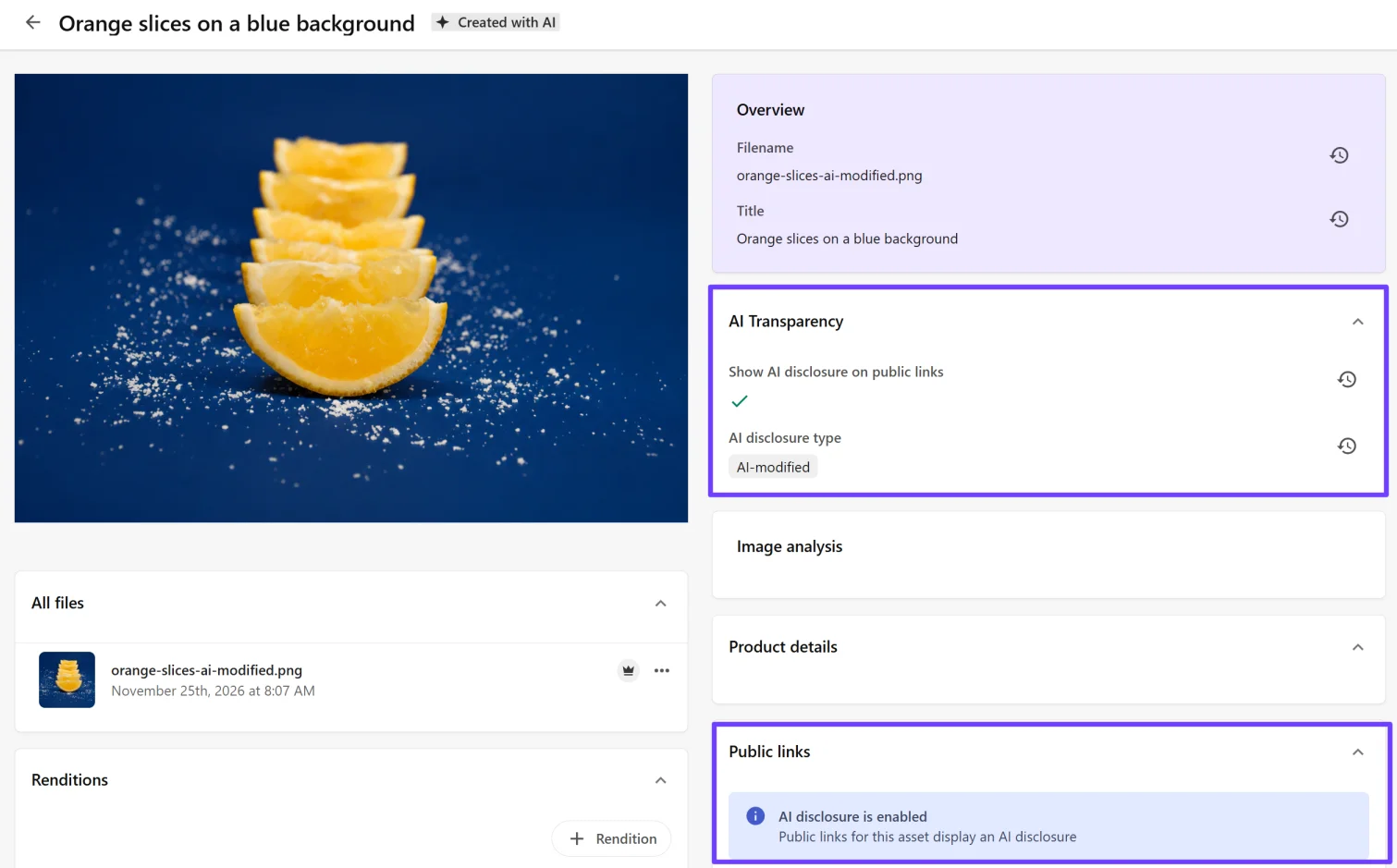
When the public link is viewed, a banner at the bottom displays to identify an AI generated or modified image.