Generate, refine, or improve content using AI
Content Hub AI features are only available if you have a subscription. The AI-assisted content generation feature uses the Azure OpenAI Service and is designed to filter out undesirable content. It is GDPR compliant and in line with Sitecore privacy policies. Sitecore AI does not store the prompts you submit or the responses you receive.
After you have enabled the AI-assisted content generation feature and configured field-level text generation, you can use AI to jump-start your content creation process. You can create original content or enhance existing content. For all fields where the member is configured to use the Standard generation type, entering a prompt will generate an initial draft, which you can refine by improving the prompt until you have a draft that you're happy with. Using AI lets you create content quicker and more efficiently while maintaining complete control over the text of every content item.
Make prompts clear and concise. Be sure to specify the type of content you want (for example, Write step-by-step instructions on how to make a cheese and pepperoni pizza). Specify important keywords and constraints.
By clicking Generate with AI , you can use the AI features in Content Hub to:
- Generate content for single-line, multiple-line, and rich-text fields.
- Refine content by making it shorter.
- Enhance the quality of the content by expanding upon the existing text,
- Summarize content.
- Change the tone of the content, such as making it more formal, casual, informative, friendly, or bold.
- Check grammar and spelling.
- Translate field-level text
For image alt text, you generate alt text without a prompt and can regenerate it until you have the text you want. The other options, such as refine content, are not available.
To translate an entire content item, use the AI-assisted content translation feature.
When a field is empty, you are asked to describe what you want to write about.
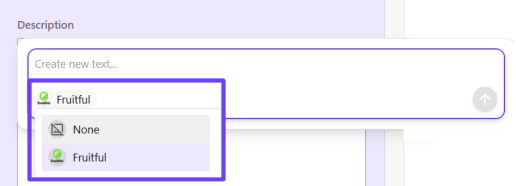
If your organization has Stream Premium and has created and published a brand kit, you can use AI to generate brand-aligned content. Before writing your prompt, click in the bottom left corner of the prompt window and select the brand kit to align text generation to your brand. Then, write your prompt and click Submit to create a first draft.
If the text isn't quite what you wanted, you can refine your prompt and regenerate the content. When you're happy with it, you can insert the text into the field. You can continue to improve the text by selecting it and using AI.
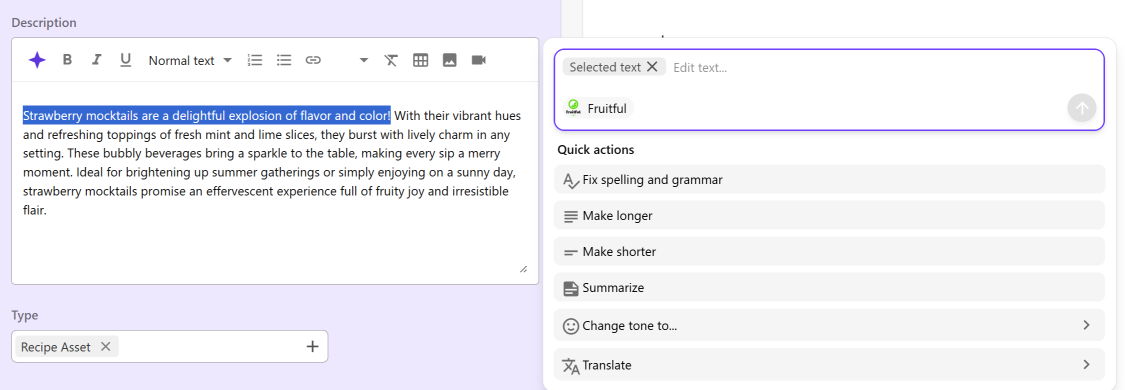
When selecting text to refine or improve using AI, do not include embedded images. We recommend you keep text selections short with minimal formatting included.
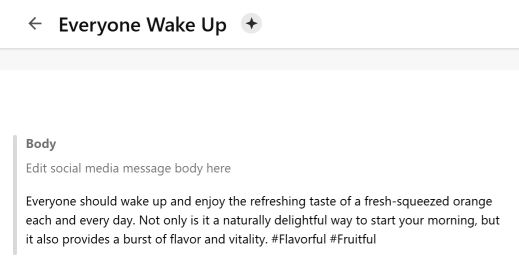
When you save content that includes AI-generated text, the Generated by AI icon is displayed next to the title to highlight that AI assisted in the creation of the content as shown in the following example.