Manage your account
You can use the Profile and settings menu to manage your account.
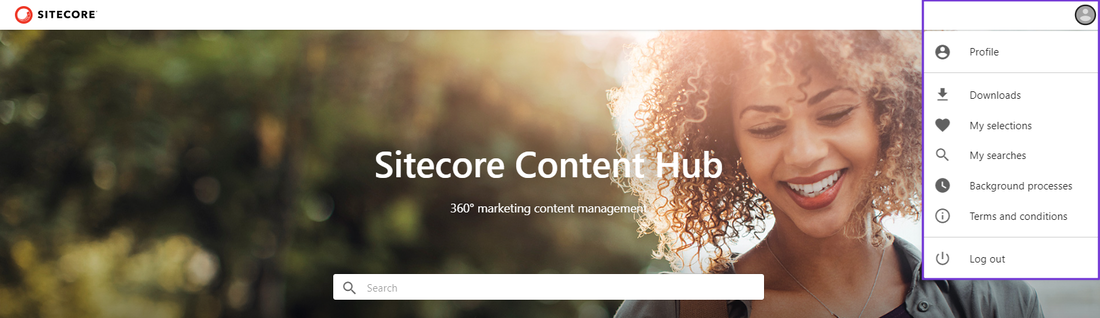
The menu options available depend on the type of user you are.
| Icon | Option | Description |
|---|---|---|
| Profile | Lets you change your avatar, set your daily time capacity, and manage your notifications. | |
| Downloads | Lets you download or share your completed orders or share them by email. | |
| My selections | Lets you create, organize, and share a static selection of assets. | |
| My searches | Lets you create, organize, and share a dynamic selection of assets. | |
| Background processes | Lets you view background process logs, including job details. | |
| Terms and conditions | Lets you see the terms and conditions. | |
| Show translation keys | Lets you temporarily display these keys in place of the regular entity text. | |
| Log out | Logs you out of the Content Hub instance. |
| Icon | Option | Description |
|---|---|---|
| Profile | Lets you change your avatar, set your daily time capacity, and manage your notifications. | |
| Downloads | Lets you download or share your completed orders or share them by email. | |
| My selections | Lets you create, organize, and share a static selection of assets. | |
| My searches | Lets you create, organize, and share a dynamic selection of assets. | |
| Templates | Lets you see the templates that are available for mass editing assets and create new templates. | |
| Background processes | Lets you view background process logs, including job details. | |
| My trash | Lets you view assets currently in thetrash and restore them or permanently delete them. | |
| Terms and conditions | Lets you define a set of terms that all logged-in users must accept to access the homepage. | |
| Show translation keys | Displays the translation keys for individual page elements. | |
| Log out | Logs you out of the Content Hub instance. |
If you have suggestions for improving this article, let us know!