
View entity definition details
To configure Content Hub, you must either be a superuser or have the necessary permissions granted to you through user group policies.
You can examine the schema representing the data model of your Sitecore Content Hub instance, including details of the entity definitions it contains.
The examples given here and in similar topics are based on the standard data model for Content Hub. Because entity definitions and related data are highly configurable, your own Content Hub instance may differ significantly. You can however follow the procedure to access the details of your schema within Sitecore Content Hub.
To view entity definition details:
- On the menu bar, click Manage .
- On the Manage page, click Schema.
- On the Schema page, click the entity definition you want to view.
- On the entity definition detail page, the left-hand pane lists the member groups in the entity definition. If you click a member group, its members appear on the right-hand side of the page.
The following example highlights the Overview member group of the M.Asset definition:
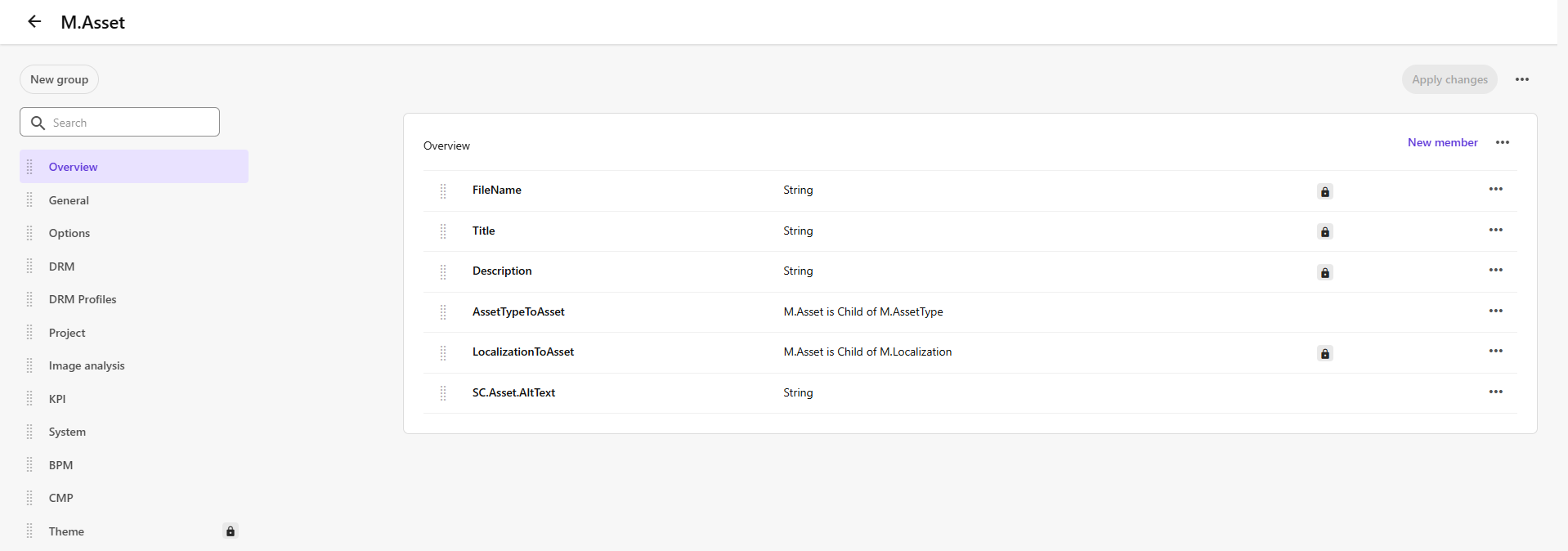
In this data model, the Overview group contains the following members:
| Member | Type | Description |
|---|---|---|
| FileName | String | Name of the asset file. |
| Title | String | Title of the asset. |
| Description | String | Property member representing the description of the asset. |
| AssetTypeToAsset | Relation | Child-parent relation between the M.Asset definition and the M.AssetType definition. |
| LocalizationToAsset | Relation | Child-parent relation between the M.Asset definition and the M.Localization definition. |
| SC.Asset.AltText | String | Alt text of the asset. |