Pages
You can manage all of the pages in Sitecore Content Hub from a single location, which you can access by clicking Manage and then, from the Manage page, clicking Pages.
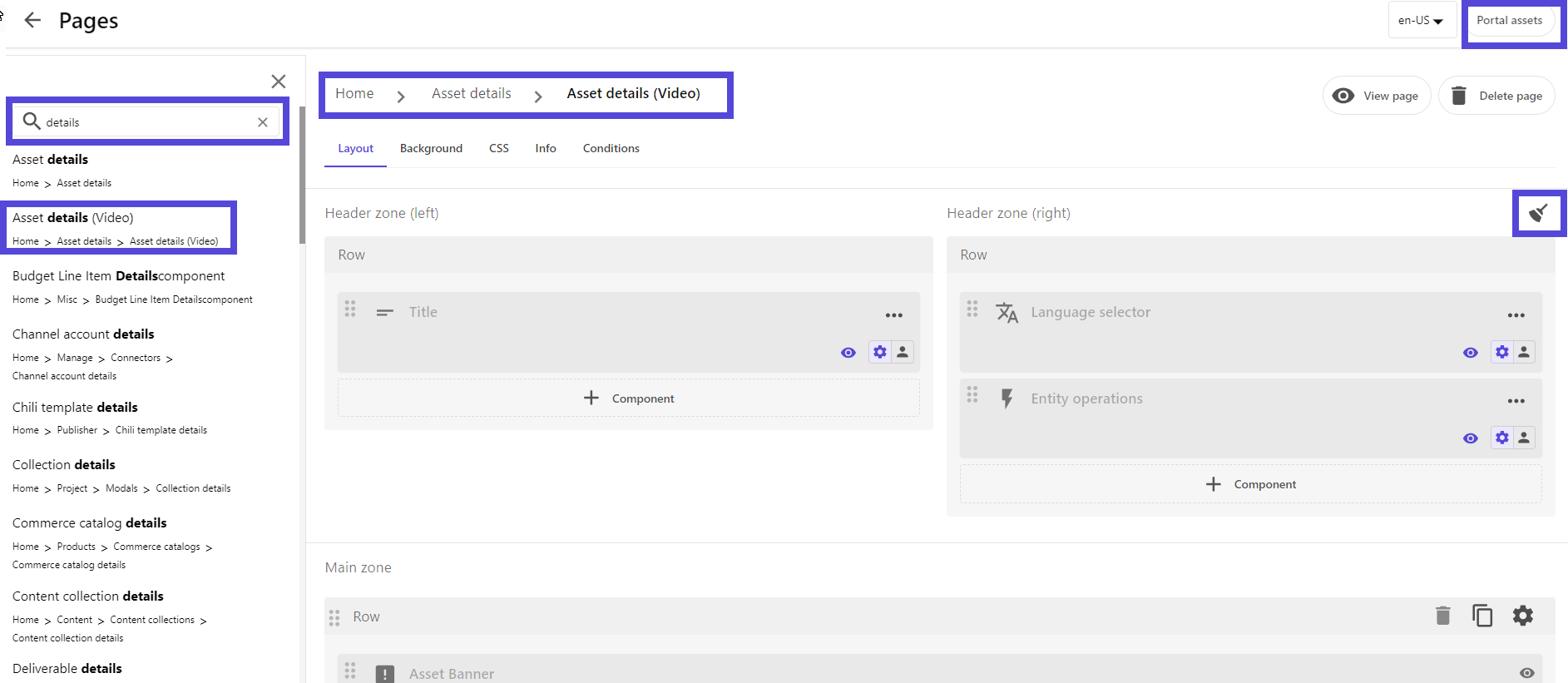
This page includes a full list of available pages together with several tools for managing them, including:
- A Search tool to help you locate specific pages, including child pages. To perform a search, enter a name or keyword related to the page you want and then press the Enter key. The list of pages in the left pane updates to match what you entered.
- An arrow icon to the left of a page name that indicates it has child pages. Clicking a right-facing arrow expands the list to display child pages, and clicking a down-facing arrow collapses and hides those child pages.
- Breadcrumbs, which show the full path of the selected page. These are displayed at the top of the right pane.
- A contextual menu of options for each page, which you access by clicking .
- A way to clean up all your hidden components.
- A lock icon that identifies system-owned pages. The More options menu is not available for system-owned pages.
- Quick access to portal assets.
If you have suggestions for improving this article, let us know!