How the Brand Assistant works
The Brand Assistant chat gives you access to brand knowledge through a conversational chat window. Using natural language prompts, you can generate content that aligns to a specific brand kit, retrieve answers to brand questions, and look up brand guidelines.
Brand Assistant chat examples are available to illustrate how marketers can use the Brand Assistant.
The following sections describe how the Brand Assistant generates responses.
Generating a response for brand-aware chats
After you submit a prompt for brand-aware chats, the Brand Assistant starts a thinking process to decide whether to answer directly or involve additional agents.
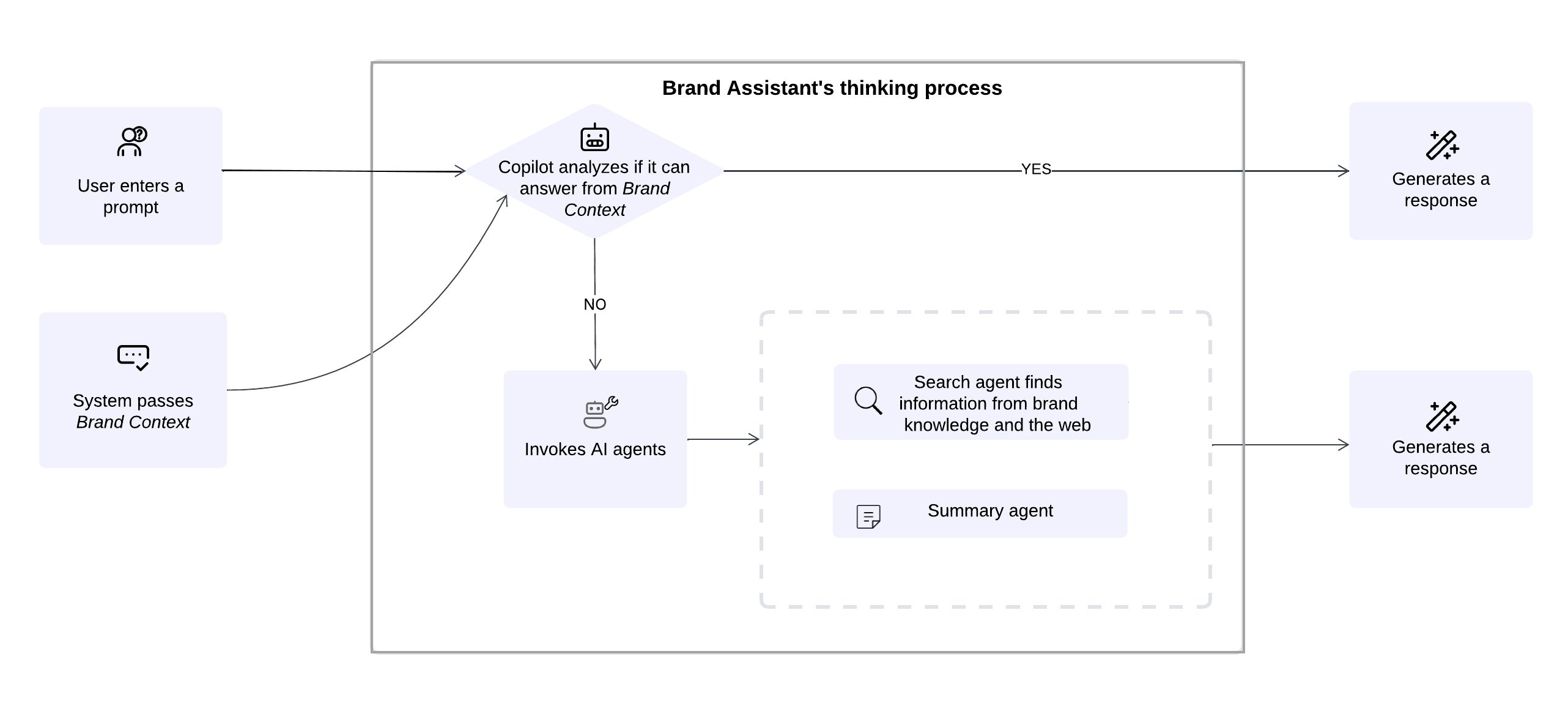
Here's how it works:
- The user enters a prompt - the user enters a prompt in the Brand Assistant - such as a question or an instruction.
- The system passes information from the Brand Context - the system automatically provides information from the Brand Context brand kit section as a system prompt.
- Brand Assistant checks if it can answer from Brand Context - the thinking evaluates whether the information passed from the Brand Context alone is enough to answer the prompt.
- Path selection - based on the analysis, the process continues in one of two ways:
- Generate a direct response - if Brand Context is sufficient, the Brand Assistant generates a direct response using that content.
- Invoke other agents - if the Brand Context doesn't answer the prompt and more information is needed, the Brand Assistant activates one or more agents to search and organize the information, then generate a response. For example:
- Search agent - finds information from your brand knowledge, the web, or both.
- Summary agent - condenses retrieved information into a concise, relevant response.
Generating a response for brainstorming requests
When you enable the Brainstorming and submit a prompt, the Brand Assistant begins its thinking process and runs a chain-of-thought workflow with a sequence of agents. Each agent completes a specific task to produce a comprehensive response.
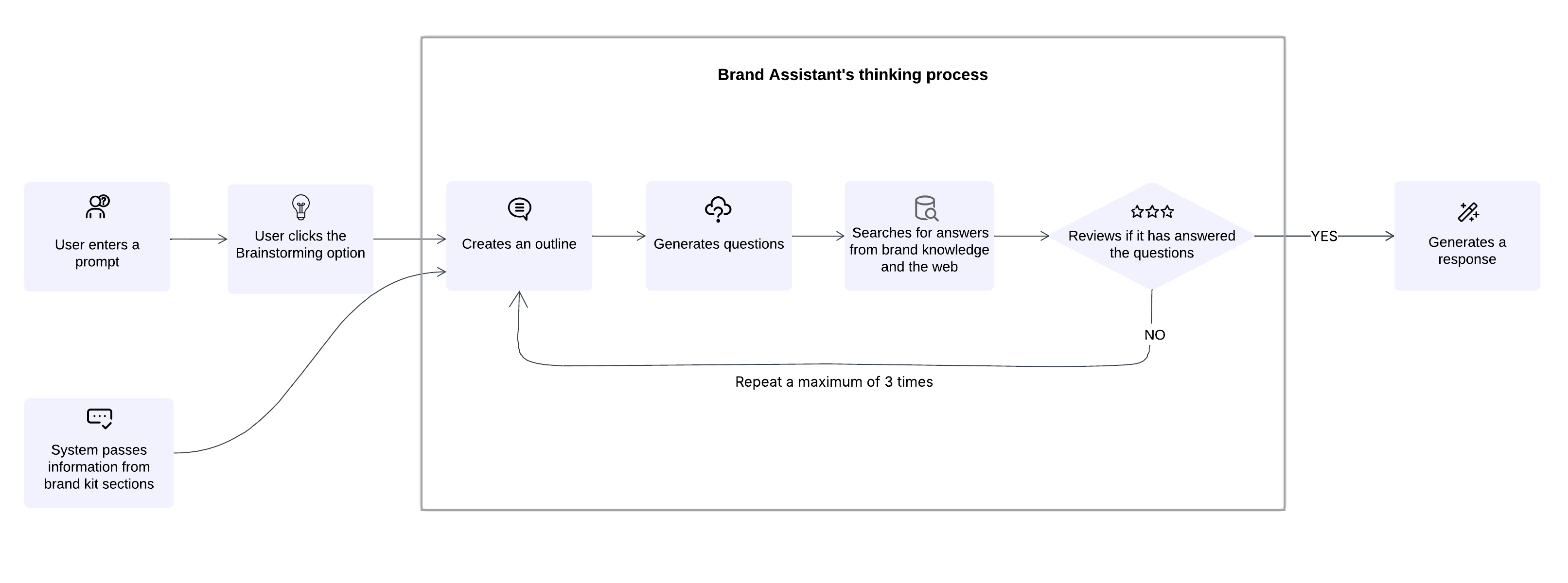
Here's how it works:
- The user enters a prompt - the user enters a prompt in the Brand Assistant - such as a question or an instruction.
- The system passes information from brand kit sections - the system automatically provides information from specific sections of the brand kit - Do's and Don'ts, Tone of Voice, Grammar Guidelines, and Checklist as a system prompt. This ensures all generated content reflects these standards.
- The user enables Brainstorming - when Brainstorming is enabled and the user sends a prompt, the Brand Assistant begins its thinking process and activates the agents involved.
- Agent sequence - the sequence of agents is activated:
- Create an outline - the first agent reviews the user's prompt and creates a structured content outline.
- Generate questions - the next agent lists questions needed to complete the content.
- Search for answers - another agent searches for answers to the list of questions. It searches information from brand knowledge, the web, or both, depending on the user's selected search settings.
- Review coverage - the next agent checks if the answers fully address the prompt. If gaps remain, not, the process can loop up to three times to refine the outline, questions, and retrieval.
- Generate a response - when the information is complete, the Brand Assistant returns a final, comprehensive response with a summary and a standalone, editable content block (an artifact).